
Language: Deutsch · English
 Report and form
Data sources as the basis of reports and forms – parameters, intid, wildcards and the SQL editor.
REFERENZ APPLICATION DEVELOPER STAND: JUL 2026 GILT FUER NUCLOS 4.2026.X
Auf dieser Seite
Data source = basis of every report/form
Data sources are the basis for reports and forms. A data source defines which business objects are considered; conditions and joins restrict the data or add attributes. Parameters make a saved data source reusable.
Menu: Configuration → Data sources → Report and form
Structure of the editor
The screen has five areas:
| Area | Content |
|---|---|
| Header | name and description of the data source. |
| Table selection | system objects (master/transaction data), dynamic objects (BO tables) and saved queries (as sub-queries). |
| Table view | business objects dragged in via drag&drop. |
| Parameter definition | name, data type and prompt per parameter. Forms require at least intid. |
| Column view | visible columns (alias = later field name), sorting and conditions. After saving: SQL and preview. |
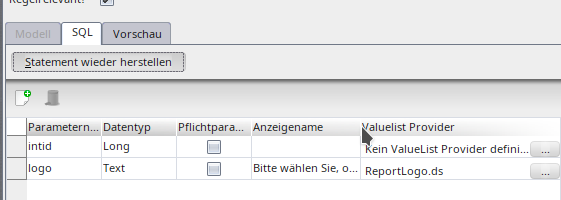
Parameter definition of the data source.
The special intid parameter
Data sources for forms must define the intid parameter for the intid column of the BO to print. Nuclos fills it automatically when printing – without a dialog. A value list provider provides a picklist; the text value via '$name', the ID via '$nameId'.
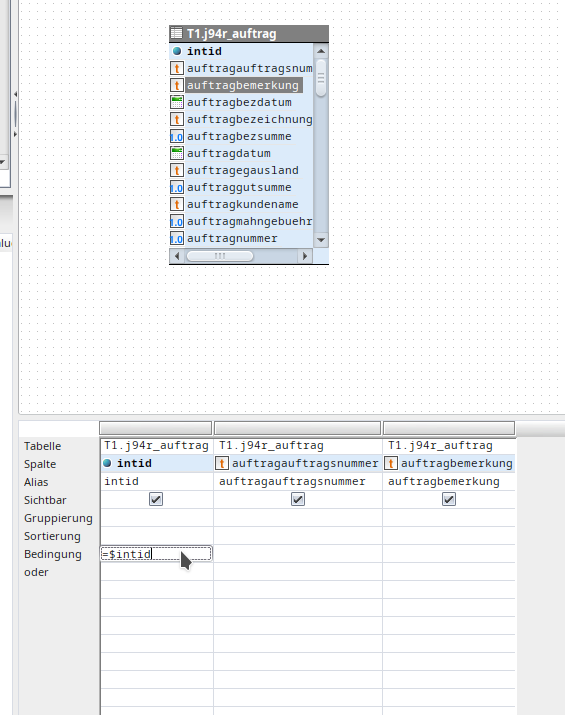
intid parameter in the form.
Text parameters & wildcards
| Condition | Effect |
|---|---|
| ='$param' | no wildcards; „=“ comparison; allows searching for % and _. |
| WIE '$param' | wildcards allowed; LIKE condition. |
| ='$param%' | always LIKE with appended wildcard; empty value = all records. |
Internal parameter types
Text list, integer list, SQL are not offered to the user but used internally in rules. SQL parameters require a VLP as a whitelist of allowed expressions.
SELECT
	T1.INTID "<primaryKey>",
	T1.INTARTICLENUMBER "articleNumber",
	T1.STRNAME "name"
FROM
	V594_ARTICLE T1
WHERE
	$pSql
	  OR
	T1.INTARTICLENUMBER in $pListOfInteger
	  OR
	T1.STRNAME in $pListOfText
List<Number> listOfInteger = new ArrayList<>();
listOfInteger.add(4711L); // Test with Long
List<String> listOfStrings = new ArrayList<>();
listOfStrings.add("4711");

Map<String, Object> params = new HashMap<>();
params.put("pListOfInteger", listOfInteger);
params.put("pListOfText", listOfStrings);
params.put("pSql", "T1.INTARTICLENUMBER > 4000");

DatasourceProvider.run(TestDS.class, params);
Conditions & SQL
Column conditions support comparison operators (= > < >= <= != WIE), ranges (between 'a' and 'b'), brackets and column comparisons. Parameters always start with $. If graphical modelling is not enough, activate the SQL tab and edit the SELECT statement directly; then test via check syntax and preview (incl. export to Excel/PDF/CSV).
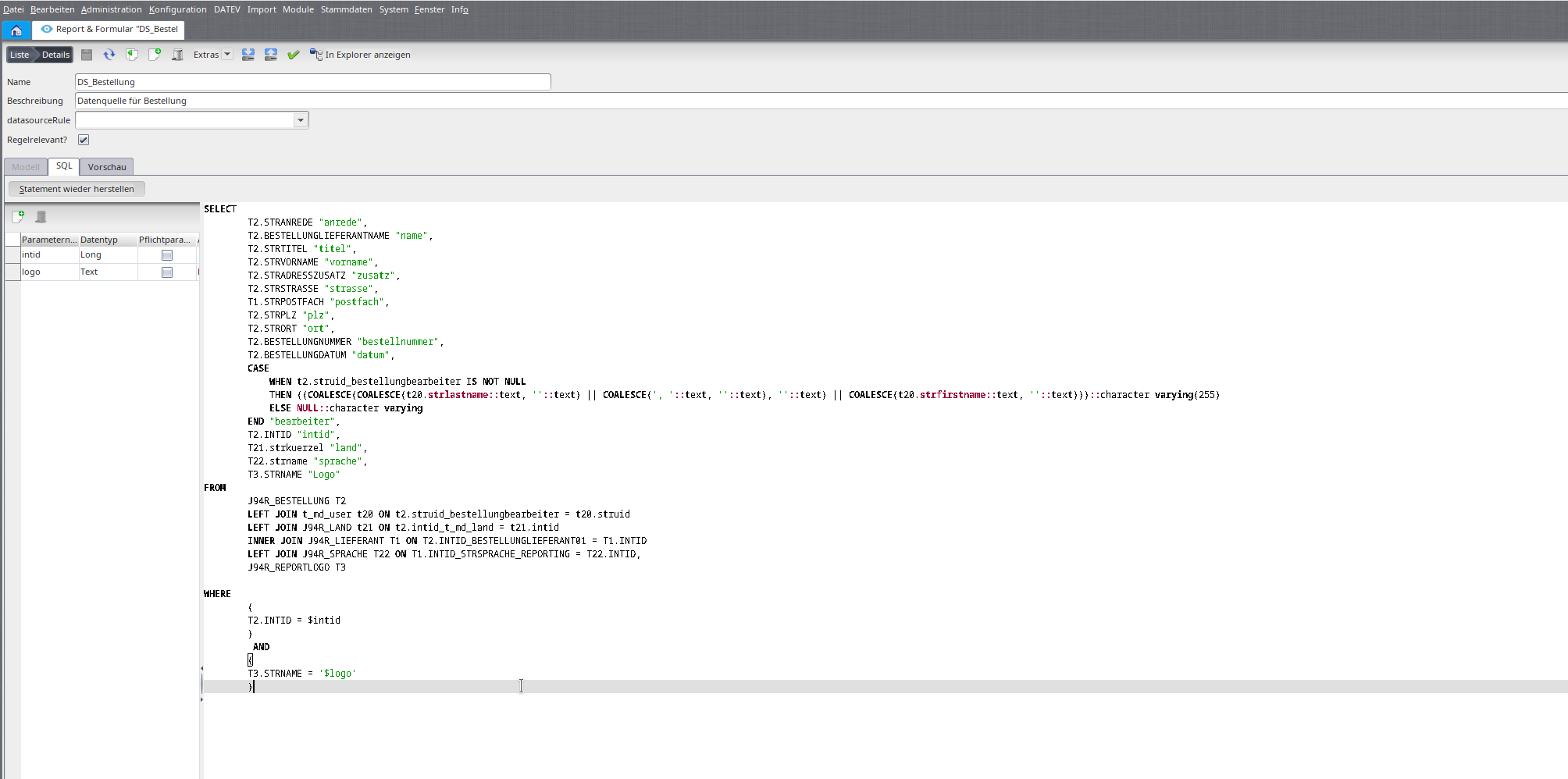
Editing the SQL statement.
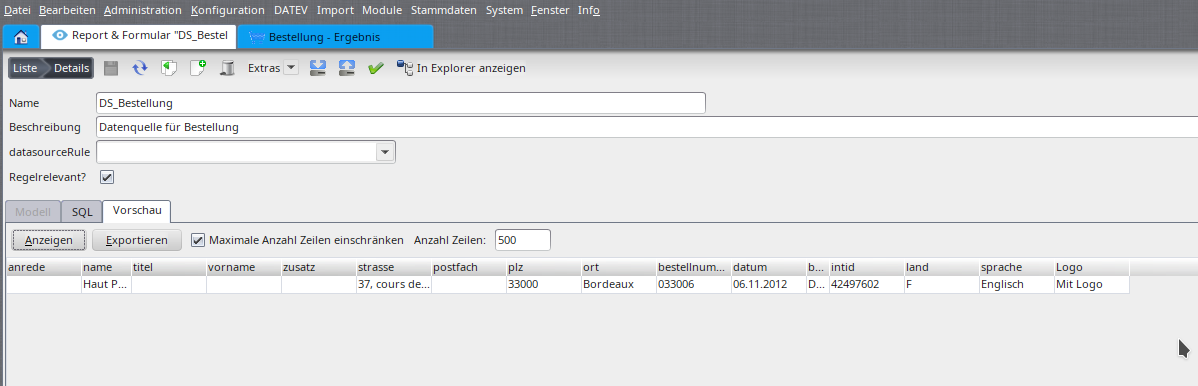
Result preview.
Related pages
Überblick
Inhalte