
Language: Deutsch · English
 Forms
Forms
Make business objects printable – PDF via JasperReports, print profiles and subreports for dependent data.
HOW-TO APPLICATION DEVELOPER UPDATED: JUL 2026 APPLIES TO NUCLOS 4.2026.X
On this page
What is a form?
Forms present a business object in printable form and always refer to one specific record (order, invoice, delivery note …). Which record is printed is controlled by the intid parameter in the data source – the result should be exactly one record.
Menu: Configuration → Report → Forms
Binding & printing
The form is bound to a business object via the usage tab. From its detail view the print function generates the form; intid is filled automatically with the open record. Each form can have several print profiles with different formats (PDF, CSV, XLS, XLSX …).
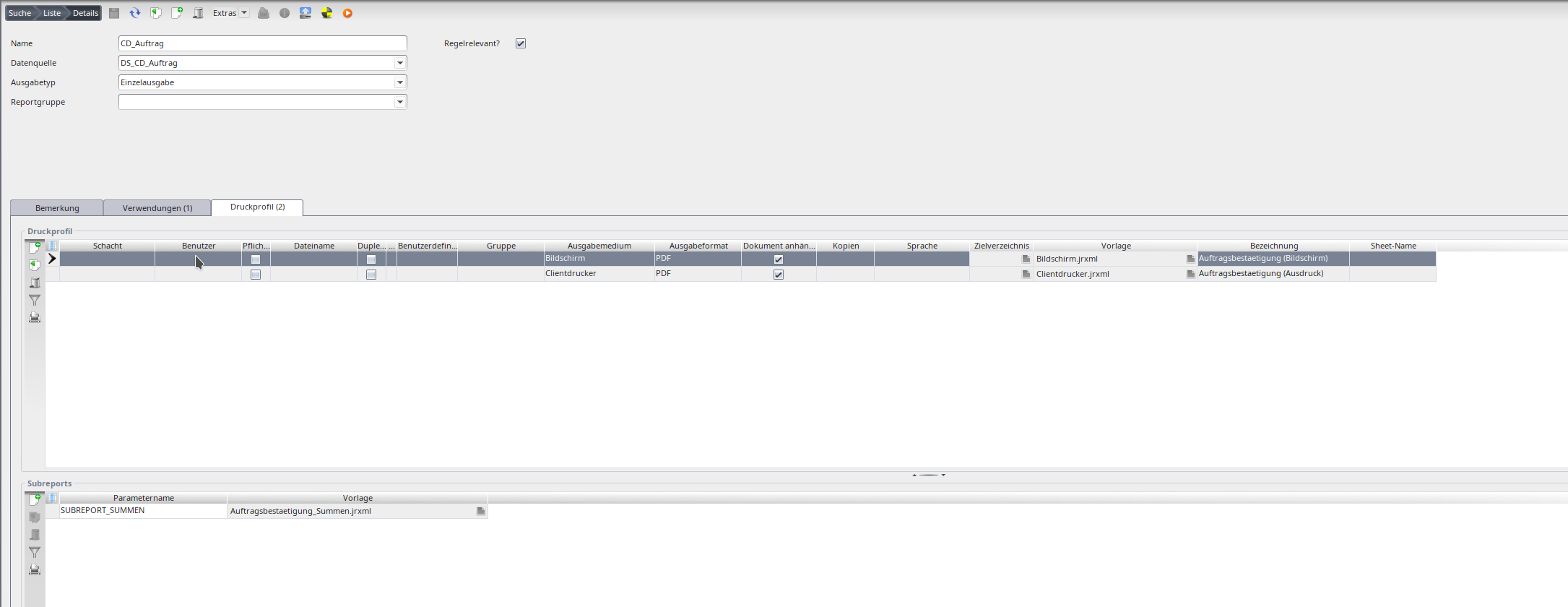
Form with print profile.
PDF forms with JasperReports
For a PDF you store a JasperReports template (.jrxml) in the print profile – directly as a file or as a resource (handy for reuse). For dependent records (e.g. order positions) use a subreport passed as a Jasper parameter to the main template. Additional text parameters allow variants (e.g. a quote with/without summary).
Output format & medium
Formats: CSV, HTML, PDF, XLS, XML. The output medium is either file (create and store) or display (create, store and open).
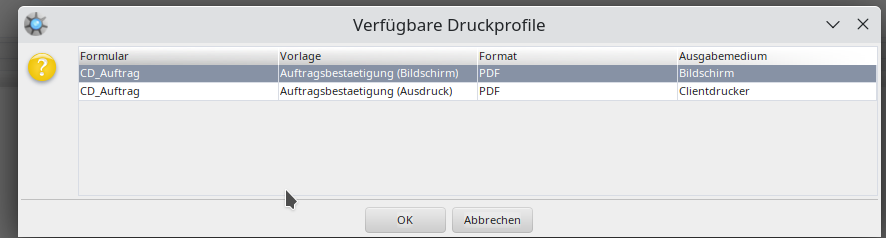
Output format of the form.
Related pages
Überblick
Inhalte