
Language: Deutsch · English
 Reports
Complex evaluations as a report – output types, XLS templates and retrieval via URL.
HOW-TO APPLICATION DEVELOPER UPDATED: JUL 2026 APPLIES TO NUCLOS 4.2026.X
On this page
What is a report?
Reports cover complex evaluations across several joined tables. The result is usually a tabular, possibly multi-page list – with headers/footers, column headings, grouping and arithmetic operations (e.g. sums).
Menu: Configuration → Report → Report
Output types
- Single output: one output format to choose; all use the same data source (chosen in the general part).
- Collective output: a separate data source per output format; on execution all are produced one after another.
- Excel collective output: a special form; output is always XLS, all outputs go into different sheets of the same workbook (sheet name, template, target file).
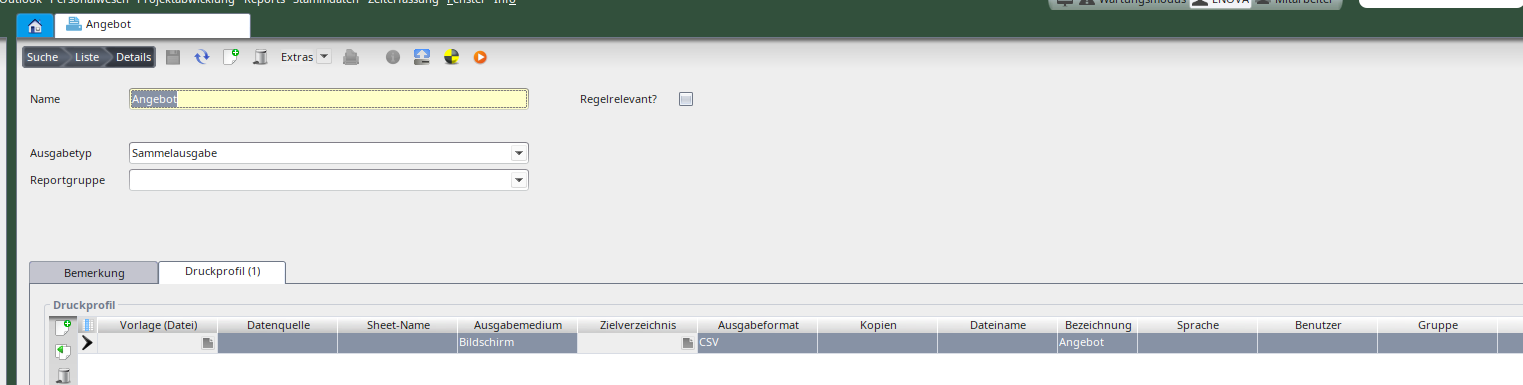
Report configuration (collective output).
Note
The API cannot access Excel collective outputs – they are available on the client only.
XLS output format
Without a template a document with the sheet „Daten aus Nuclos“ is created. With a template Nuclos looks for the „Daten aus Nuclos“ sheet (or the name given in sheet name) and writes the data there – otherwise it is created.
Running & retrieving a report
The run reports action appears in the File menu if the user group has the „run report“ right. Template-based CSV/PDF reports can also be retrieved via URL:
<host>:<port>/<instance>/reports/<report-UID>/<output-format>.csv
http://localhost/nuclos/reports/<reportname>/<output-format>?parameter=value
Retrieval requires a login; the same permissions as in Nuclos apply.
Related pages
Überblick
Inhalte