
Language: Deutsch · English
 Value list provider
Dependent selection lists in combo boxes – e.g. only the contacts of the selected customer.
HOW-TO APPLICATION DEVELOPER UPDATED: JUL 2026 APPLIES TO NUCLOS 4.2026.X
On this page
What is a value list provider?
A value list provider (VLP) dynamically restricts the choices in a combo box / list of values – depending on another selected value. Typical cases: show only the contacts of a selected customer, or only the rooms of a selected building.
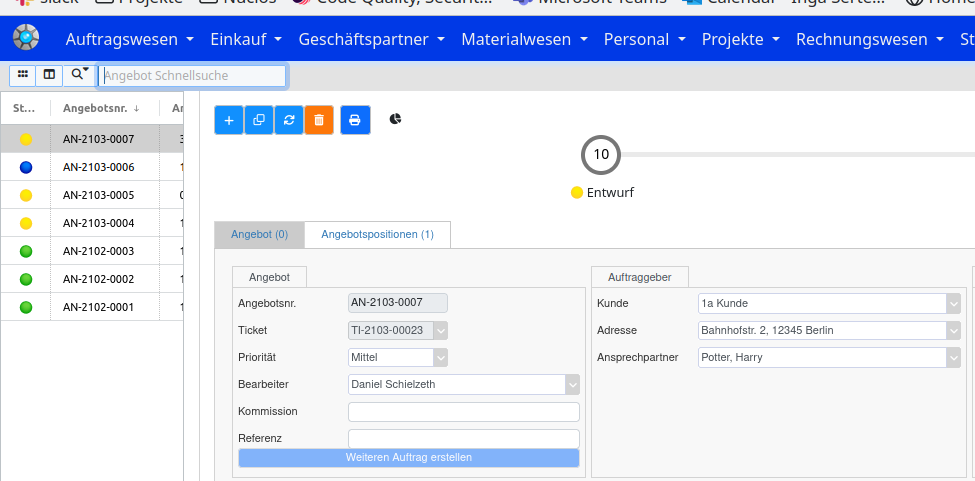
Example: contacts per customer.
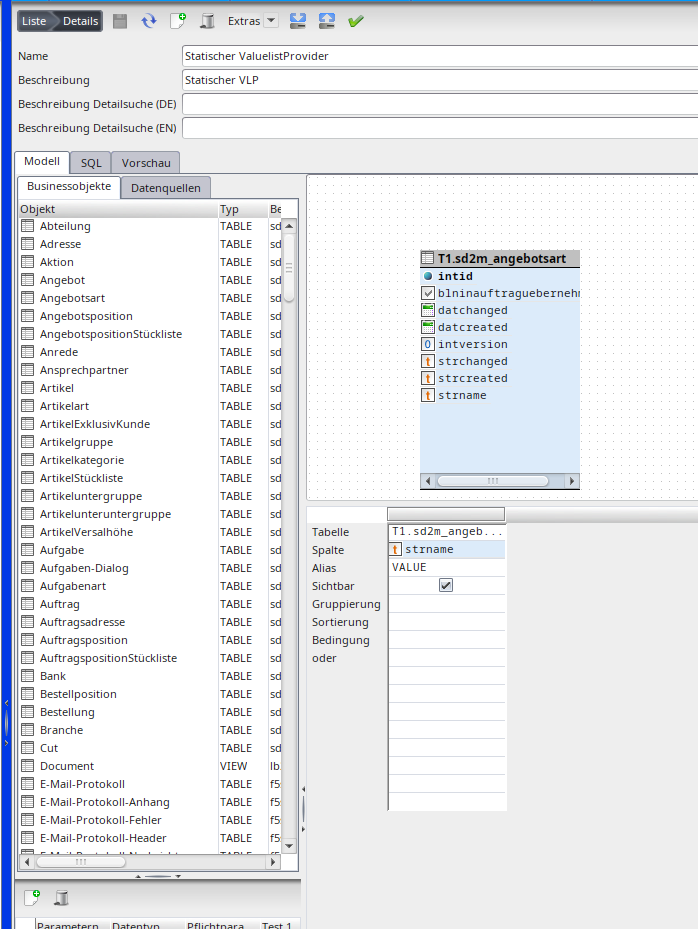
Step 1: create the data source
Menu: Administration → Data sources → Valuelist Provider. Define a parameter (e.g. intid_kunde) that passes the internal ID of the triggering record.
Handy
If the parameter is named intid, Nuclos automatically uses the INTID of the main record.
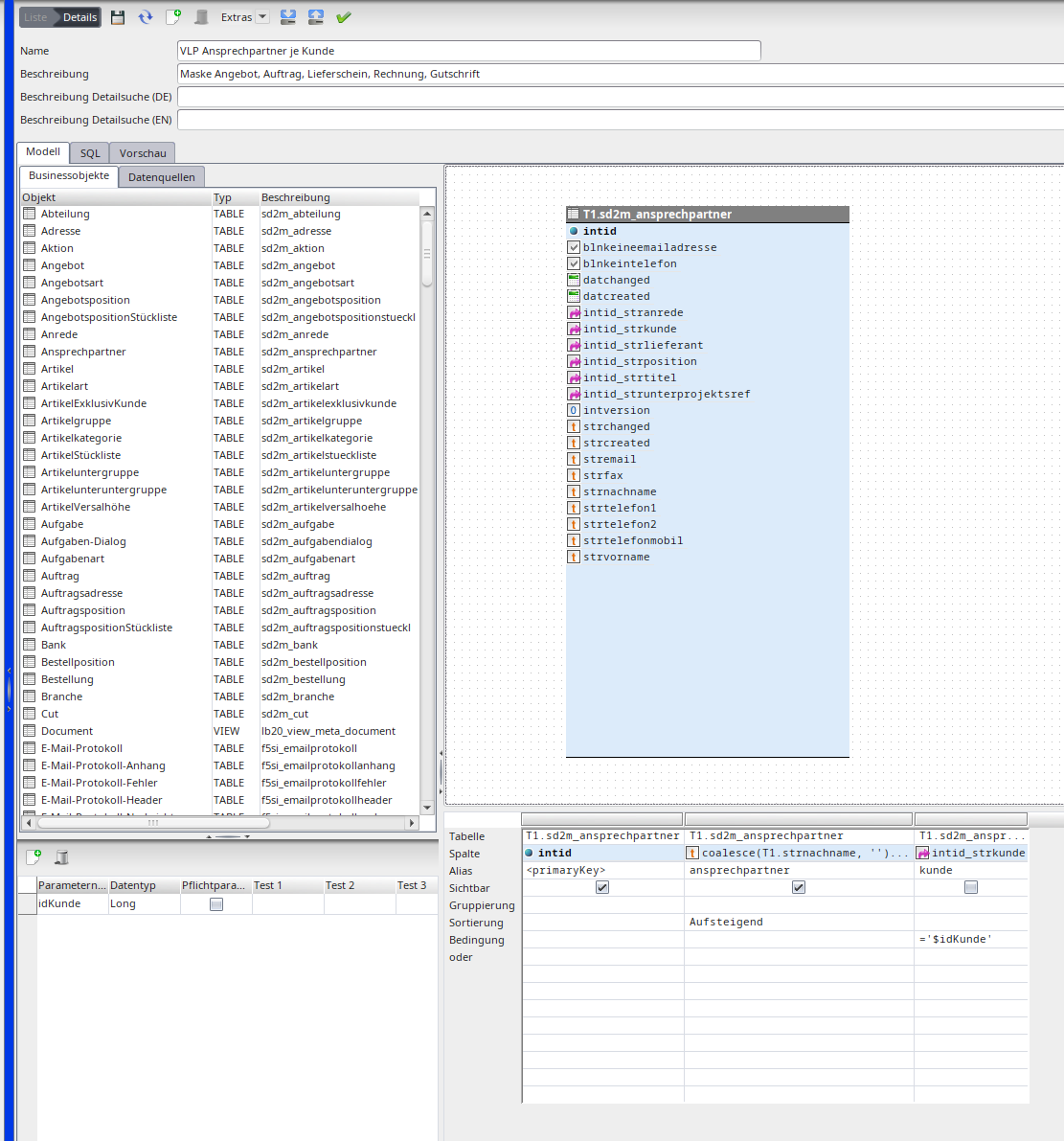
The value list provider data source.
Step 2: add the VLP to the layout
In the layout editor attach the value list provider to the target field (here: contact) via the palette. An optional default flag lets you preselect a standard value (e.g. the default address).
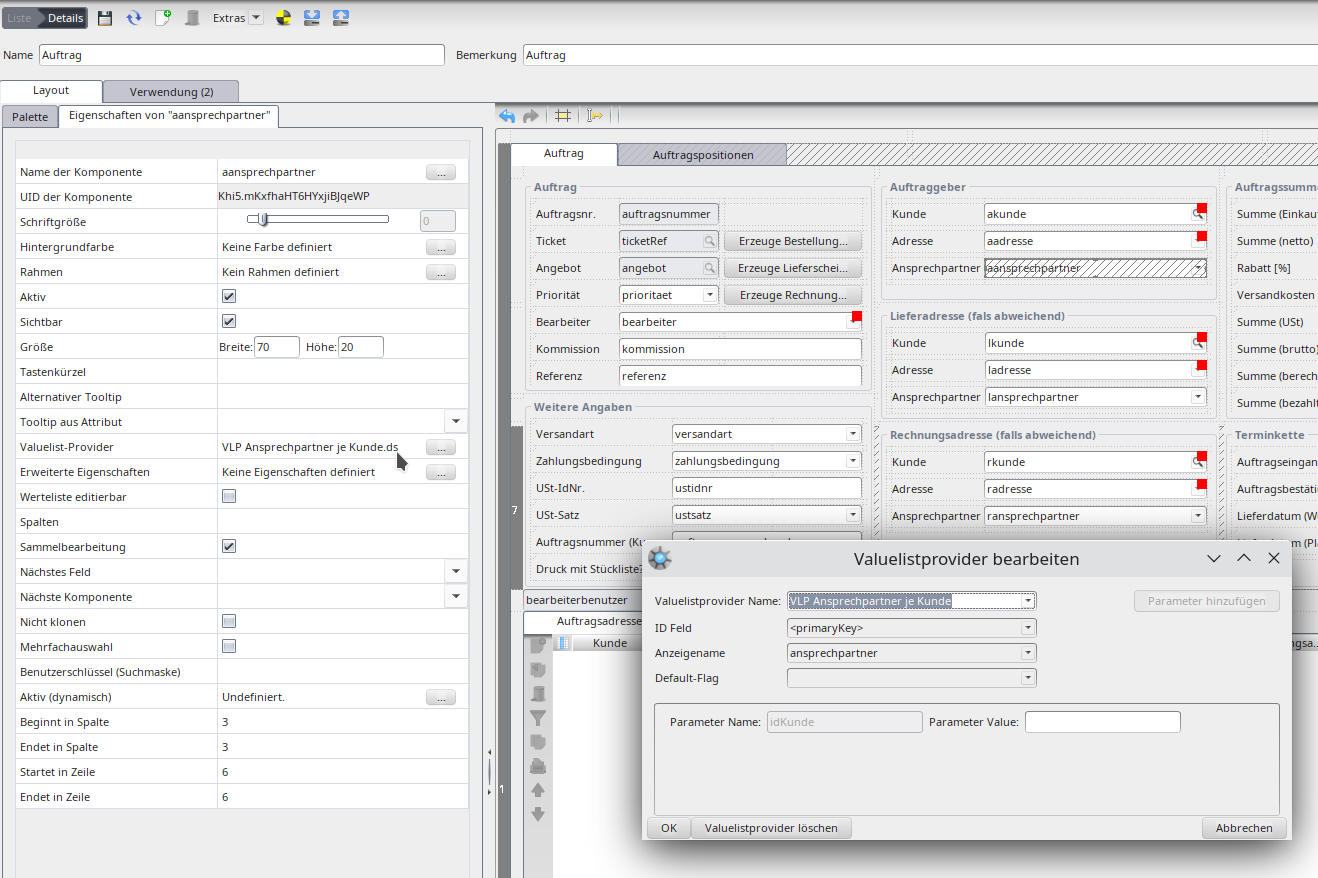
Value list provider in the layout.
Step 3: create the layout rule
On the source field (here customer) define a layout rule:
| Field | Value |
|---|---|
| Event | When the value changes |
| Action type | Update value list |
| Business object | BO of the target component (only for sub-forms; otherwise empty) |
| Target component | Combo box whose values are updated |
| Parameter | Parameter name from the data source |
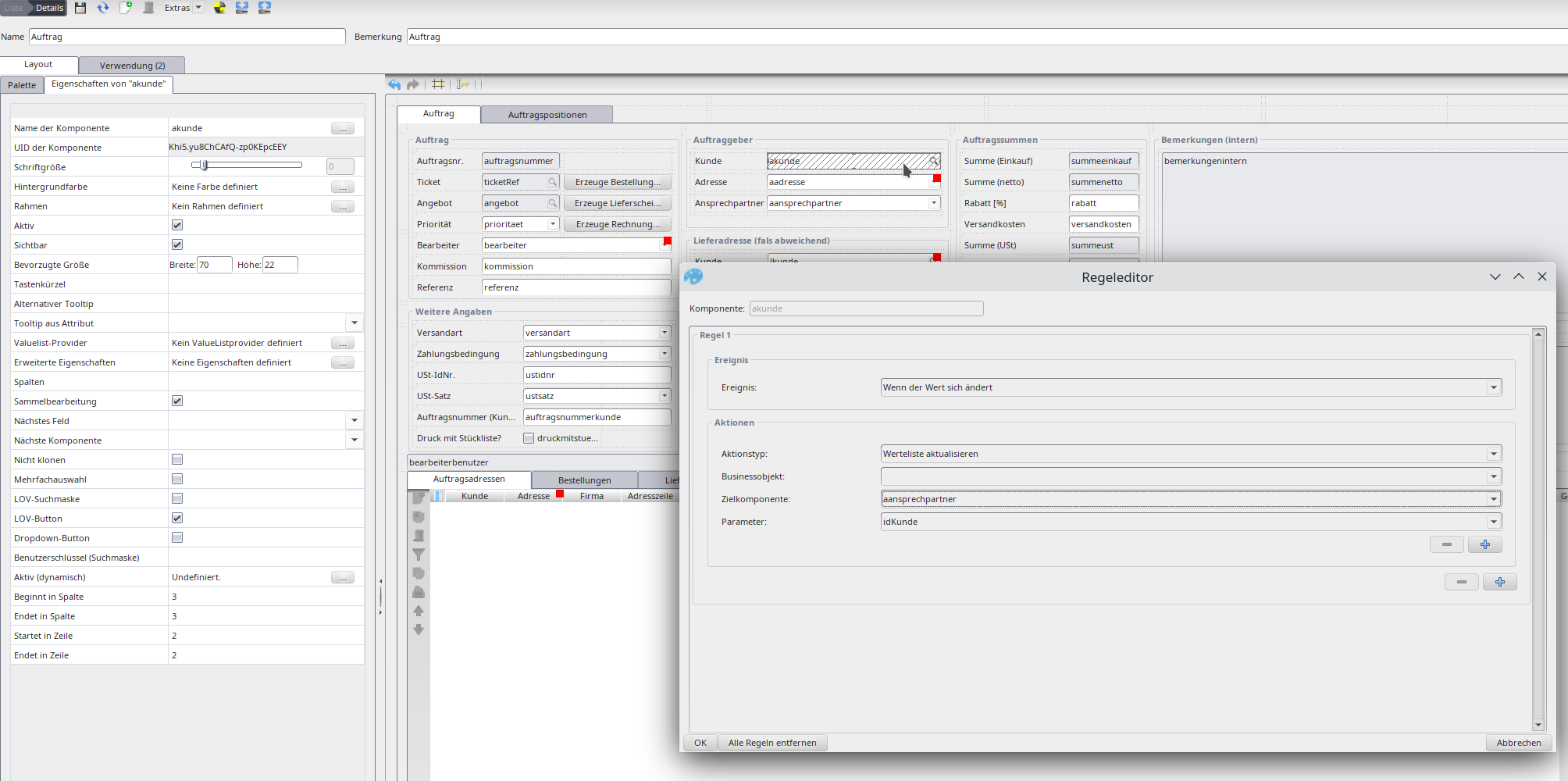
Layout rule „update value list“.
Predefined value list providers
- Status: restricts the status field's value list to certain business objects (parameter business objects = internal BO name).
- Process: restricts the action field's value list (only on the
NuclosProcessfield). - Parameters: provides value lists in column definitions of sub-form data (parameter
showValue).
System parameters
System parameters in condition/SQL: $username, $mandator, $locale, $searchmode (in single quotes). They must be declared in the VLP under parameters first.
VLP for text attributes
To offer a fixed value list for a text attribute (without a reference, e.g. for „salutation“), choose a combo box in the layout editor with show all attributes ticked, attach a VLP (leave the ID field empty). With value list editable users may also enter their own values.
Combo box with a value list provider for a text attribute.
Related pages
Überblick
Inhalte