Create a Nuclos business object (BO): attributes and data types, reference fields, status model, actions, menu, tree view, rights, layout – step by step. |
Language: Deutsch · English
The heart of every Nuclos application: business objects define your data model – table, forms and API are generated automatically.
On this page |
In Nuclos all of your company's data is organised in business objects (BO). A business object corresponds to an entity in the data model – an abstraction of real things such as customer, article or order. From the BO, Nuclos automatically derives the database table, the forms and the REST/rule API.
A business object may – but need not – have a status model. Use it to model processes, e.g. ordered → delivered → paid. |
Menu: Configuration → Business object
The first page of the BO wizard lists the existing business objects (filterable and sortable).
Deleting removes all data irreversibly. A deleted BO cannot be restored. |
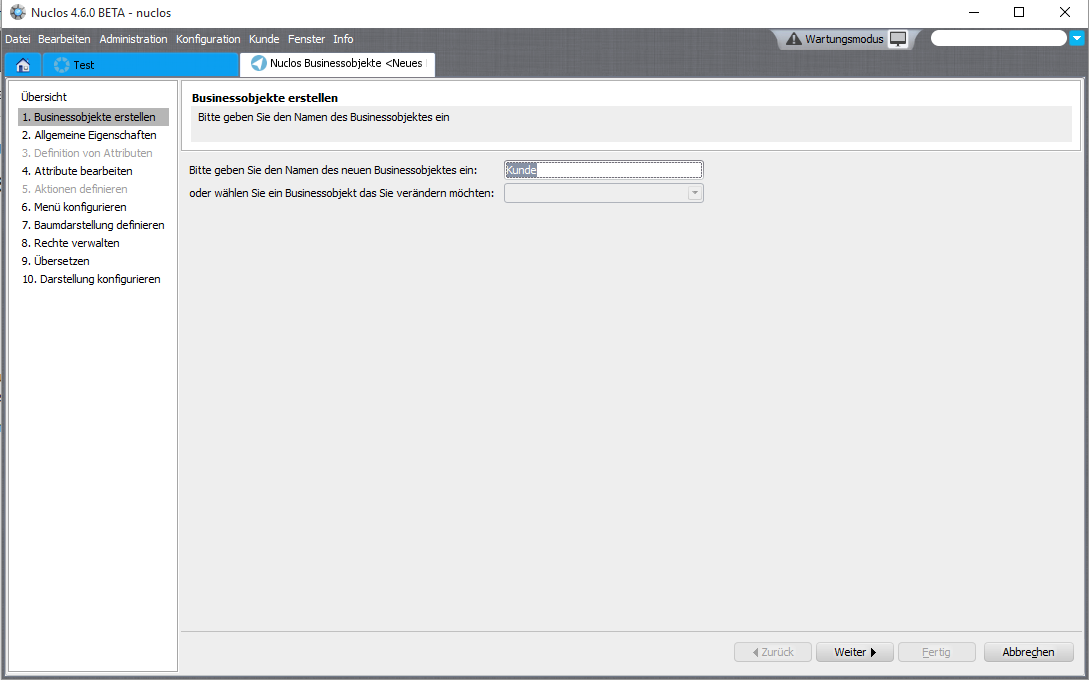
Step 1: overview and creation of business objects.
\), custom icon, keyboard shortcut.KU0716-00001).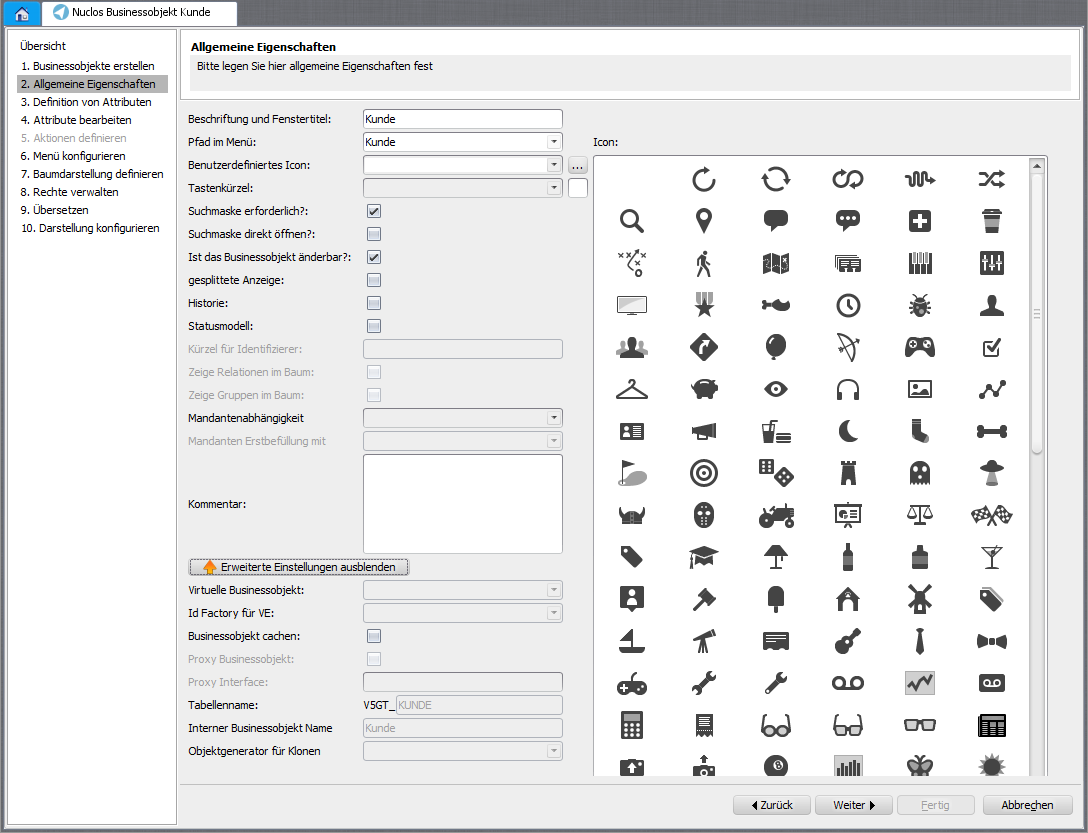
Step 2: general properties of the business object.
Attributes (fields) can be created manually or taken over from another BO or a database table. Set the order via arrow buttons or drag-and-drop; it is the default of the list view.
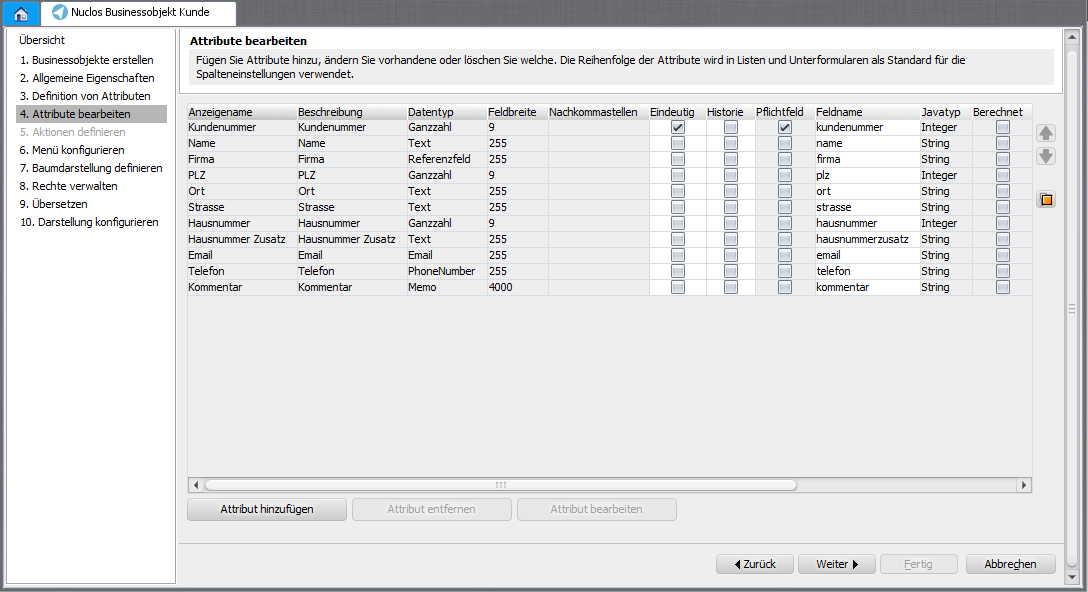
Step 4: maintain the business object's attributes.
| Data type | Java type | DB type | Length | Note |
|---|---|---|---|---|
| Text | java.lang.String | varchar | 255 | Standard text field |
| Memo | java.lang.String | varchar | 4000 | Multi-line text |
| Text (Large Object) | java.lang.String | clob | 2147483647 | Very long text |
| Integer | java.lang.Integer | number | 9 | Whole number |
| Decimal (9,4) | java.lang.Double | number | 9 | Format via pattern, e.g. #,##0.00 |
| Yes/No | java.lang.Boolean | number | 1 | Mandatory, no null values |
| Date | java.util.Date | date | – | Format via pattern, e.g. dd.MM.yyyy |
| Reference field | java.lang.String | varchar | 255 | Reference to another business object |
| Lookup field | java.lang.String | varchar | 255 | Pick from reference BO, only the text is stored |
| E-mail / PhoneNumber / Hyperlink | java.lang.String | varchar | 255/1000 | Special data components |
| Document / Image / Binary (LOB) | – | blob | – | Files and images |
| Auto number | java.lang.Integer | number | 9 | Automatically incremented |
| Encrypted text | – | varchar | 255 | Stored encrypted |
A reference points to another business object or to an integration point. Options: cascade delete, search field (LOV) and a display pattern of concatenated attributes, e.g. ${kundennummer} - ${name}. A value list provider can be assigned across attributes.
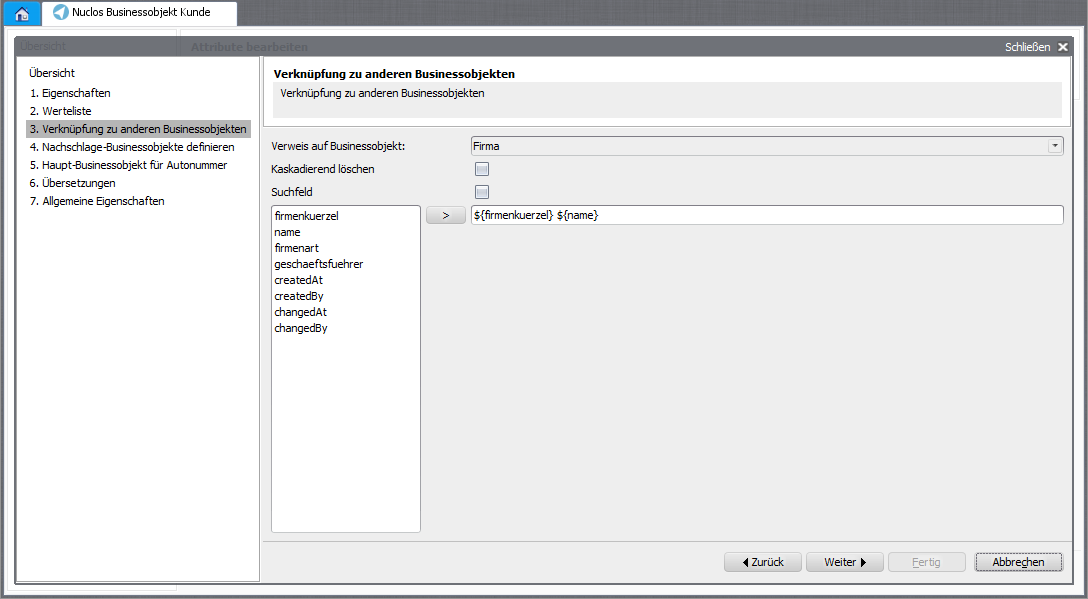
Reference field/relation to other business objects.
With actions you design several layouts/processes for one BO (e.g. company vs. private customer). Contexts control which subform BOs the web client search includes. The menu path can be refined per action; with New? the input form opens directly.
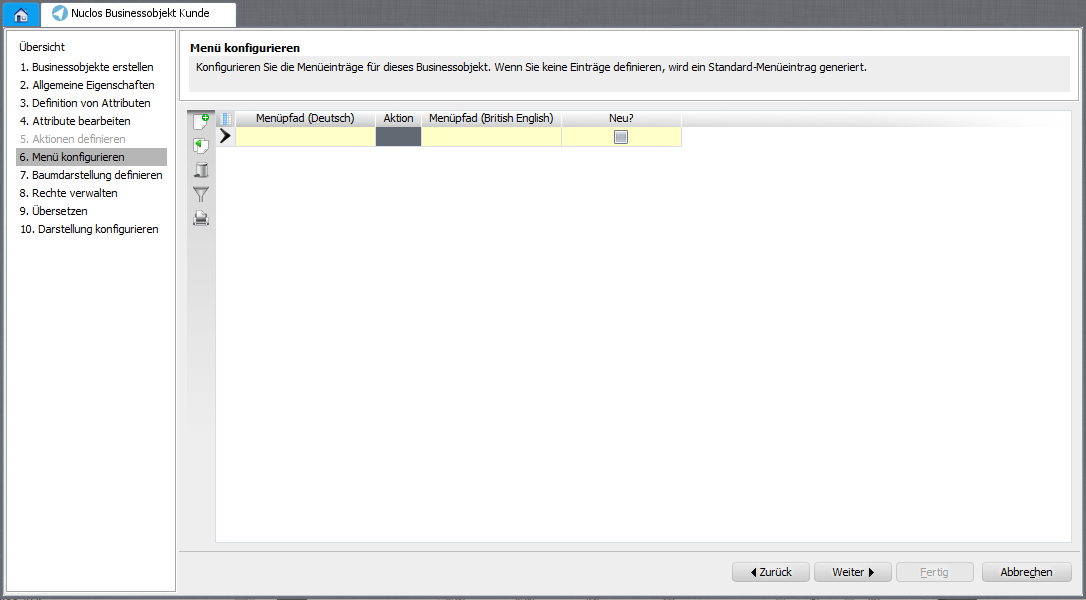
Step 6: configure the menu.
Title (window title/history/tree) and info (tooltip) are built from attributes + static text, e.g. ${kundenname} (${kundennummer}) - ${nuclosState}. In the tree view you embed referencing BOs as well as dynamic BOs and document attachments as child nodes (grouping, folders, reference fields).
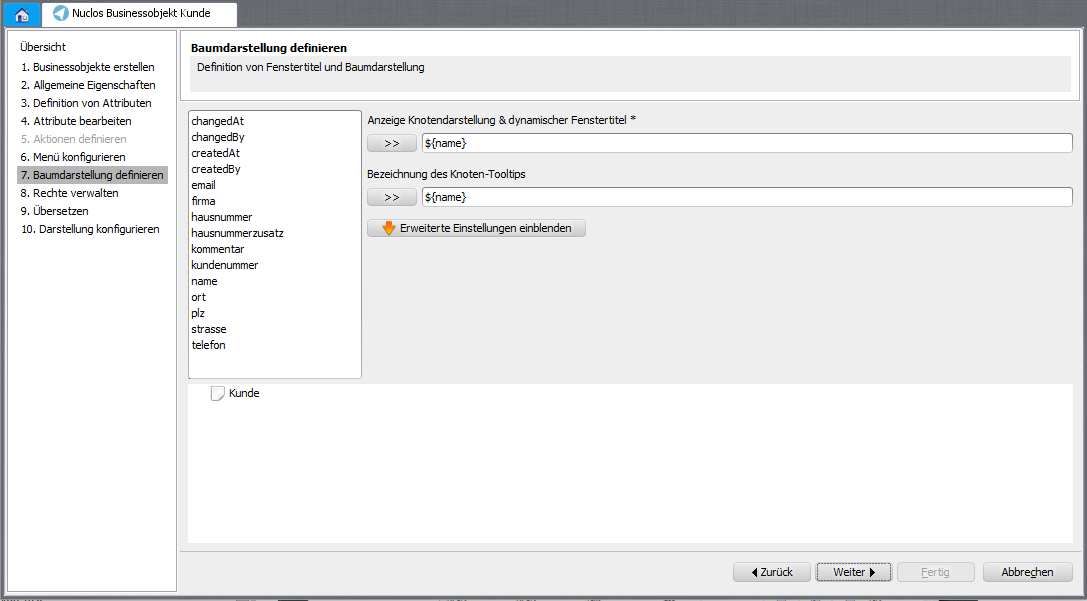
Step 7: configure the tree view.
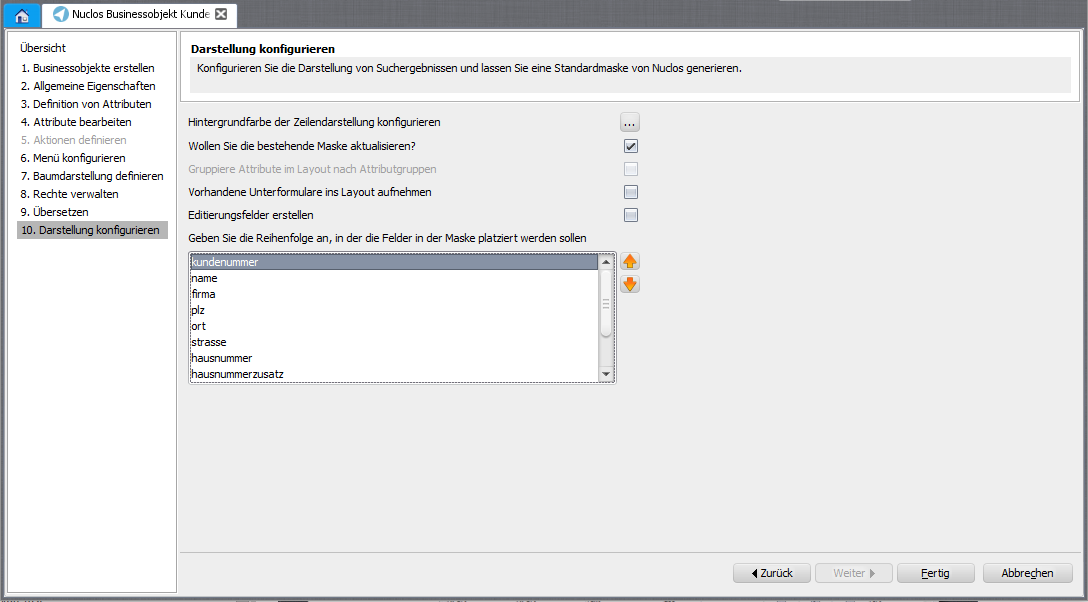
Step 10: configure presentation/layout.
Before creating, briefly plan the attributes and relations so the data model stays easy to extend later. |