
Language: Deutsch · English
 Status model
Model processes and states: states, transitions, permissions and rules – modelled graphically.
KONZEPT LOW-CODE UPDATED: JUL 2026 APPLIES TO NUCLOS 4.2026.X
On this page
What is a status model?
A status model defines which states a business object can take and which transitions exist between them. Use it to model business processes (ordered → delivered → paid) or simple states (active/inactive).
Rights and rules
Permissions can be set per state and transition; transitions can trigger rules (validations, calculations, e-mails). New records always start in the first state.
Menu: Configuration → Status model
Prerequisite
If the status model flag is set on the business object, defining a status model is mandatory – the form cannot be opened otherwise.
Draw the model
The graphical editor offers: select tool, insert state, transition (drag from source to target state via the green dot), comment, delete, print and zoom. On the right you pick the business object(s) and optionally an action the model applies to.
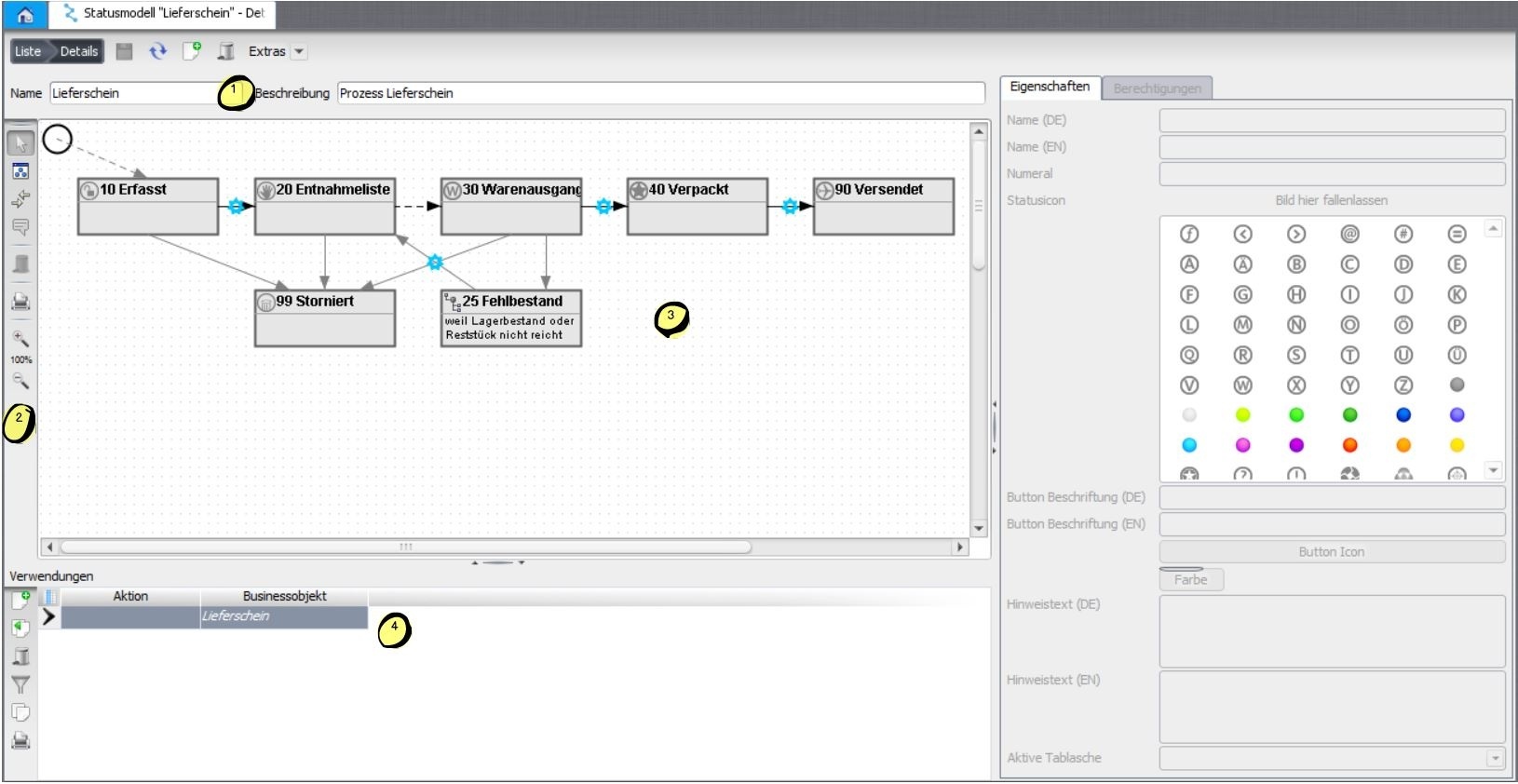
Status model editor: states and transitions.

A status change as shown in the web client.
Configure a state
- Name (DE/EN) – shown as the current state (
nuclosState). - Numeral – ordering of the next possible transitions.
- State icon (16×16), button label (DE/EN), button icon and colour (rich client).
- Hint text (DE/EN) in the status-change dialog, active tab.
Permissions
In a matrix you set the rights per user group and state:
| Colour | Meaning |
|---|---|
| Green | read and write – fields active |
| Yellow | read only – fields disabled |
| Grey | not visible – area left empty |
In addition, attributes can be made mandatory from a certain state, and subforms can be granted create/delete rights (+/-).
Configure a transition
- Automatic transition – not triggered manually (dashed line); the first transition is always automatic.
- Standard transition – shows the status-change bar in the record (a continuous path is required).
- Without confirmation – skips the confirmation dialog.
- Rules before/after the change – a gear marks transitions with rules (see rule sets and server rule manager).
The permission on the first transition controls creating new records – without it the New button is greyed out.
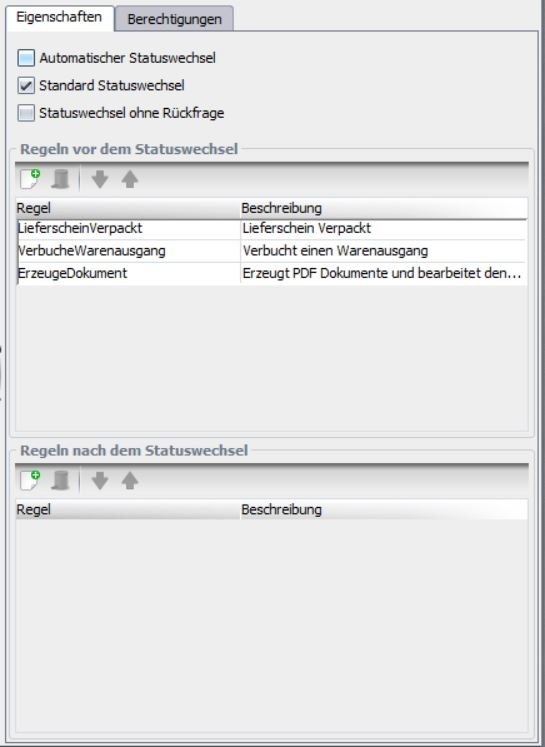
Configuring a status transition.
Related pages
Überblick
Inhalte