
Language: Deutsch · English
 Embedding a barcode
Barcodes in reports – simply via the palette or flexibly via an image object (EAN13 example).
HOW-TO APPLICATION DEVELOPER UPDATED: JUL 2026 APPLIES TO NUCLOS 4.2026.X
On this page
Barcodes in JasperReports
For barcodes the palette offers two libraries under Barcode: barcode4j and barbecue.
Simple embedding
- Drag the barcode component from the palette onto the canvas.
- Choose the library and barcode type, confirm with Finish.
- Enter the value/string in the properties (some types accept only a fixed length).
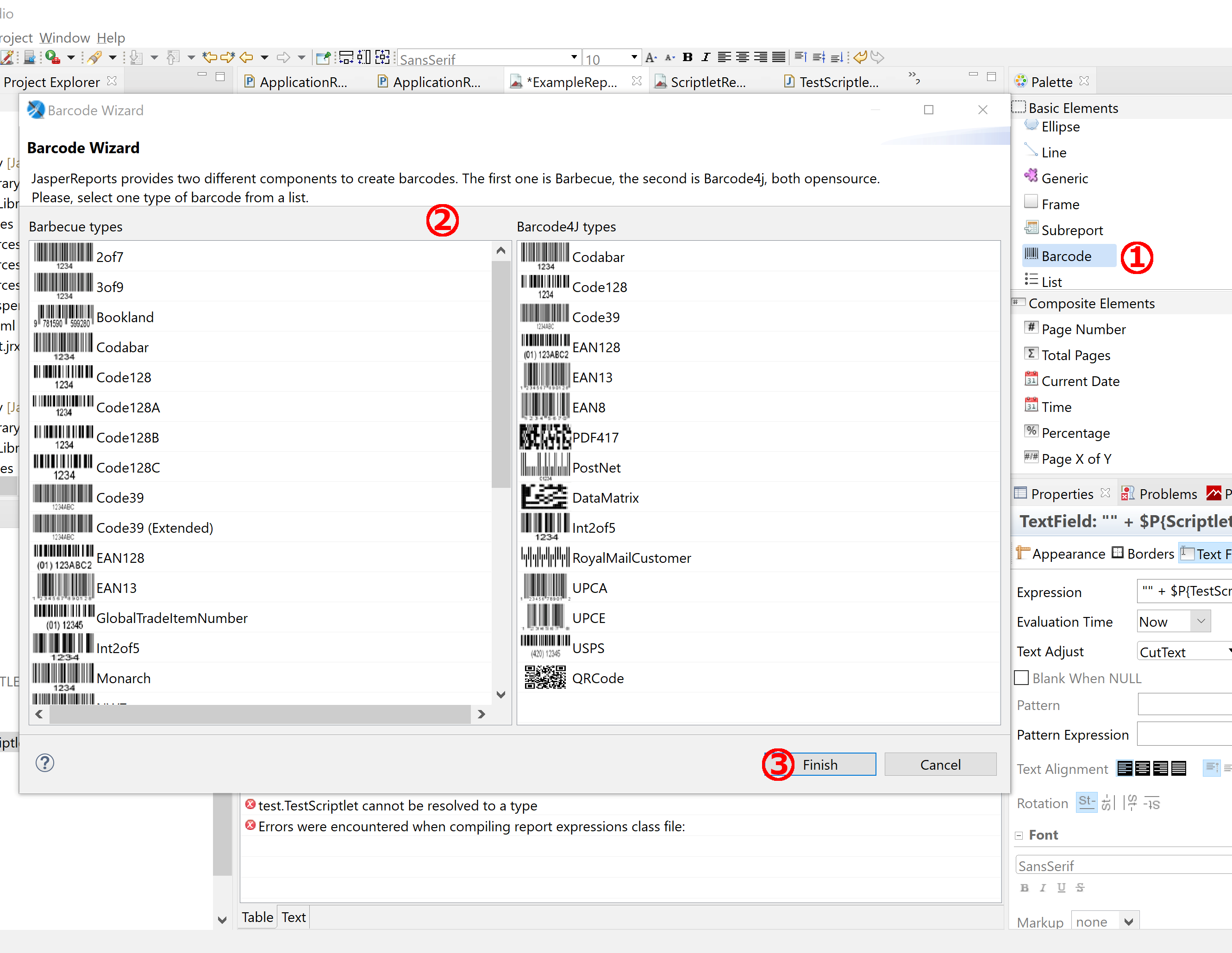
Adding the barcode component.
Embedding via the image object
For more control (e.g. font/size of the text below the barcode) embed the barcode via an image object. Create a Java library project with a class and add it to the class path of the bundled jasperreports-6.17.0.jar. Example (EAN13, 13‑digit):
/*
 * To change this template, choose Tools | Templates
 * and open the template in the editor.
 */
package org.barcodeself;
import java.awt.Font;
import net.sourceforge.barbecue.Barcode;
import net.sourceforge.barbecue.BarcodeException;
import net.sourceforge.barbecue.BarcodeFactory;
import net.sourceforge.barbecue.BarcodeImageHandler;
import net.sourceforge.barbecue.output.OutputException;
/**
 *
 * @author rufus
 */
public class EAN13 {
    public static java.awt.Image createEANdreiZehn(String c) throws OutputException, BarcodeException{
       if(c.isEmpty() || c.equals("")|| c.length() != 13){
           c = "000000000000";
       }
       else{
           c = c.substring(0, 12);
       }
       Barcode b = BarcodeFactory.createEAN13(c);
       Font f = new Font("SanSerif", Font.BOLD, 12);
       b.setFont(f);
       return BarcodeImageHandler.getImage(b);
    }
}
In the designer place an image element and set:
Image Expression = org.barcodeself.EAN13.createEANdreiZehn("12-digit")
Expression Class = java.awt.Image
EAN13 note
The EAN13 has 13 digits, the last being a check digit appended during generation – so only 12 digits may be passed to the generator. An externally generated EAN13 may need to be shortened in the data source (Postgres: substring(ap."strean" from 1 for 12)).
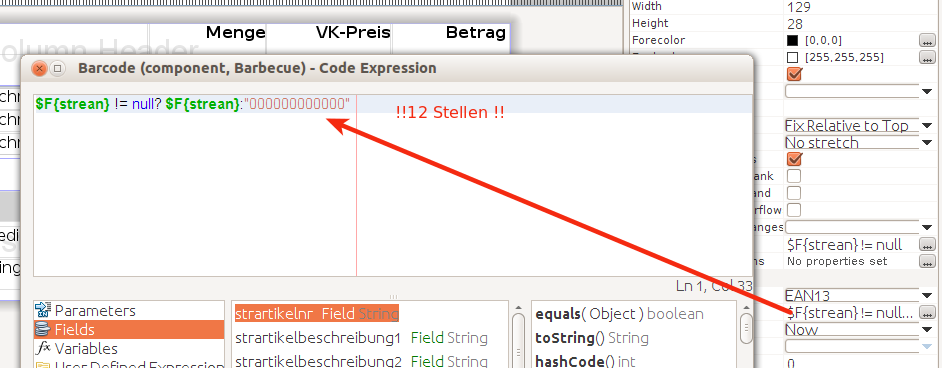
Barcode in the report.
Barcodes in Nuclos
To use them in Nuclos, transfer the dependencies as extensions:
| Library | Dependencies |
|---|---|
| Barbecue | barbecue-1.5-beta1, jdom-1.0 |
| Barcode4J | barcode4j-2.1, zxing-core-3.4.0 |
Related pages
Überblick
Inhalte