
Language: Deutsch · English
 Object import
Import CSV files – standard vs. direct import, multiple structure definitions and ordering.
HOW-TO APPLICATION DEVELOPER UPDATED: JUL 2026 APPLIES TO NUCLOS 4.2026.X
On this page
What is the object import?
In the Object import mask you assign one or more structure definitions to a source file and start the import. Menu: Import & Export → Object import.
File & import mode
Under File the CSV file is uploaded to a server directory.
| Mode | Behaviour |
|---|---|
| Standard import | creates data via Nuclos storage mechanisms – rules are executed. |
| Direct import | writes straight into the DB (no rules) – much faster for large volumes; extra attributes nuclosProcess and nuclosState. |
Direct import
On direct import, state and action are imported by name only (depending on the current context language). Run in transaction reads block-wise (performance); the result is written to the log file.
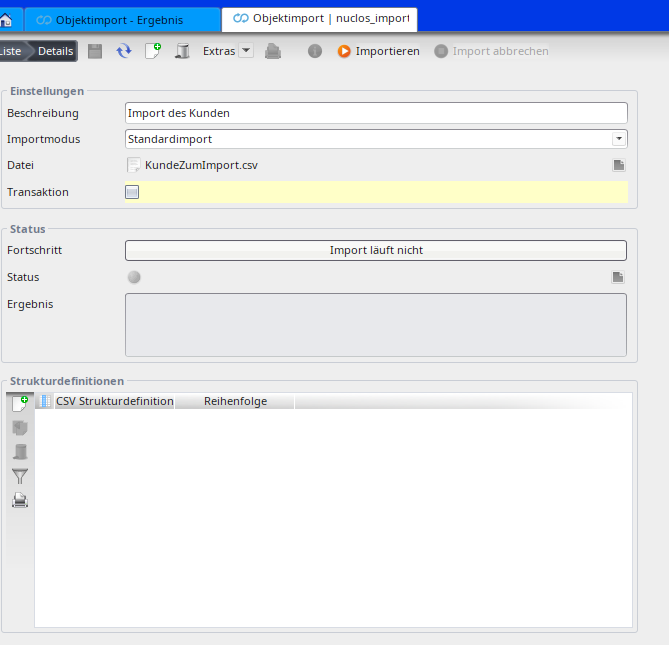
Object import mask.
Assign structure definitions
On the Structure definition tab, assign one or more definitions. The order determines the import sequence – important for dependencies.
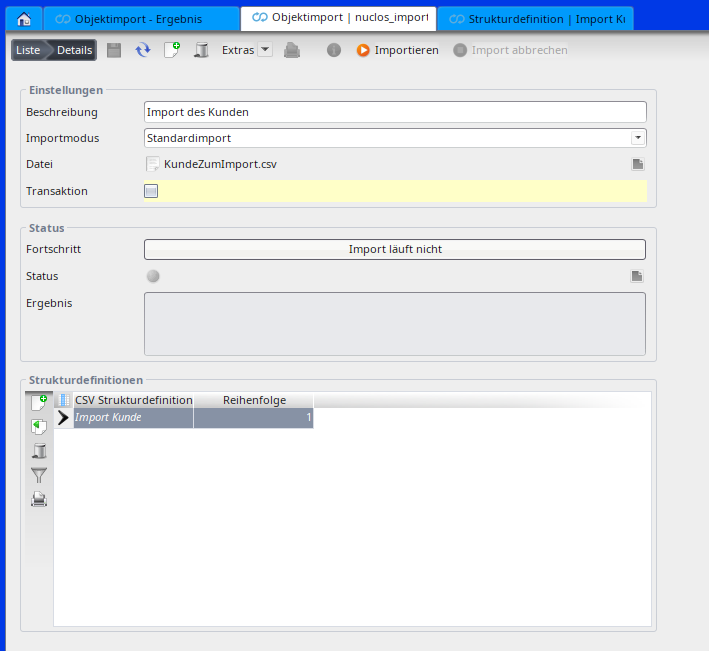
Assigning structure definitions.
Running an import
How-to (existing structure definition): open the target entity → Actions → Import → upload the file and choose the structure definition → check import mode/preview → Start → check the import log.
Related pages
Überblick
Inhalte