
Language: Deutsch · English
 Server rule manager
Manage rules centrally: rule library and assignment to business objects, status models and events via drag-and-drop.
HOW-TO DEVELOPER STAND: JUL 2026 GILT FUER NUCLOS 4.2026.X
Auf dieser Seite
What is the server rule manager?
The rule manager shows and manages existing rules and their links to business objects, status models, work steps and deadlines. The UI has two trees: the rule library on the left and the rule assignment on the right.
Menu: Configuration → Server rule manager
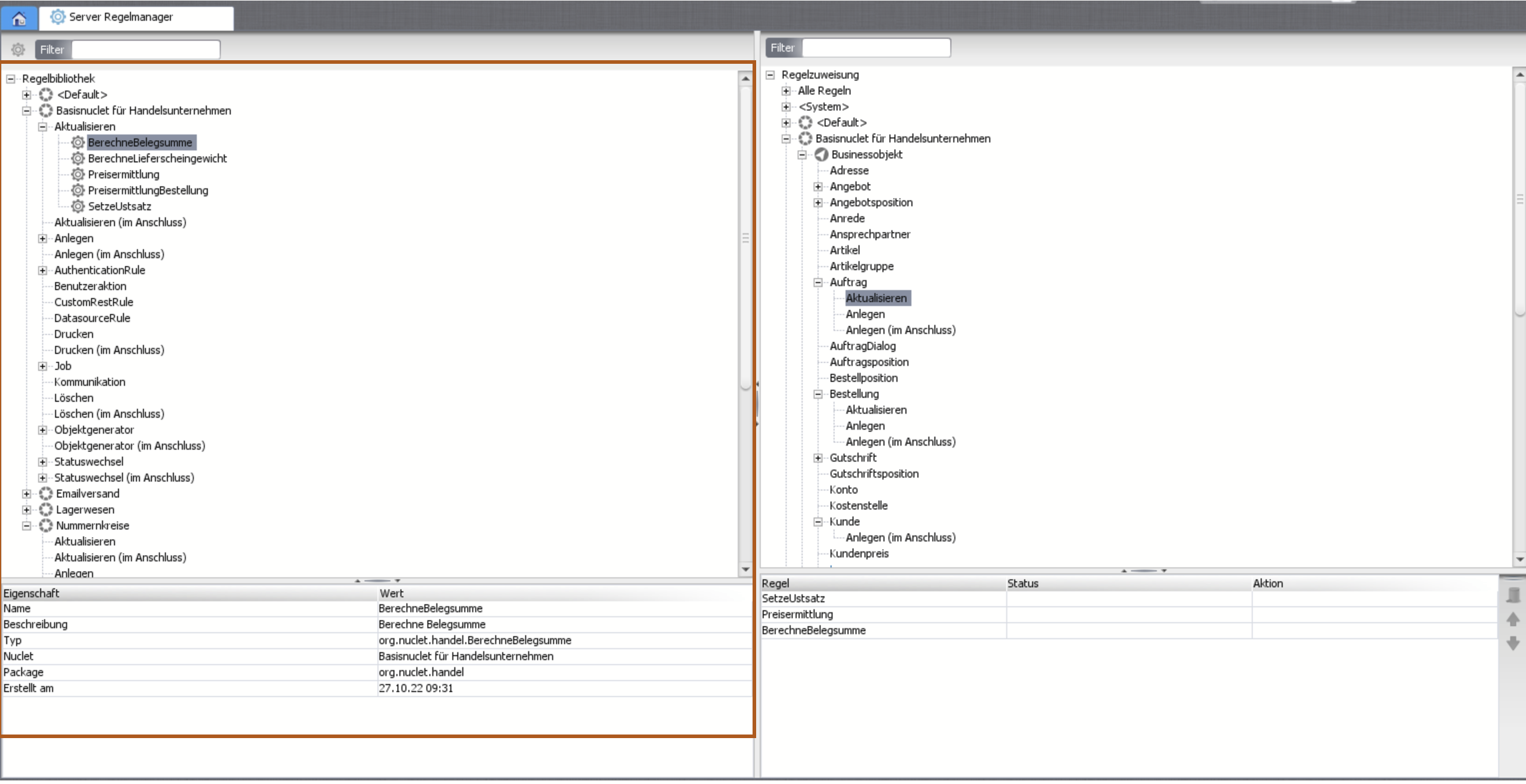
Rule manager: library (left) and assignment (right).
Rule library (left)
Top level: all Nuclets (rules without a package appear under Default). Below are the rule types (create, update, delete, status change, object generation, job, user action, CustomRestRule … each also „final“). The properties panel shows class name, type, date, package/Nuclet.
Annotation
Use the annotation for meaningful names: @Rule(name="…", description="…").
Rule assignment (right)
Also grouped by Nuclet, below it business objects, status models, work steps and deadlines. Integration points are highlighted in dark blue. Changes (removing an assignment, execution order) are applied automatically.
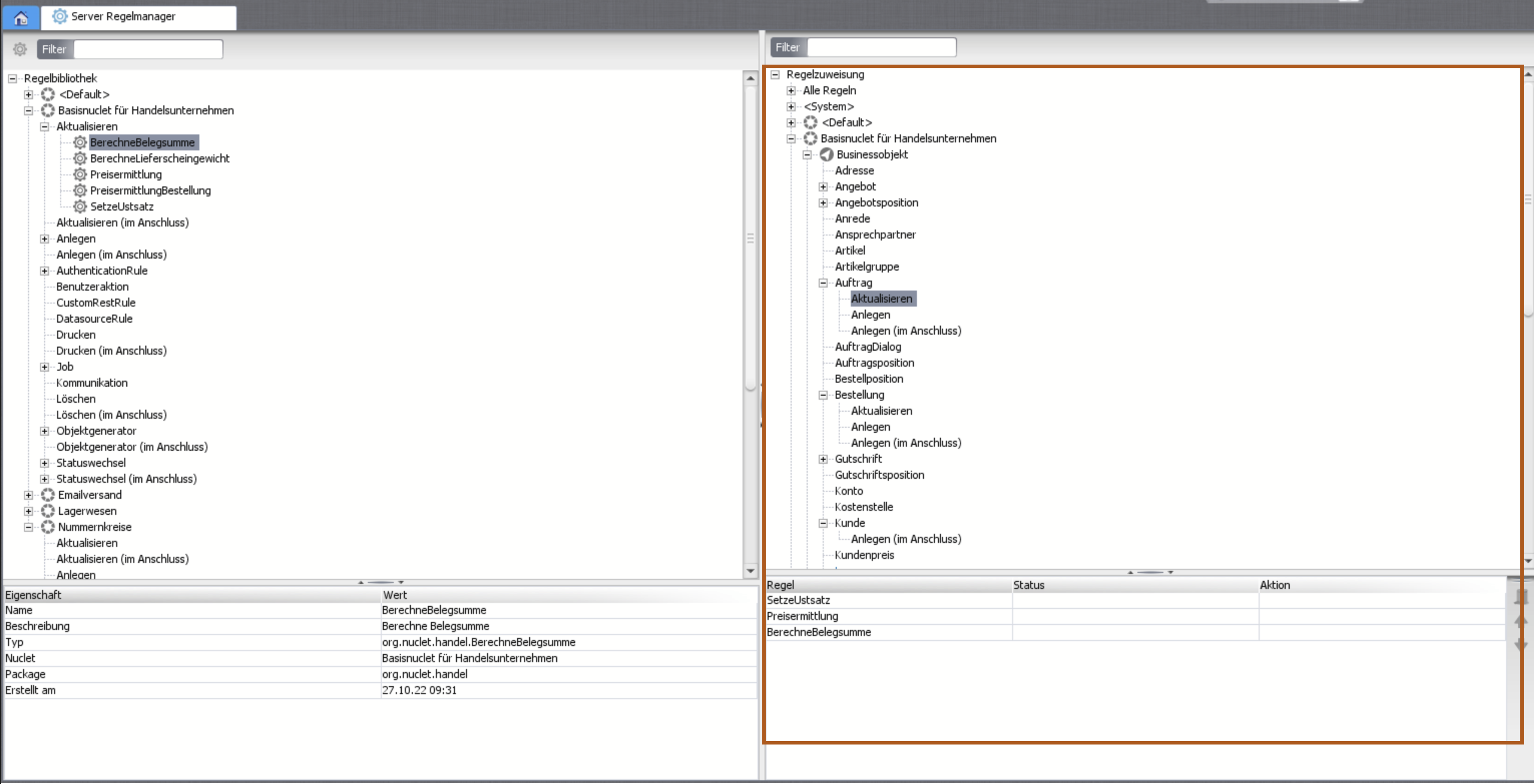
Rule assignment with properties panel.
Create and assign a new rule
- Create class: pick Nuclet + EventSupport type via right-click.
- Enter name/description – embedded into the source code.
- The editor opens the source with the matching interface and the called methods:
package org.nuclet.lager;

import org.nuclos.api.rule.InsertFinalRule;
import org.nuclos.api.context.InsertContext;
import org.nuclos.api.annotation.Rule;
import org.nuclos.api.exception.BusinessException;

@Rule(name="Anlegen Lagerposition im Anschluss",
      description="Anlegen Lagerposition im Anschluss")
public class AnlegenLagerpositionImAnschluss implements InsertFinalRule {
    public void insertFinal(InsertContext context) throws BusinessException {
    }
}
- Save & close – the library reloads and the rule appears under its category.
- Assign: drag the rule onto the target (type-safe – invalid targets show a no-entry cursor). Optionally restrict to status/action; without it, it applies to all.
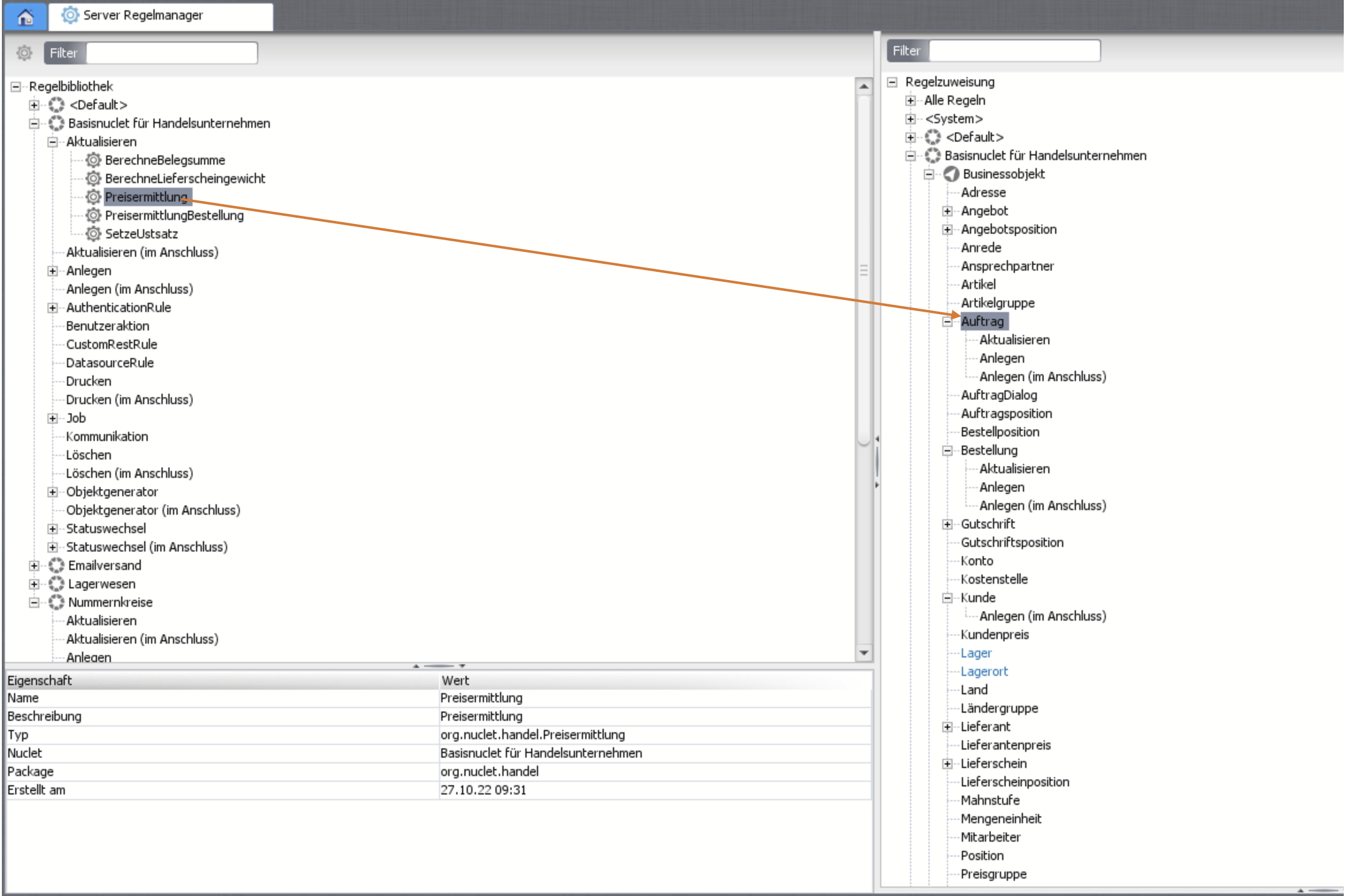
Assign a new rule via drag-and-drop.
Related pages
Überblick
Inhalte