
Language: Deutsch · English
 Setting up a PostgreSQL connection
Connect the Jaspersoft designer to a PostgreSQL database – data adapter and JDBC connection.
HOW-TO APPLICATION DEVELOPER UPDATED: JUL 2026 APPLIES TO NUCLOS 4.2026.X
On this page
PostgreSQL connection in the designer
To work with real data in the Jaspersoft designer, set up a connection to the database. Besides PostgreSQL, XML, CSV and other DBMS are possible (load drivers if needed).
Steps
- Open New Data Adapter.
- Add a new connection in the overview dialog.
- Choose the connection type Database JDBC connection.
- Enter the connection data: name, driver (PostgreSQL), host/port/database name, DB user and password.
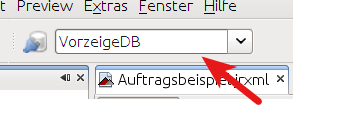
- Test the connection – save on success; it is then available for selection.
JDBC connection data.
Related pages
Überblick
Inhalte