Nuclos value list provider (VLP): dependent combo boxes, data source, layout rule update value list, Status/Process/Parameters, $username/$mandator. |
Language: Deutsch · English
Dependent selection lists in combo boxes – e.g. only the contacts of the selected customer.
On this page |
A value list provider (VLP) dynamically restricts the choices in a combo box / list of values – depending on another selected value. Typical cases: show only the contacts of a selected customer, or only the rooms of a selected building.
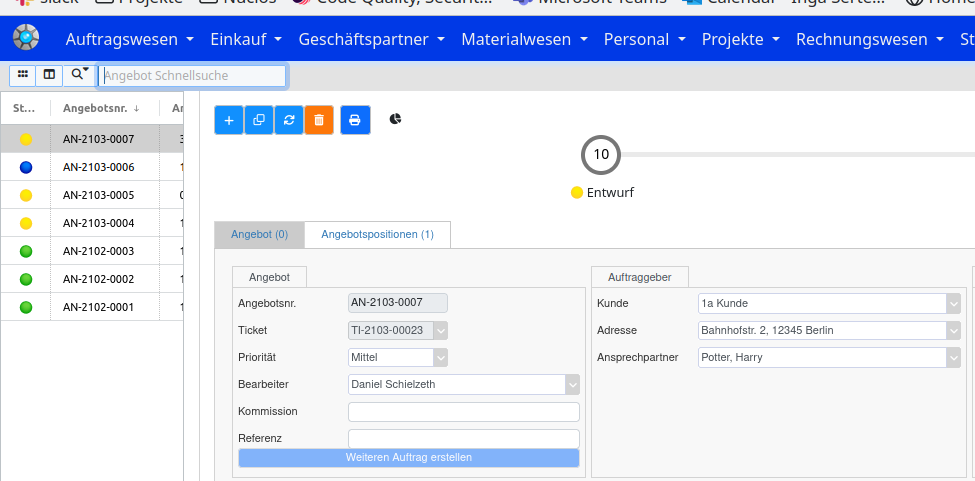
Example: contacts per customer.
Menu: Administration → Data sources → Valuelist Provider. Define a parameter (e.g. intid_kunde) that passes the internal ID of the triggering record.
If the parameter is named |
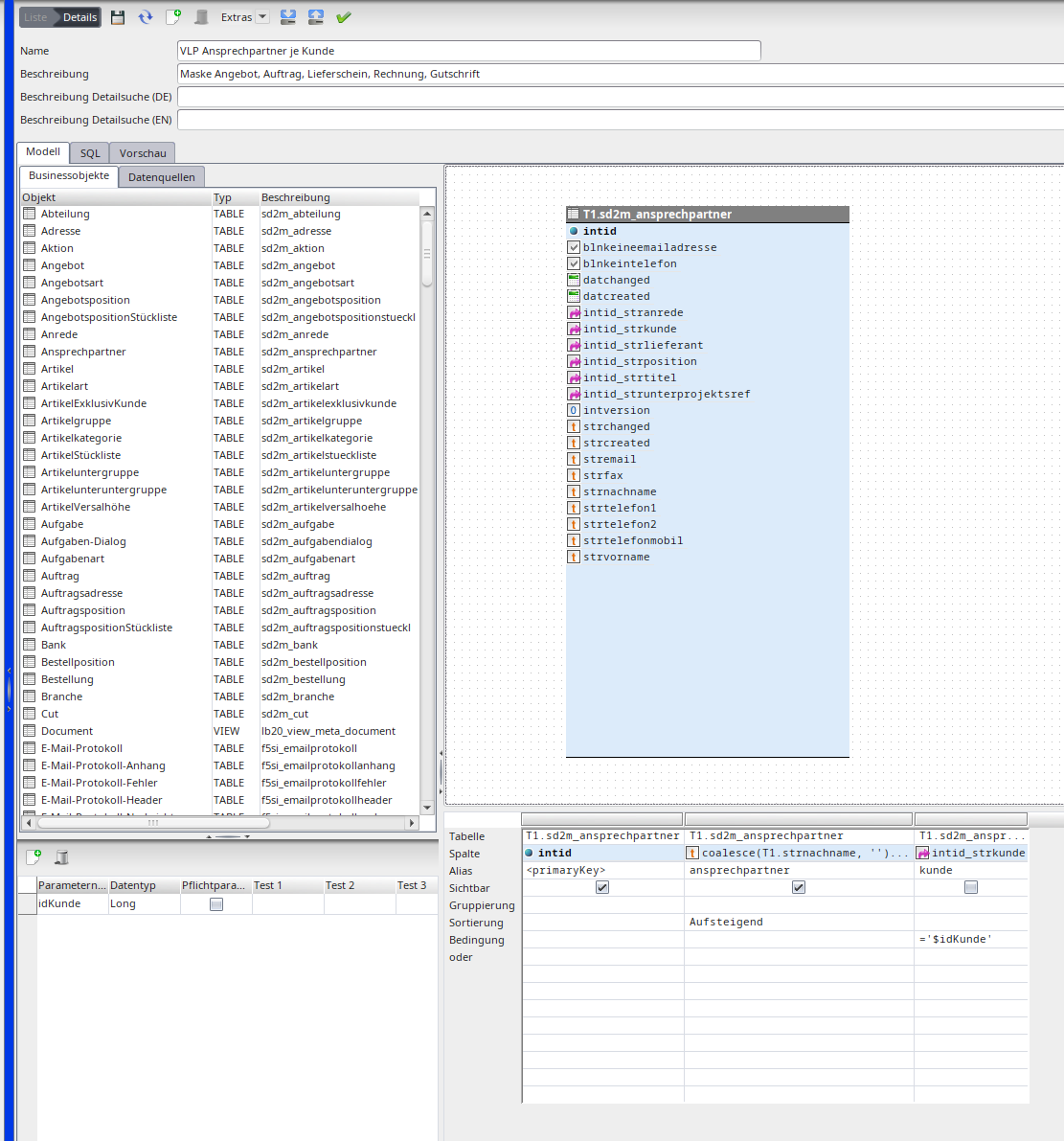
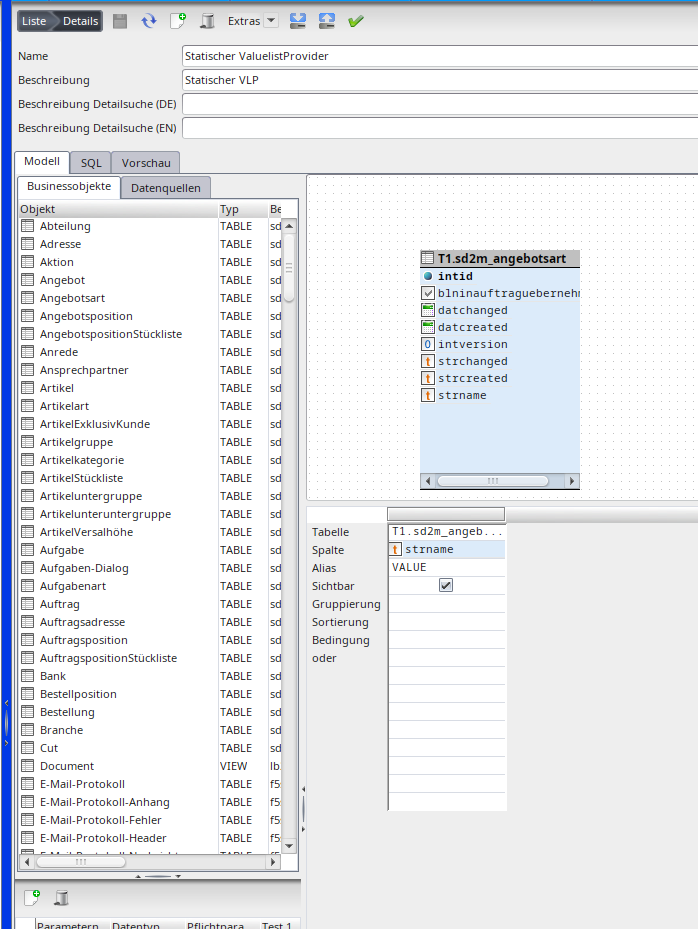
The value list provider data source.
In the layout editor attach the value list provider to the target field (here: contact) via the palette. An optional default flag lets you preselect a standard value (e.g. the default address).
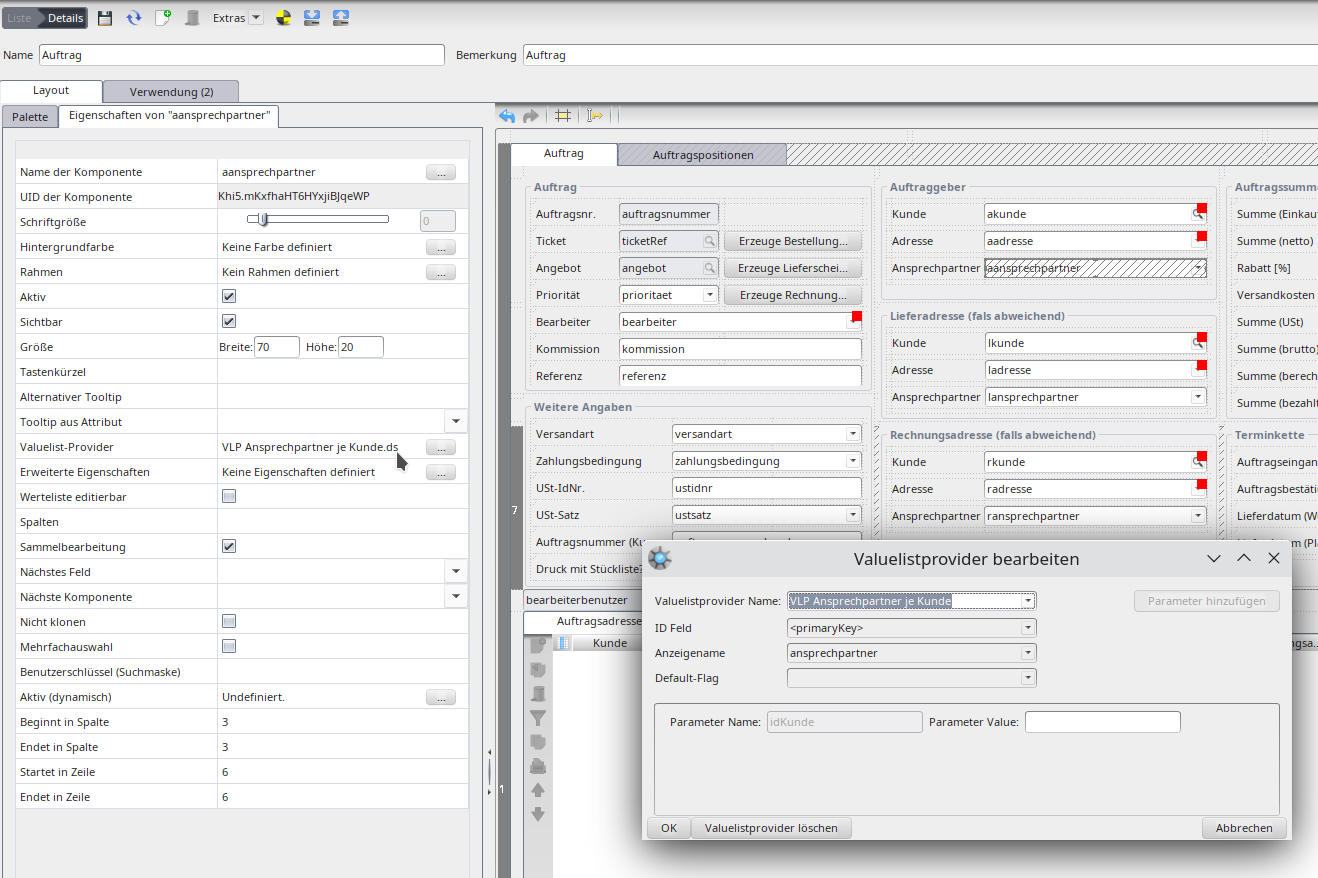
Value list provider in the layout.
On the source field (here customer) define a layout rule:
| Field | Value |
|---|---|
| Event | When the value changes |
| Action type | Update value list |
| Business object | BO of the target component (only for sub-forms; otherwise empty) |
| Target component | Combo box whose values are updated |
| Parameter | Parameter name from the data source |
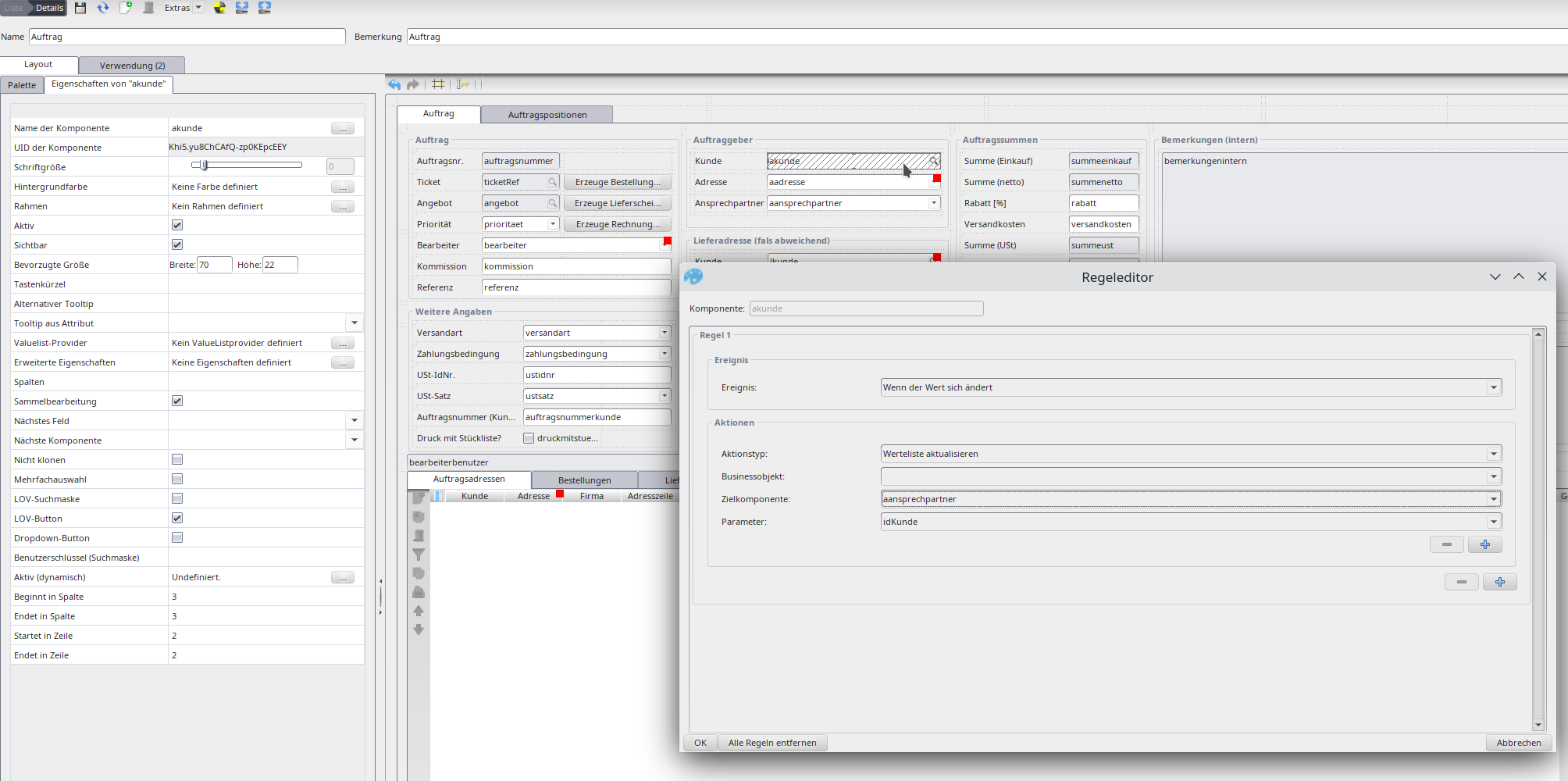
Layout rule „update value list“.
NuclosProcess field).showValue).System parameters in condition/SQL: |
To offer a fixed value list for a text attribute (without a reference, e.g. for „salutation“), choose a combo box in the layout editor with show all attributes ticked, attach a VLP (leave the ID field empty). With value list editable users may also enter their own values.
Combo box with a value list provider for a text attribute.