Nuclos layout overlay window: overlay, object generator, minimum size, insert update rule, dialog. |
Language: Deutsch · English
Overlay dialogs via the object generator – minimum size and combined insert/update rule.
Auf dieser Seite |
An overlay is a window placed over the UI – e.g. for pop-ups or notifications, without disturbing the main content.
In the object generator under display of the generated object, choose the matching constellation.
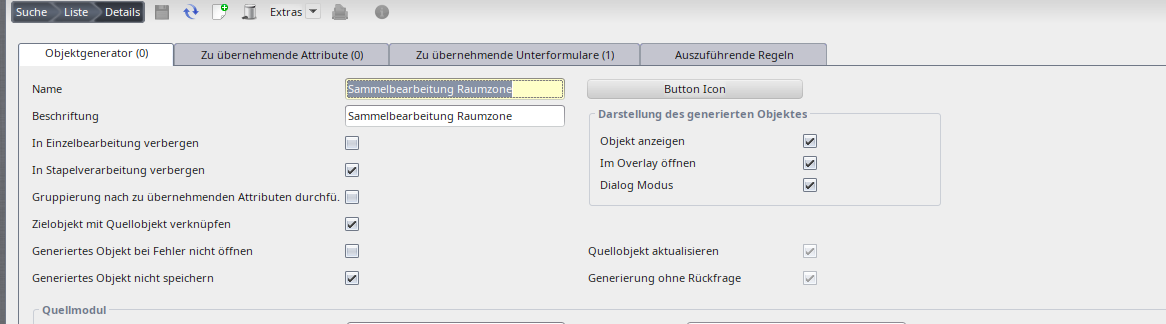
Overlay constellation in the object generator.
For a dialog the minimum size is evaluated – best to use fixed values and let one row fill the remaining space.
After adjusting the layout, save the object generator again – this analyses the layout and remembers the minimum size. |
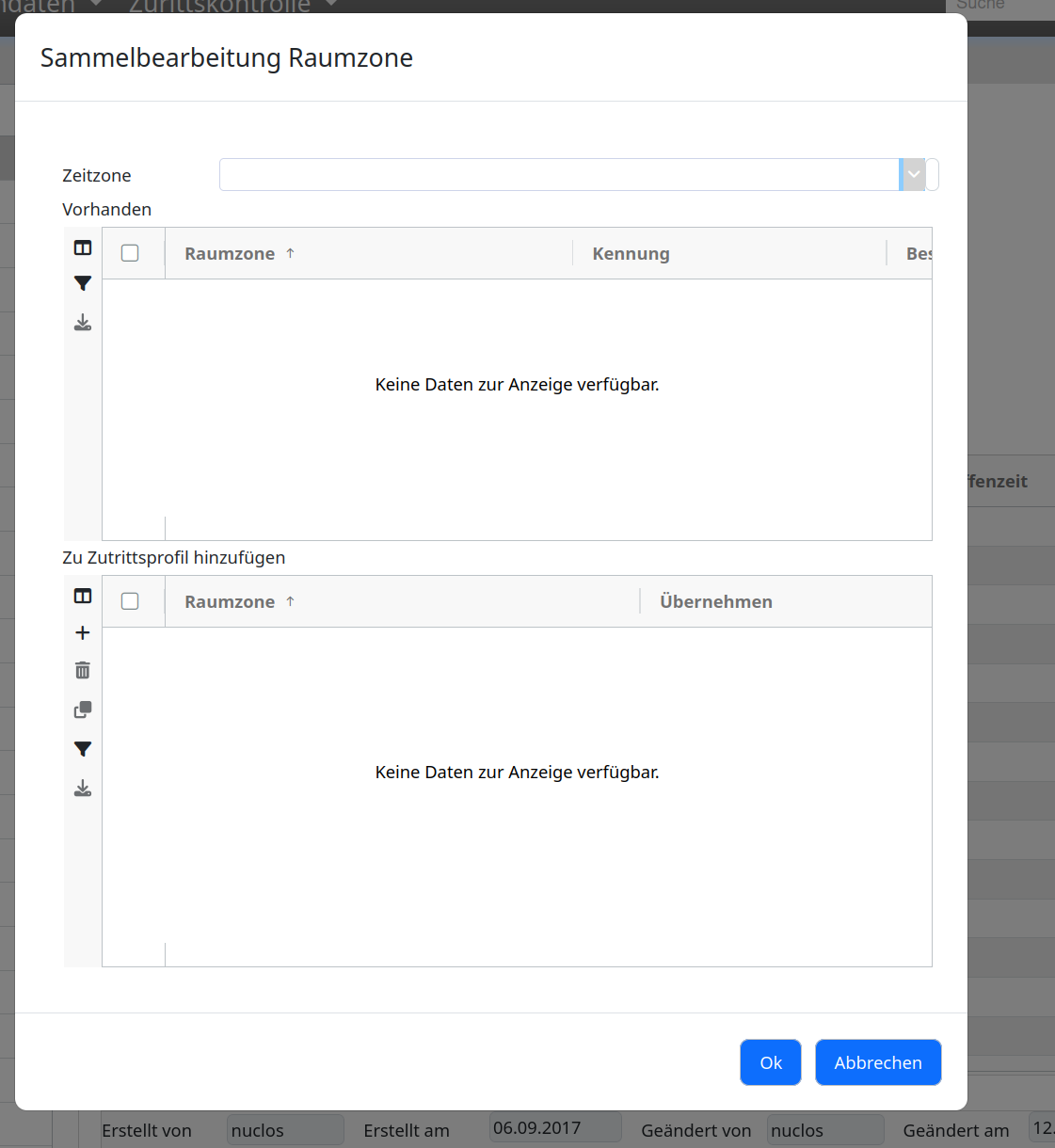
Finished overlay.
Before opening, the object generator rule runs. On OK in the overlay a combined insert/update rule must exist for the overlay object:
@Rule(name="VerfahrenErstellen", description="VerfahrenErstellen")
public class VerfahrenErstellen implements InsertRule, UpdateRule {
    public void update(UpdateContext context) throws BusinessException {

        insertVerfahren(context, context.getBusinessObject(ObjektgeneratorVerfahren.class));

    }


    public void insert(InsertContext context) throws BusinessException {

        insertVerfahren(context, context.getBusinessObject(ObjektgeneratorVerfahren.class));

} |