
Language: Deutsch · English
 Object generator
Create one business object from another: transfer data, link them and run rules.
HOW-TO LOW-CODE UPDATED: JUL 2026 APPLIES TO NUCLOS 4.2026.X
On this page
Why object generators?
An object generator creates a related target business object from a source business object, transfers data and links both – e.g. quote → order or order → delivery note.
Menu: Configuration → Object generator
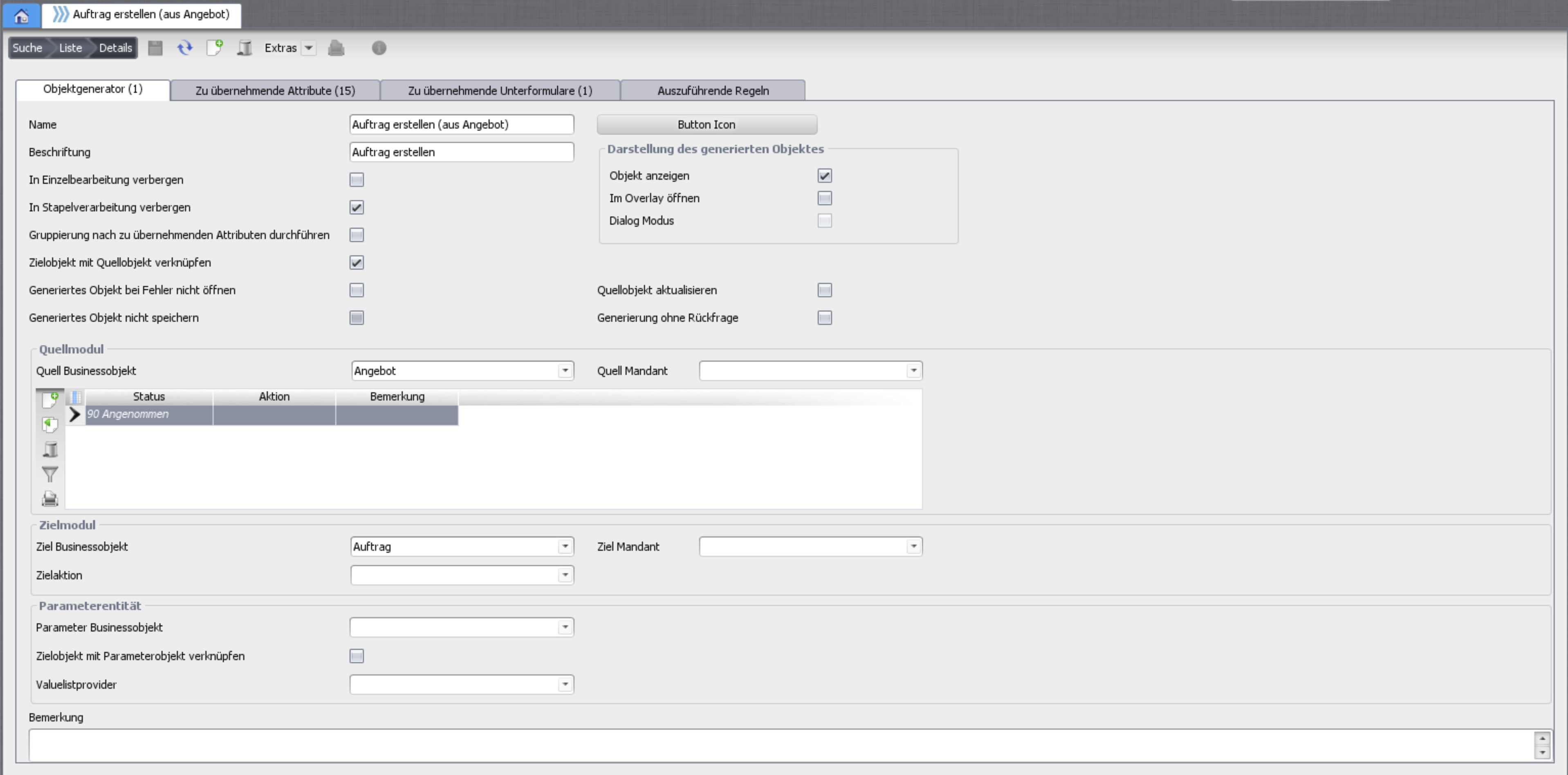
Object generator configuration.
„Object generator“ tab
- Name (internal) and label (for the user).
- Hide in single/batch processing, link target to source, do not open on error, do not save, show object.
- Open in overlay and dialog mode (intermediate dialog with OK/Cancel instead of Save).
- Refresh source, generate without confirmation.
- Source module (restrictable by mandator/status/action), target module and an optional parameter business object.
Attributes & subforms to transfer
Map source and target attributes with a compatible data type. With source type = parameter values come from the parameter BO. For batch processing with grouping, aggregate functions are available (group by, sum, min, max). Subforms are transferred the same way.
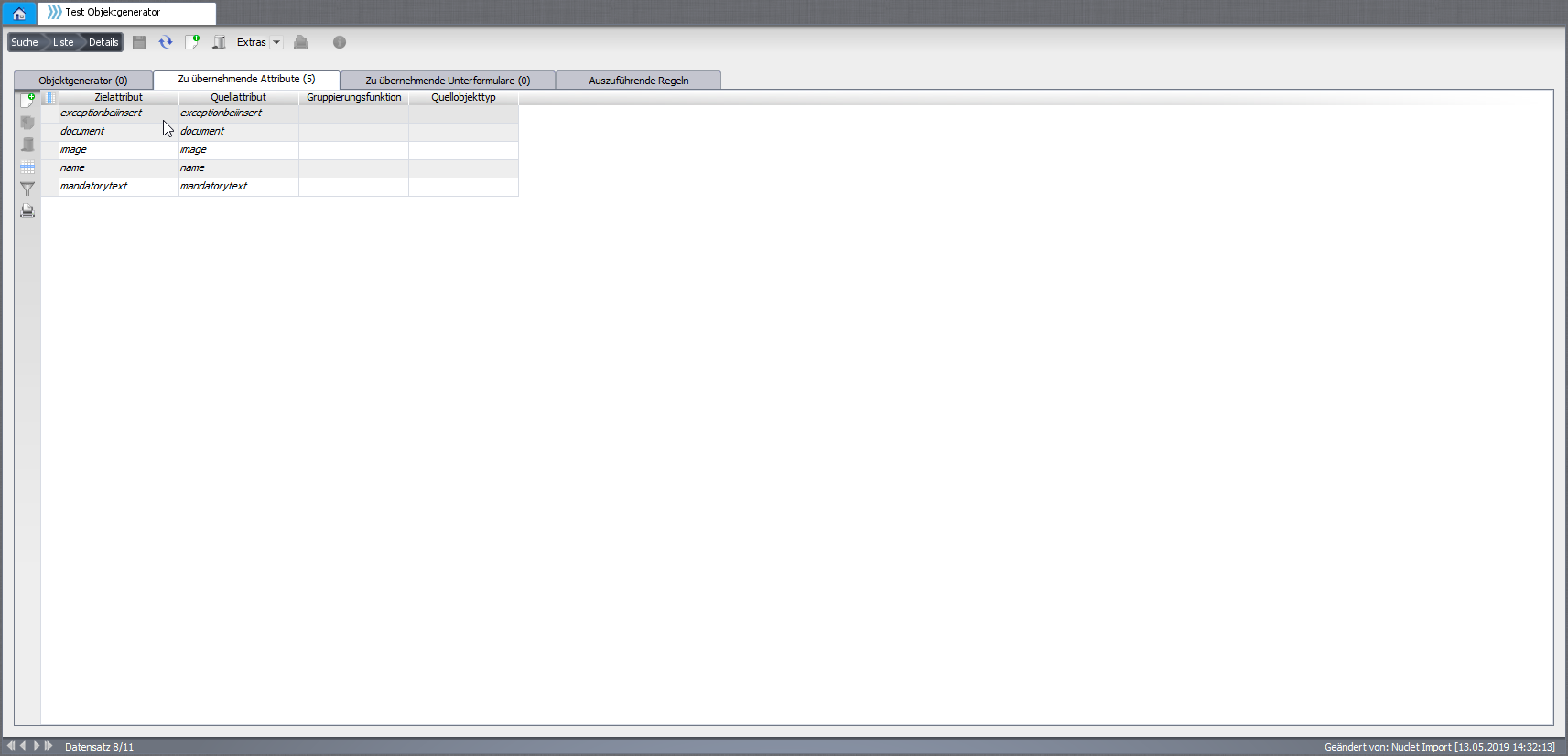
Map the attributes to transfer.
Rules to run
When copying is not enough, attach rules that run during generation (order configurable). Details: event object generation.
Run it
In the detail record the object generator combobox is available in the defined status; in the rich client also for several selected records via the context menu. If all mandatory fields are filled, the target object is saved directly.
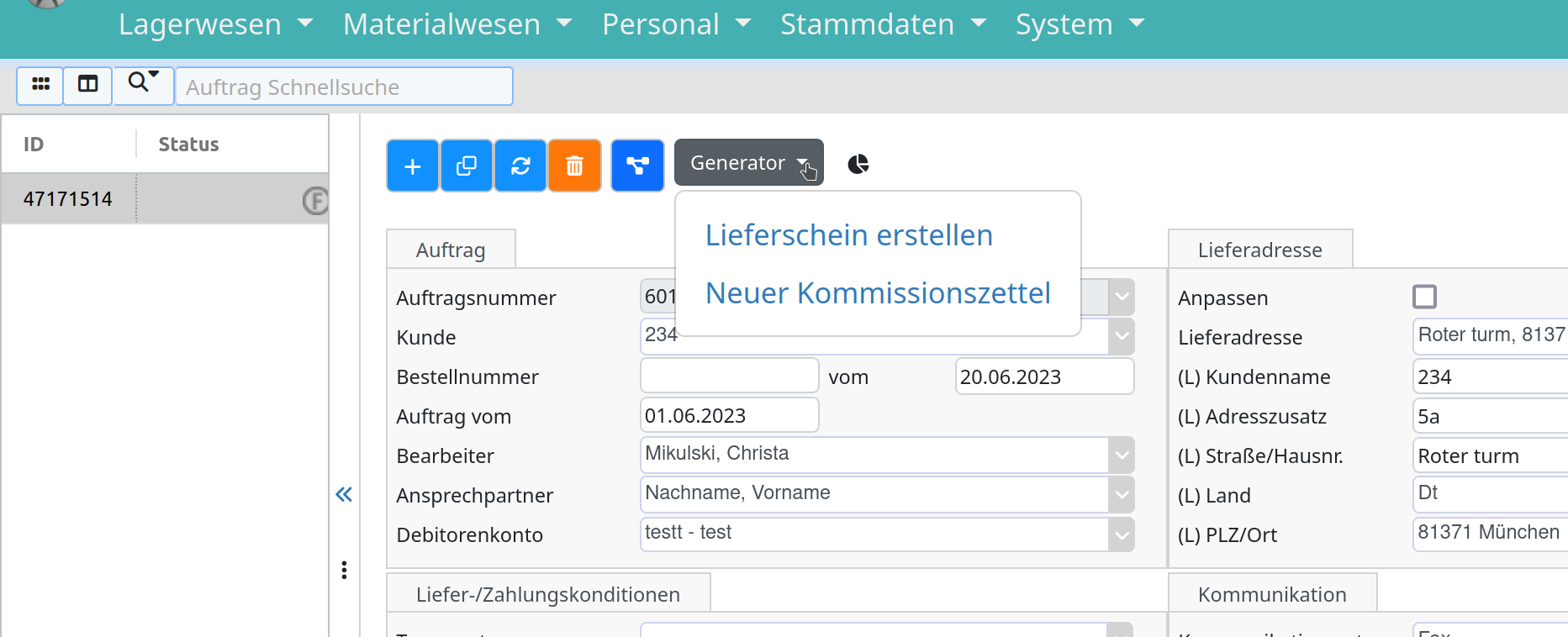
Trigger the object generator in a record.
Related pages
Überblick
Inhalte