Nuclos report: single/collective output, Excel collective output, XLS template, run report, retrieval via URL /reports/. |
Language: Deutsch · English
Complex evaluations as a report – output types, XLS templates and retrieval via URL.
Auf dieser Seite |
Reports cover complex evaluations across several joined tables. The result is usually a tabular, possibly multi-page list – with headers/footers, column headings, grouping and arithmetic operations (e.g. sums).
Menu: Configuration → Report → Report
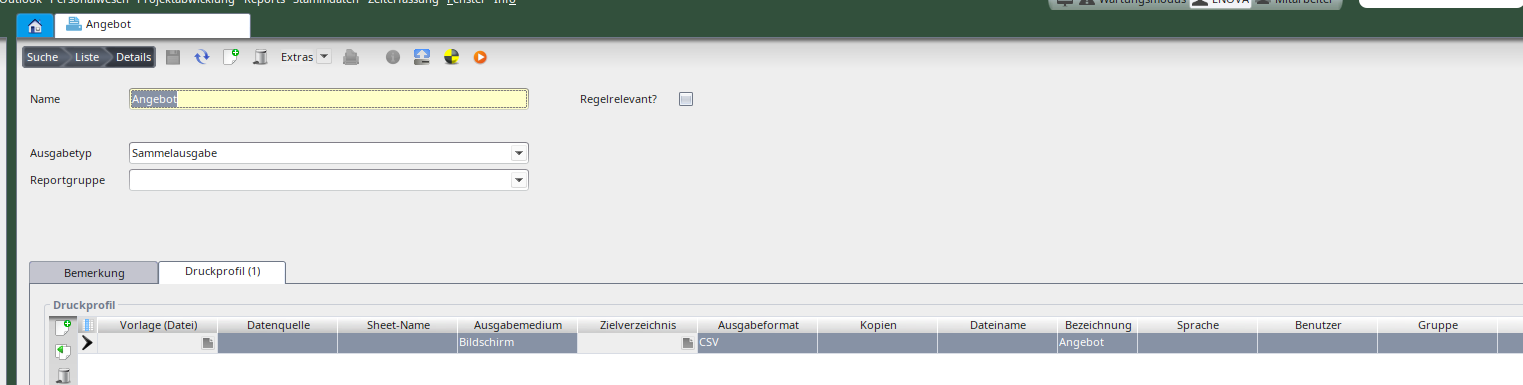
Report configuration (collective output).
The API cannot access Excel collective outputs – they are available on the client only. |
Without a template a document with the sheet „Daten aus Nuclos“ is created. With a template Nuclos looks for the „Daten aus Nuclos“ sheet (or the name given in sheet name) and writes the data there – otherwise it is created.
The run reports action appears in the File menu if the user group has the „run report“ right. Template-based CSV/PDF reports can also be retrieved via URL:
<host>:<port>/<instance>/reports/<report-UID>/<output-format>.csv http://localhost/nuclos/reports/<reportname>/<output-format>?parameter=value |
Retrieval requires a login; the same permissions as in Nuclos apply.