Nuclos Launcher: start the Rich Client without Web Start – enable on the server, install on the client, JRE selection, nuclos:// protocol, TrustStore and proxy. |
Language: Deutsch · English
The Nuclos Launcher starts the Rich Client without Java Web Start – how to enable, install and configure it.
Auf dieser Seite |
The Launcher downloads a server-side packaged Rich Client and starts it – independent of Java Web Start. It must be enabled twice: in the server configuration and as an install on the client.
Enable the Launcher option in the installer's last step. The server then builds a complete packaged desktop client for the Launcher to download and start.
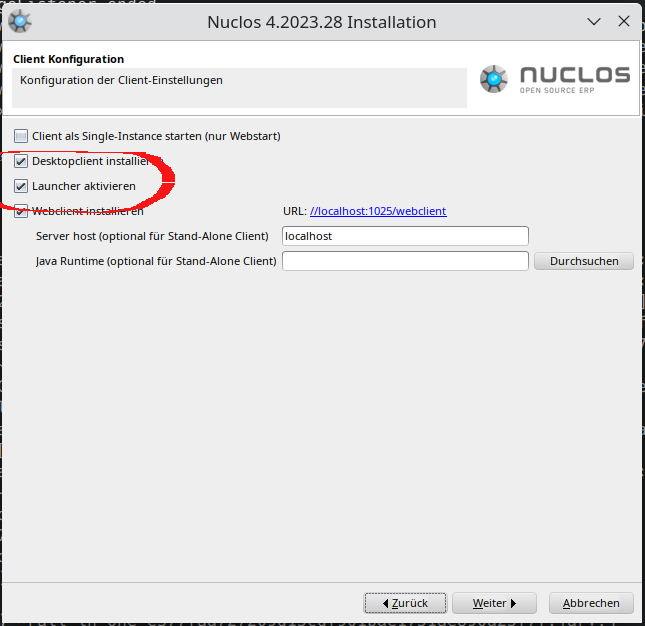
Enable the Launcher option in the installer.
The Launcher is installed on the client as its own application – installer for Windows, standalone packages for Linux/macOS. The "full" variants bundle their own JRE.
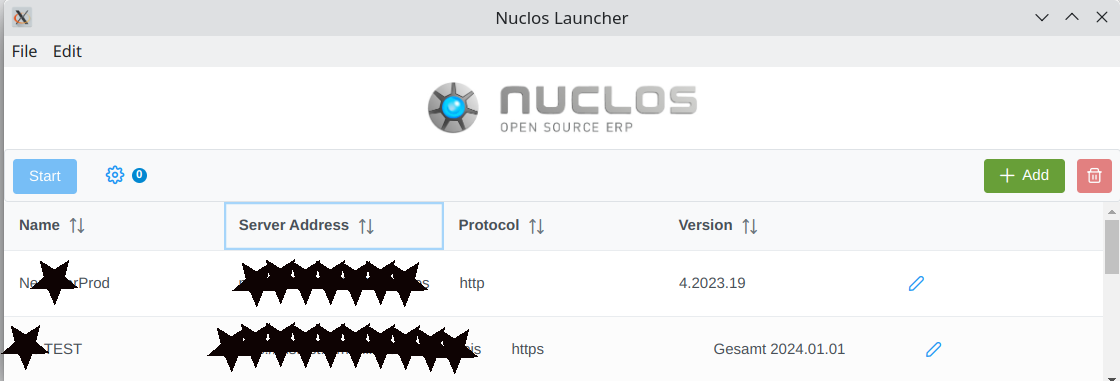
The Nuclos Launcher with added instances.
On supported platforms the |
The Launcher picks the Java runtime in this order:
Place custom runtimes under <install-dir>/data/launcher/ (a ZIP containing a JRE/JDK), e.g. jre-windows-x64bit.zip.
For servers with a custom/invalid certificate, give the Launcher a TrustStore: a file named cacerts in its install directory (default password changeit).
By default the Launcher auto-detects the system proxy. Under File → Settings you can set a proxy manually or disable it.
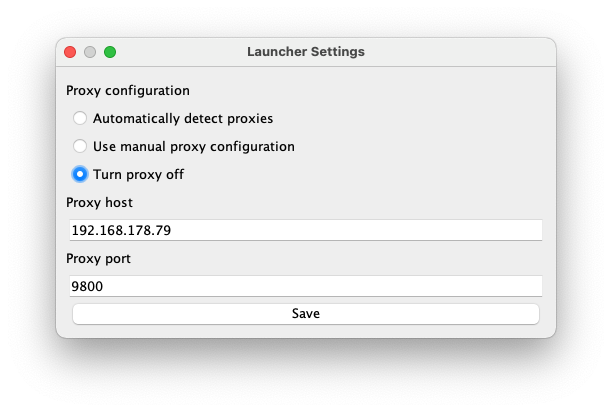
Launcher proxy settings.