Nuclos standalone client: run the Rich Client without Web Start, configure it in the installer (server host, Java runtime) and distribute it as a copyable directory. |
Language: Deutsch · English
The standalone client starts the Rich Client without Web Start – as a copyable directory with a start script.
Auf dieser Seite |
Since Nuclos 4.8 you can install a standalone client that runs Nuclos without Web Start.
The "client configuration" step has two optional parameters:
localhost is used (client then only usable on the server).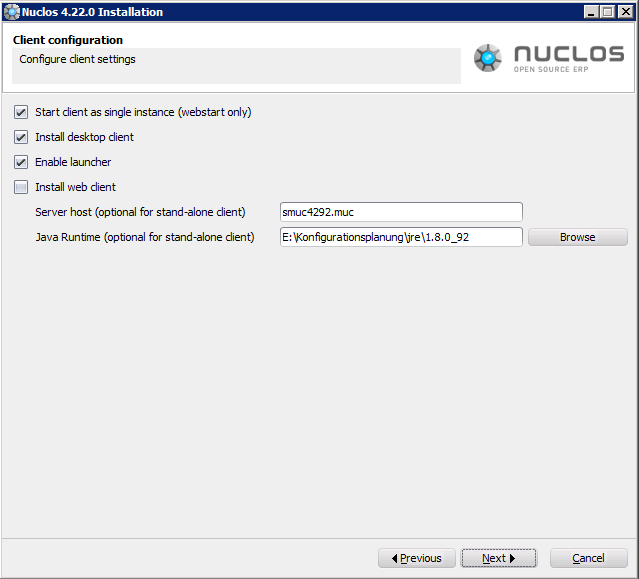
Client configuration in the installer (server host, Java runtime).
Under client in the install directory you'll find everything including start scripts: nuclos.cmd (Windows) / nuclos.sh (Unix). On first start the all-in-one nuclos.jar is unpacked and the client starts. The whole directory can be copied to other machines.
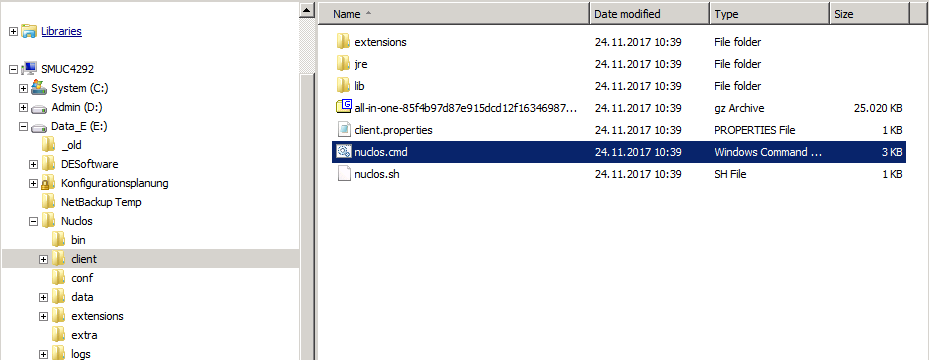
The client directory with start scripts.
Before Nuclos 4.8 the |