
Language: Deutsch · English
 Virtual business objects
Business objects based on a database view – required columns, ID factory, creation via the wizard and write access via UPDATE RULE.
HOW-TO APPLICATION DEVELOPER UPDATED: JUL 2026 APPLIES TO NUCLOS 4.2026.X
On this page
What is a virtual BO?
A virtual business object is not based on a table but on a database view. A view is therefore a prerequisite (see database objects).
Requirements for the view
The view must contain at least these columns (exact names!):
intid,         	-- Datensatzidentifizierer
strcreated,    	-- Ersteller als String
datcreated,		-- Erstellungsdatum
strchanged,		-- Änderer als String
datchanged,		-- Änderungsdatum
intversion		-- Datensatzversion
intidmust be unique when referenced.- Reference columns start with
intid_str…. - Nuclos determines data types automatically; for wrong types an explicit cast in the view helps (e.g.
db_function(intid)::numeric(9,2)).
Naming rules
Column names: lowercase, no special characters, max. 30 characters. Names in the data source and BO are case-sensitive and must match. Good: datum, datum_ist – bad: Datum, "Datum (Ist)".
ID factory (PostgreSQL example)
To write via a virtual BO an ID factory (sequence function) is required:
CREATE OR REPLACE FUNCTION Y25N_IDFACTORY()
  RETURNS numeric
  LANGUAGE 'plpgsql'  COST 100
  VOLATILE
AS $BODY$DECLARE
  id numeric;
BEGIN
   SELECT NEXTVAL('idfactory') INTO id;   RETURN id;
END;$BODY$;
Create a virtual BO
Create a new BO in the business object wizard and in step 2 via Show advanced properties:
- Virtual business object: select the prepared view (if missing it may be invalid).
- Id factory for VE (optional): DB function if writing through the BO – the BO then becomes editable automatically.
- Table name: leave empty for virtual BOs.
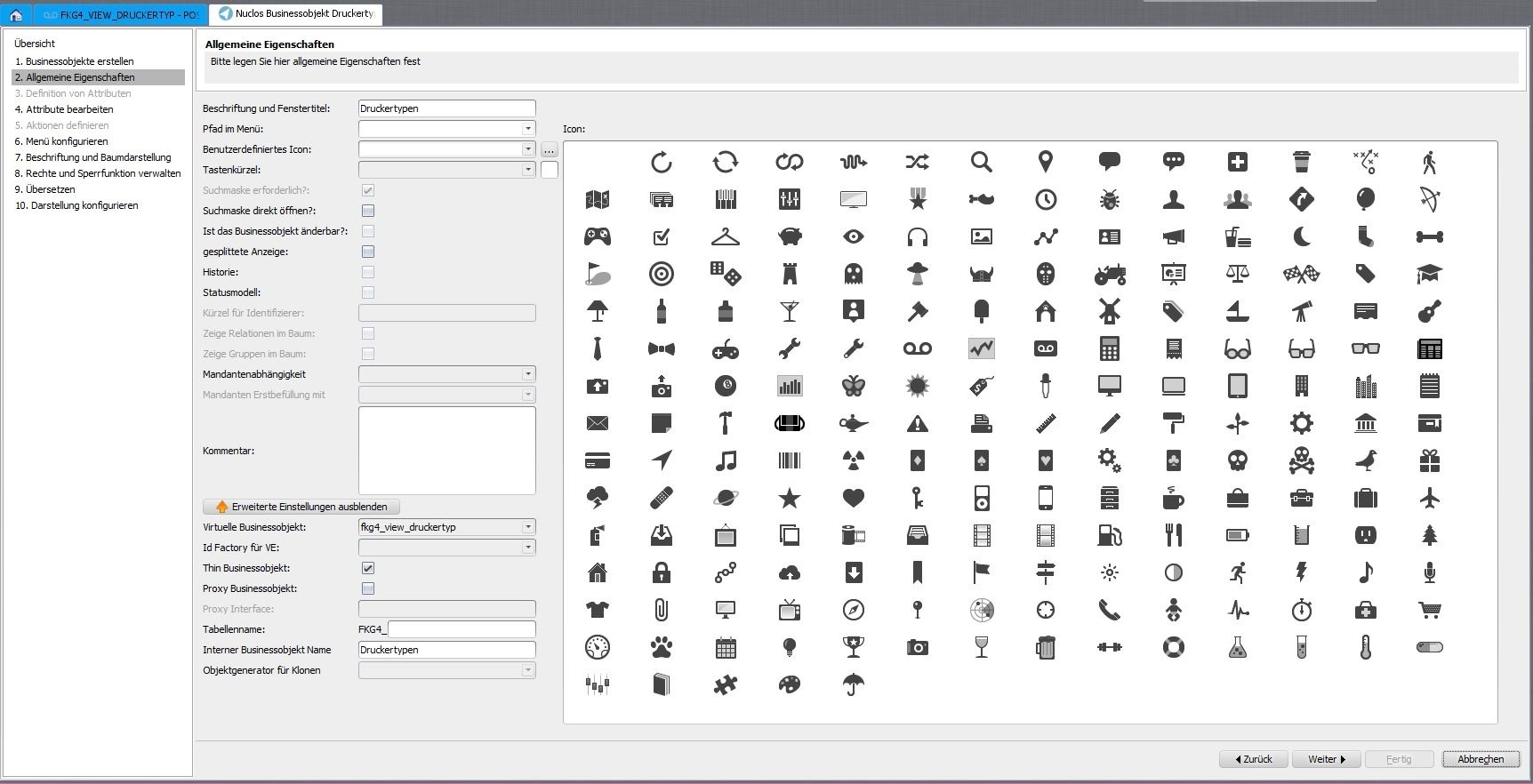
Advanced properties of the virtual BO.
Write access
To create/delete records via Nuclos an additional UPDATE RULE is needed that performs the update on the underlying table(s).
Change a virtual BO
First adjust and save the view under database objects, then run the business object wizard again.
Use case
Virtual BOs are also suitable for fixed master data as part of a nuclet (e.g. Mr/Ms, Yes/No, compass directions).
Related pages
Überblick
Inhalte