
Language: Deutsch · English
 Nuclet: Electronic invoices - XRechnung and ZUGFeRD
Data sheet and documentation entry point for the Electronic invoices Nuclet (creating electronic invoices in XRechnung and ZUGFeRD format).
CONCEPT INTEGRATORS UPDATED: JUL 2026 APPLIES TO NUCLOS 4.2026.X
On this page
Machine-translated – under review
This page was machine-translated from German as a first draft and is currently under review. The authoritative source remains the German original (see the language switch above).
Overview
The Nuclet enables the generation of electronic invoices in XML or PDF format, their official validation and their presentation in an HTML file.
The following format is supported: XRechnung in version 3.0.2 (20.06.2024) in the XML syntax Universal Business Language (UBL) of OASIS in version 2.1 and the XML syntax Cross Industry Invoice (CII) of UN/CEFACT in version D16B.
Furthermore, the specification ZUGFeRD in version 2.3.3 (07.05.2025) is covered.
The following options are available for generating the files:
- The rule
org.nuclet.xrechnung.ErzeugeERechnung, which can be embedded in a suitable layout and, as before (version 1), creates an XRechnung (UBL). - Your own rule that calls and processes
org.nuclet.xrechnung.ErzeugeERechnung#erzeugeERechnung(org.nuclet.xrechnung.Rechnungen, boolean, org.nuclos.api.common.NuclosFile)with suitable parameters (see further below). - Your own rule that calls and processes
org.nuclet.xrechnung.ErzeugeERechnung#erzeugeERechnung(org.nuclet.xrechnung.XRechnung, boolean, org.nuclos.api.common.NuclosFile)with a suitable object (see further below).
Depending on the respective configuration, the following files are generated, returned and stored in a suitable subform.
- XML file according to the XRechnung standard or PDF file according to the ZUGFeRD standard (depending on the method call)
- HTML file as a preview of the generated data
- HTML file with the results of the XML validation
- If the validation of the PDF file was not successful: TXT file with the results of the PDF validation
- LOG file with the results of the invoice generation
Optionally, a validation of the Leitweg-ID is also included in the Nuclet.
On the Leitweg-ID in the B2B area
How is the Leitweg-ID used for addressing XRechnung in B2B?
When using XRechnung in B2B, no Leitweg-ID is necessary for addressing XRechnungen. In the element „Buyer reference (BT-10)“, any other suitable identifier can be used for internal routing purposes. The element „Buyer reference (BT-10)“ is merely a text field and does not use any schema definitions.
Example
An example is available in the attached Beispiel-Nuclet .
Further examples for adapting the data sources, e.g. for the Basisnuclet für Handelsunternehmen, are available on request.
Notes
Notes on the method public static List<XRechnung.XRechnungFile> erzeugeERechnung(Rechnungen rechnungen, boolean formatUbl, NuclosFile pdfFile):
rechnungen: the respective invoice asorg.nuclet.xrechnung.Rechnungen(integration point); must have an ID and an invoice numberformatUbl: controls the XML syntax (if false: CII)pdfFile: pre-generated PDF file in PDF-A1 format into which the XML file is to be embedded - if specified, the CII format must be chosen- Return value: list of the generated files including validation results
Notes on the method public static List<XRechnung.XRechnungFile> erzeugeERechnung(XRechnung xRechnung, boolean formatUbl, NuclosFile pdfFile):
xRechnung: Java object that specifies the corresponding configuration (see table) for creating the electronic invoiceformatUbl: as abovepdfFile: as above- Return value: as above
| Method | Note | Default value |
|---|---|---|
setFileNameBase(String fileNameBase) | base name for generated files | Automatically generated from the invoice no. or invoice ID without special characters, e.g. "123456" |
setDsClassMain(Class<? extends Datasource> dsClassMain) | main data source for invoices | AusgangsrechnungXRechnungDS.class |
setDsClassPosition(Class<? extends Datasource> dsClassPosition) | data source for invoice items | AusgangsrechnungXRechnungPositionenDS.class |
setDsClassComment(Class<? extends Datasource> dsClassComment) | data source for invoice comments | AusgangsrechnungXRechnungKommentareDS.class |
setDsClassVatBreakdown(Class<? extends Datasource> dsClassVatBreakdown) | data source for VAT breakdown | AusgangsrechnungXRechnungUmsatzsteueraufschluesselungDS.class (dynamic due to backward compatibility) |
setDsClassAllowanceCharge(Class<? extends Datasource> dsClassVatBreakdown) | data source for (multiple) allowances and charges at invoice level | AusgangsrechnungXRechnungNachlaesseundZuschlaegeDS.class (dynamic due to backward compatibility) |
setDsClassItemAttributes(Class<? extends Datasource> dsClassItemAttributes) | data source for item properties | AusgangsrechnungXRechnungPositionseigenschaftenDS.class (dynamic due to backward compatibility) |
setXRechnungDocument(XRechnungDocument<? extends Modifiable<Long>> xRechnungDocument) | BO for invoice documents Note: set to | According to integration point configuration (invoice documents) |
setXRechnungGeneralDocument() | If called, nuclos_generalsearchdocument is used as the BO for invoice documents (only possible with a status model) | Not set |
setValidateXml(boolean validateXml) | indicates whether the generated xml file should be validated | true |
setGenerateHtml(boolean generateHtml) | indicates whether the html view should be created | true |
setxRechnungPrefix(String xRechnungPrefix) | prefix for XRechnung files | "XRechnung_" |
setZugferdPrefix(String zugferdPrefix) | prefix for ZUGFeRD files | "ZUGFeRD_" |
setAddDefaultNamespaceURI(boolean addDefaultNamespaceURI) | indicates whether the main elements of the XML structure have namespace prefixes | false (prefixes are named) |
| allows passing further parameters to the data sources | An entry "intid" with the INTID of the invoice |
setZfPdfMetaFilename(String zfPdfMetaFilename) | PDF metadata for ZUGFeRD | "xrechnung.xml" |
setZfPdfMetaDescription(String zfPdfMetaDescription) | "ZUGFeRD XML invoice" | |
setZfPdfMetaNamespaceURI(String zfPdfMetaNamespaceURI) | "urn:zugferd:pdfa:CrossIndustryDocument:invoice:2p0#" | |
setZfPdfMetaNamespacePrefix(String zfPdfMetaNamespacePrefix) | "zf" | |
setZfPdfMetaConformanceLevel(String zfPdfMetaConformanceLevel) | "EN 16931" | |
setZfPdfMetaDocumentType(String zfPdfMetaDocumentType) | "INVOICE" | |
setZfPdfMetaVersion(String zfPdfMetaVersion) | "2p0" |
Nuclet structure
Two Nuclets are required:
org.nuclet.xrechnung: main Nuclet for generating electronic invoicesorg.nuclet.xrechnung.datenquellen: Nuclet for defining the data sources, which should be adapted per project. This Nuclet is required by the former and should be imported once as a template.
If a previous version 1 with project-specific adapted data sources already exists in the target system during the Nuclet import, these must be backed up beforehand and changed again after the import.
For future updates, it is then sufficient to import the main Nuclet, during which the data sources remain unchanged.
Version 2.1.2
In version 2.1.2 an (optional) data source for the VAT breakdown ("Outgoing invoice XRechnung VAT breakdown") was added.
If needed, it can be added, e.g. via import with a prior backup of the existing data source contents.
Version 2.1.3
In version 2.1.3 an (optional) data source for allowances and charges at invoice level ("Outgoing invoice XRechnung allowances and charges") was added.
If needed, it can be added, e.g. via import with a prior backup of the existing data source contents.
Version 2.1.5
In version 2.1.5 an (optional) data source for the line-item properties ("Outgoing invoice XRechnung line-item properties") was added.
If needed, it can be added, e.g. via import with a prior backup of the existing data source contents.
PDF generation via a form for ZUGFeRD
The JasperReports integrated in Nuclos enables the generation of PDF files in PDF-A1 format. For this, the following settings must be made in the template - font and ICC profile are already included in the main Nuclet.
	<property name="net.sf.jasperreports.export.pdfa.conformance" value="pdfa1a" />
	<property name="net.sf.jasperreports.export.pdfa.icc.profile.path" value="org/xre/icc/sRGB2014.icc" />
	<style name="default" isDefault="true" fontName="xreLibSans"/>
When creating the Jasper template, care should be taken that no fonts are specified that cannot be embedded.
For example, the following specification leads to an error when generating PDF files in PDF-A1 format.
<font size="10" isBold="true" pdfFontName="Helvetica-Bold"/>
This should be replaced as follows (the supplied fonts are automatically embedded via the default style).
<font size="10" isBold="true"/>
Integration
The integration after a successful Nuclet import (see Nuclet import) is to be carried out as follows.
| Step | Description | Screenshot |
|---|---|---|
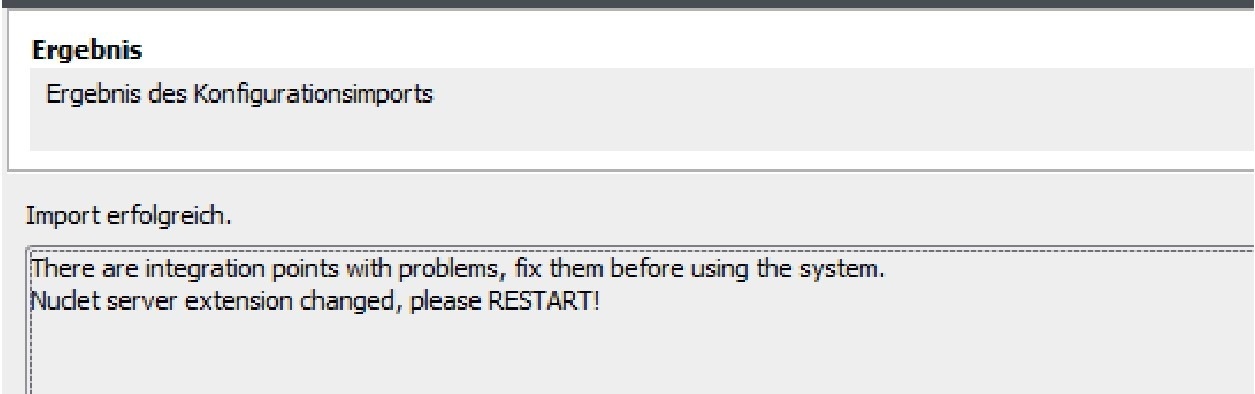
| 1 | After importing both (nuclet-import, nuclet-datenquellen) Nuclets, the server instance must be restarted, as the main Nuclet contains its own extensions. |
|
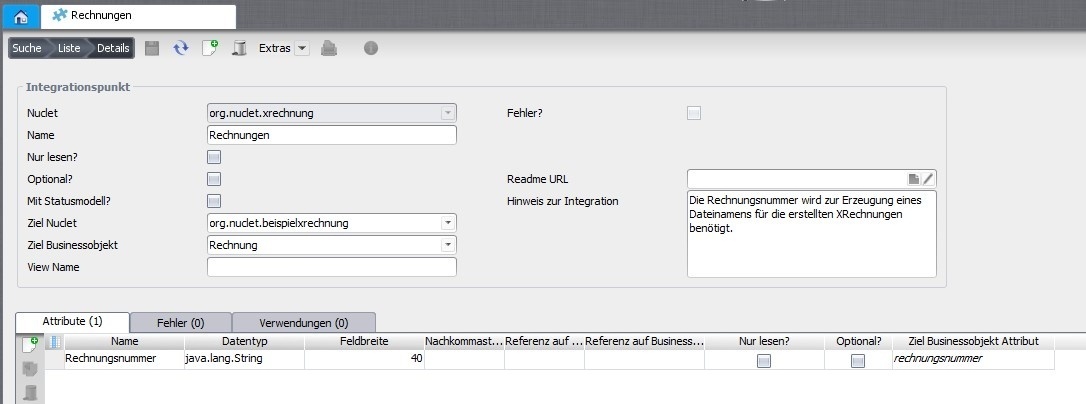
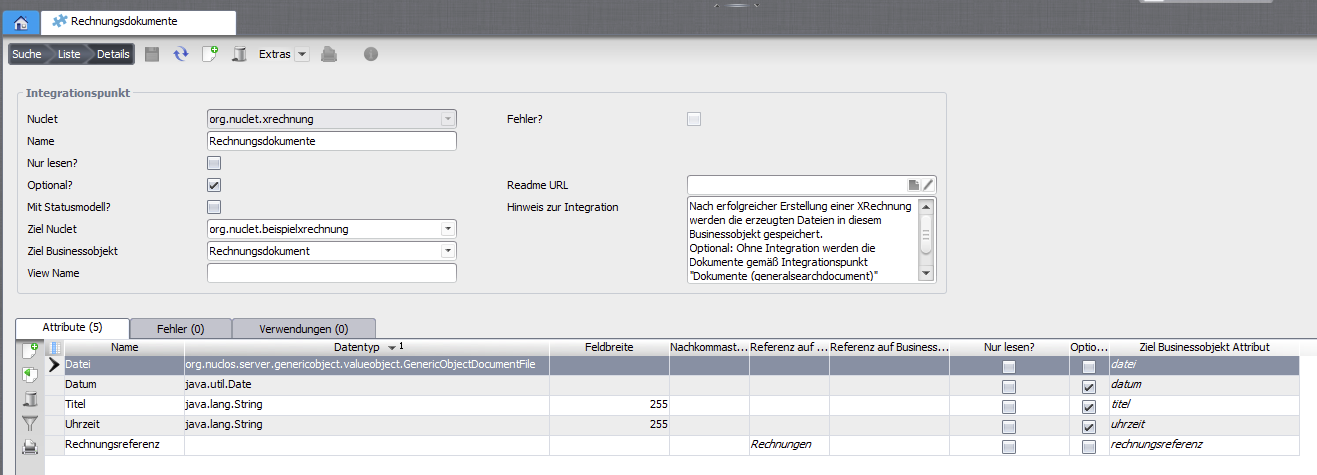
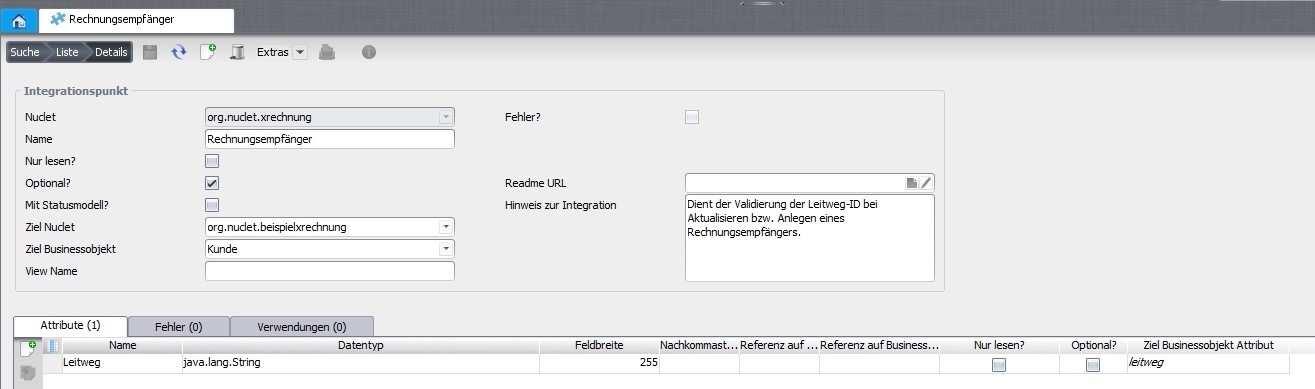
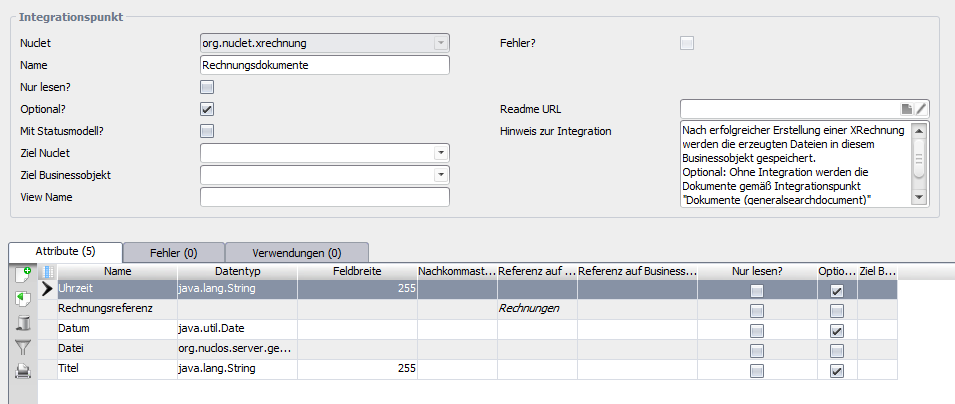
| 2a | Three business objects are required, which can be embedded under Configuration → Integrationspunkt .
|
|
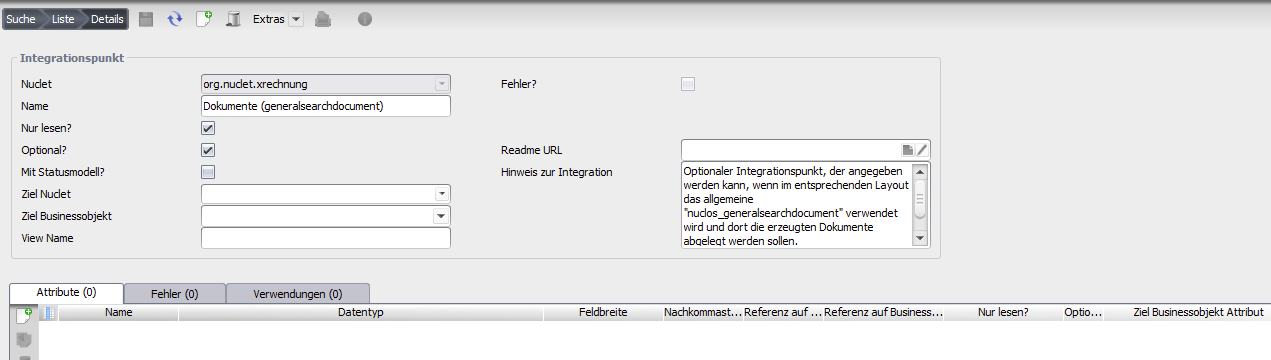
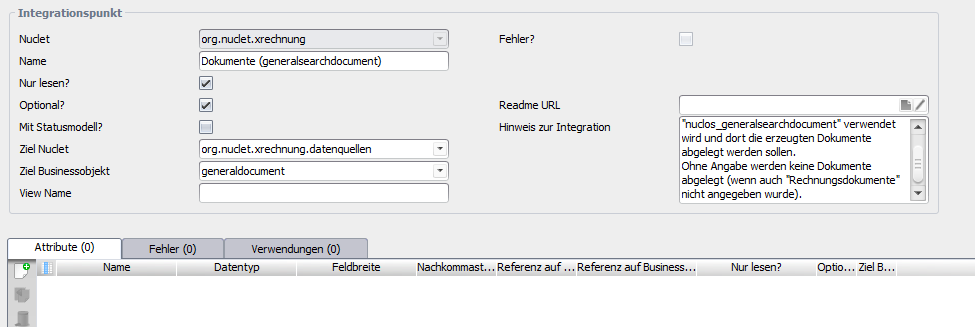
| 2b | Example configuration for Documents (generalsearchdocument) |
|
| 3 | In addition, there must be a business object for the invoice items , but this is not required for the integration points. | 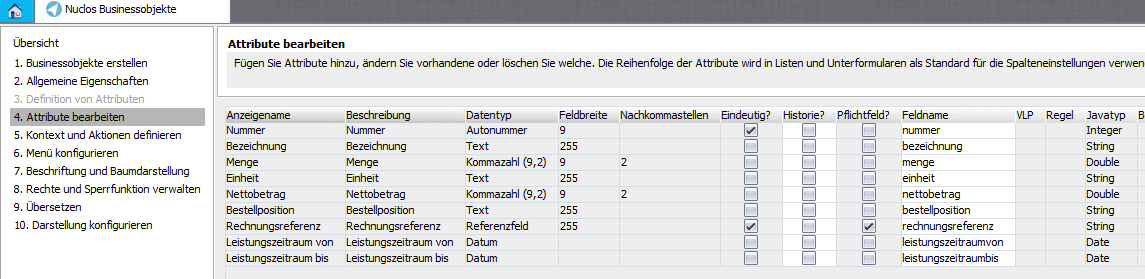 |
| 4 | The second Nuclet also contains four data sources (Configuration → Data sources → Report & form), which still have to be adapted to the respective circumstances.
These supply the actual data for generating the electronic invoice, see also the implementation in the Beispiel. The assignment of the data fields to the contents of the electronic invoice takes place according to the XRechnung standard, but only some of the available fields are supported (see data sources or Testfallgruppe_01.xlsx). |
|
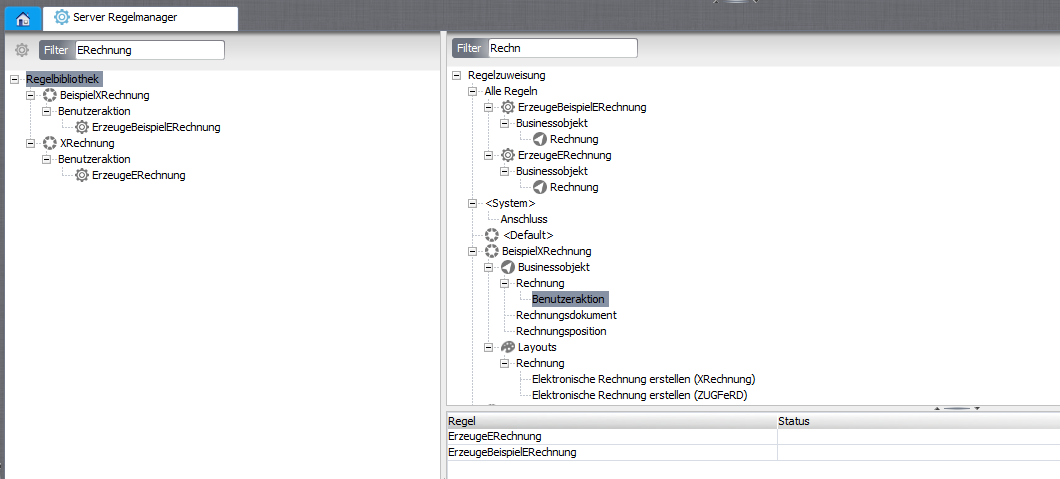
| 5 | After that, the rule The rules for validating the Leitweg-ID are automatically linked to the business object Invoice recipient . |
|
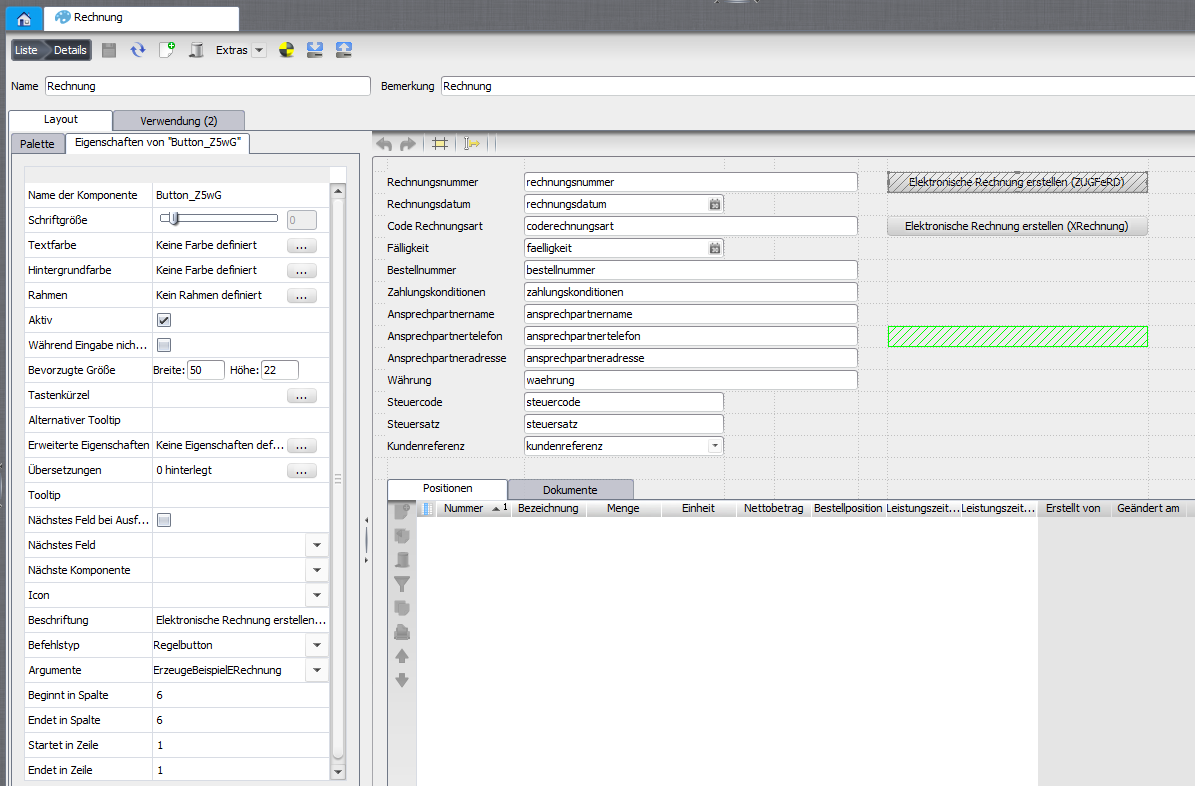
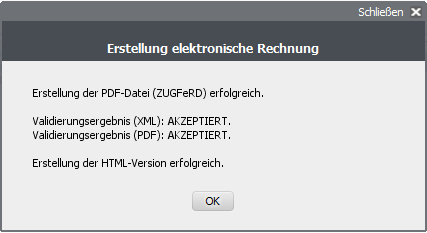
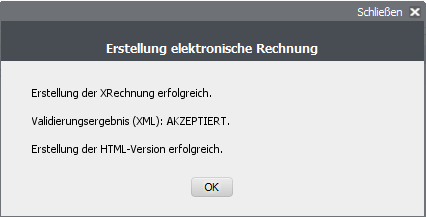
| 6 | In the case of valid data, the four files described above are generated via the button and the result is presented in a message. |
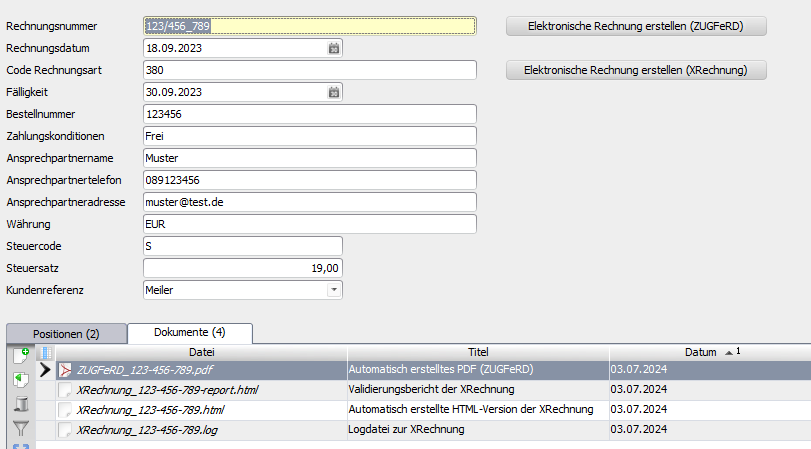 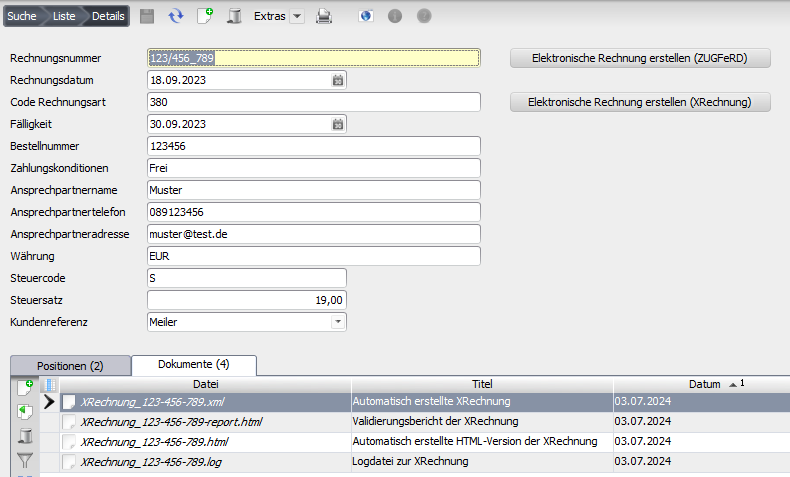 |

Releases
| Version | Date | Notes | Compatibility | Note |
|---|---|---|---|---|
| 1.0.0 | 11.03.2021 | First published version | from Nuclos 4.44.1 | see Version 1 |
| 1.1.0 | 2.09.2023 | Update to XRechnung 2.3.1 | from Nuclos 4.46.9 | |
| 2.0.0 | 03.07.2024 | Update to XRechnung 3.0.2 XML syntax CII ZUGFeRD 2.2 | from Nuclos 4.2022.14.3 | |
| 2.1.0 | 31.07.2024 | additional options for further BO types (e.g. recharge) | from Nuclos 4.2022.14.3 | |
| 2.1.1 | 21.08.2024 | extension by BT-30, BT-33, BT-72, BT-73, BT-74, BT-85 | from Nuclos 4.2022.14.3 | |
| 2.1.2 | 13.12.2024 | necessary extensions for the import Nuclet support for further BT elements profile selection by setting BT-24 Update to ZUGFeRD 2.3.2 data source for VAT breakdown (BG-23) | from Nuclos 4.2022.41.2 | |
| 2.1.3 | 09.01.2025 | data source for (multiple) allowances and charges (BG-20 and BG-21) | from Nuclos 4.2022.41.2 | |
| 2.1.4 | 07.02.2025 | adaptation to Import 2.1.4 set time in documents error handling extended | from Nuclos 4.2022.41.2 | |
| 2.1.5 | 29.07.2025 | Update to ZUGFeRD 2.3.3 data source for item properties (BG-32) | from Nuclos 4.2022.41.2 | |
| 2.1.6 | 10.10.2025 | extension by BT-56, BT-57, BT-58, BT-84 - BT-91 deactivation of file storage | from Nuclos 4.2022.41.2 |
Related pages
Überblick
Inhalte