
Language: Deutsch · English
 Special data types
Encrypted text, document attachment, image and auto number – the special Nuclos data types and how to configure them.
REFERENZ APPLICATION DEVELOPER UPDATED: JUL 2026 APPLIES TO NUCLOS 4.2026.X
On this page
What are special data types?
Besides the standard data types (text, number, date …), Nuclos offers special, pre-configured data types that cover common requirements without extra configuration. You select them when creating an attribute in the BO wizard.

Overview of the special data types in the BO wizard.
Encrypted text
Stores field content encrypted in the database. Encryption is controlled by the server parameter server.cryptfield.cipher (32-character hex value = 16 bytes). If the parameter is not set, no encryption takes place.
In the layout the component type determines the display:
- Password field → value masked (***)
- Text field → value as plain text
Caution
If the key is changed later, existing data becomes unreadable. If the key is lost, the data is unrecoverable.
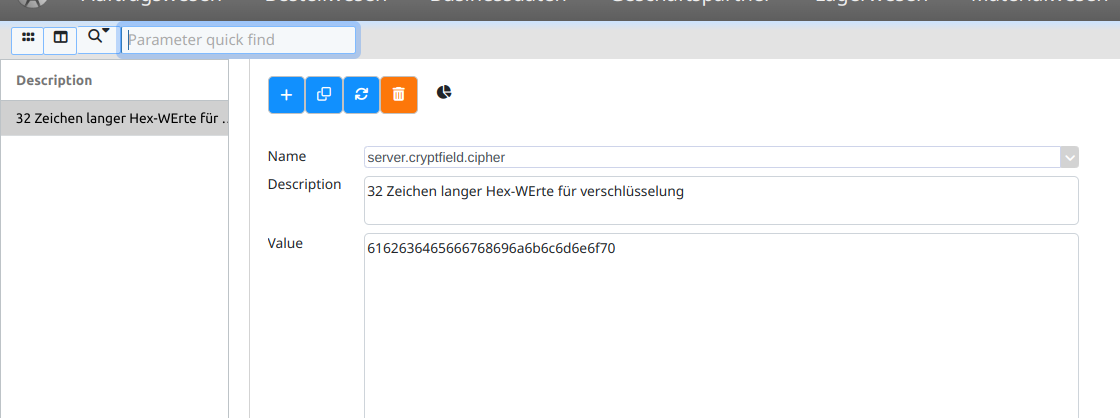
Server parameter for encryption.
Document attachment
Provides a file picker to upload documents to the server. Create a field of type document attachment and add a universal component in the layout – also possible in sub-forms. The storage location is controlled via nuclos.data.documents.path in nuclos-server.properties (restart required).
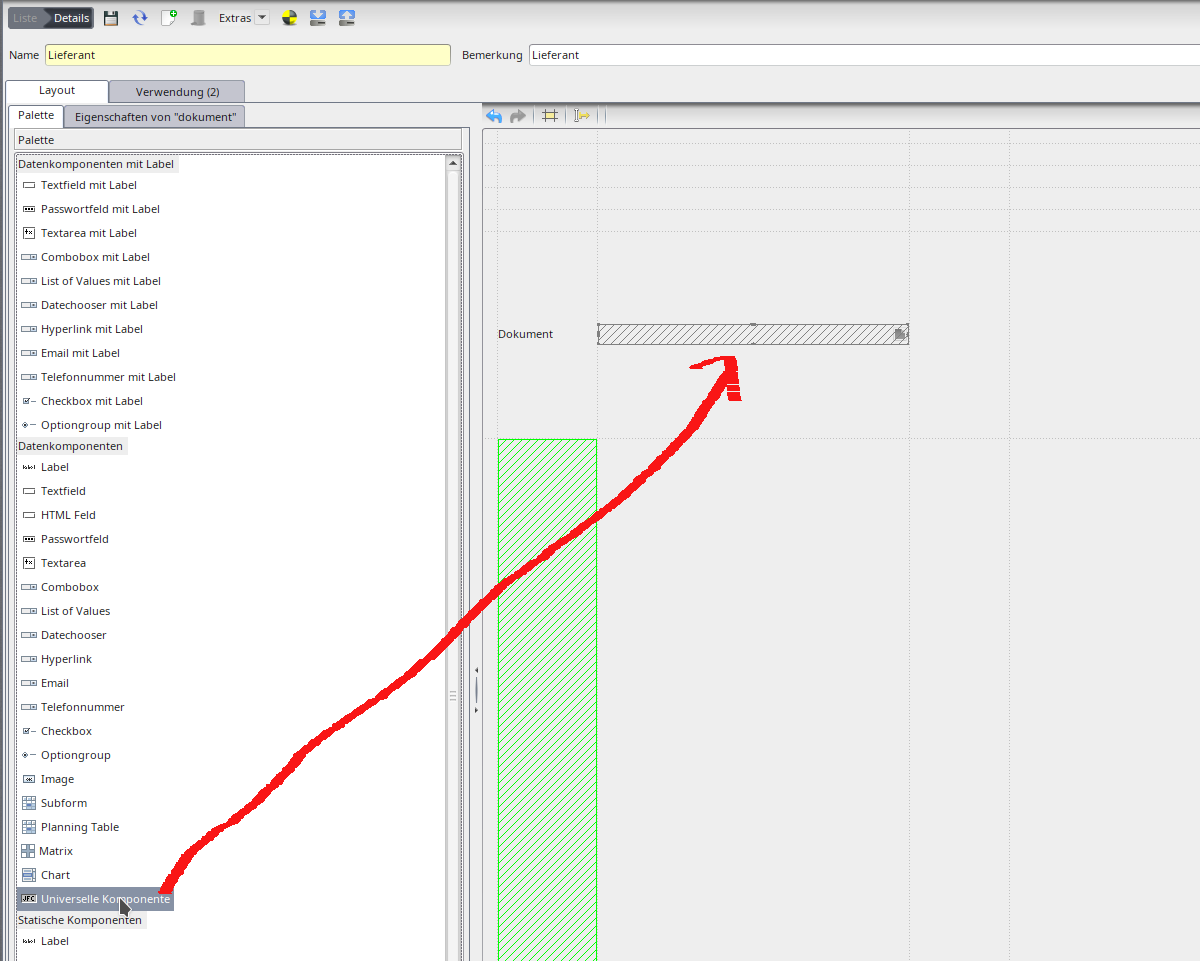
Document attachment in the layout.
Image
Displays images in the form (e.g. a photo). Create an attribute of type image and use the Image data component in the layout. The scalable flag controls whether the image is fit to the field size (yes) or shown at original size (no). Images are stored as binary data; in the result list they appear as thumbnails (default 20×20 px, adjustable via THUMBNAIL_SIZE).
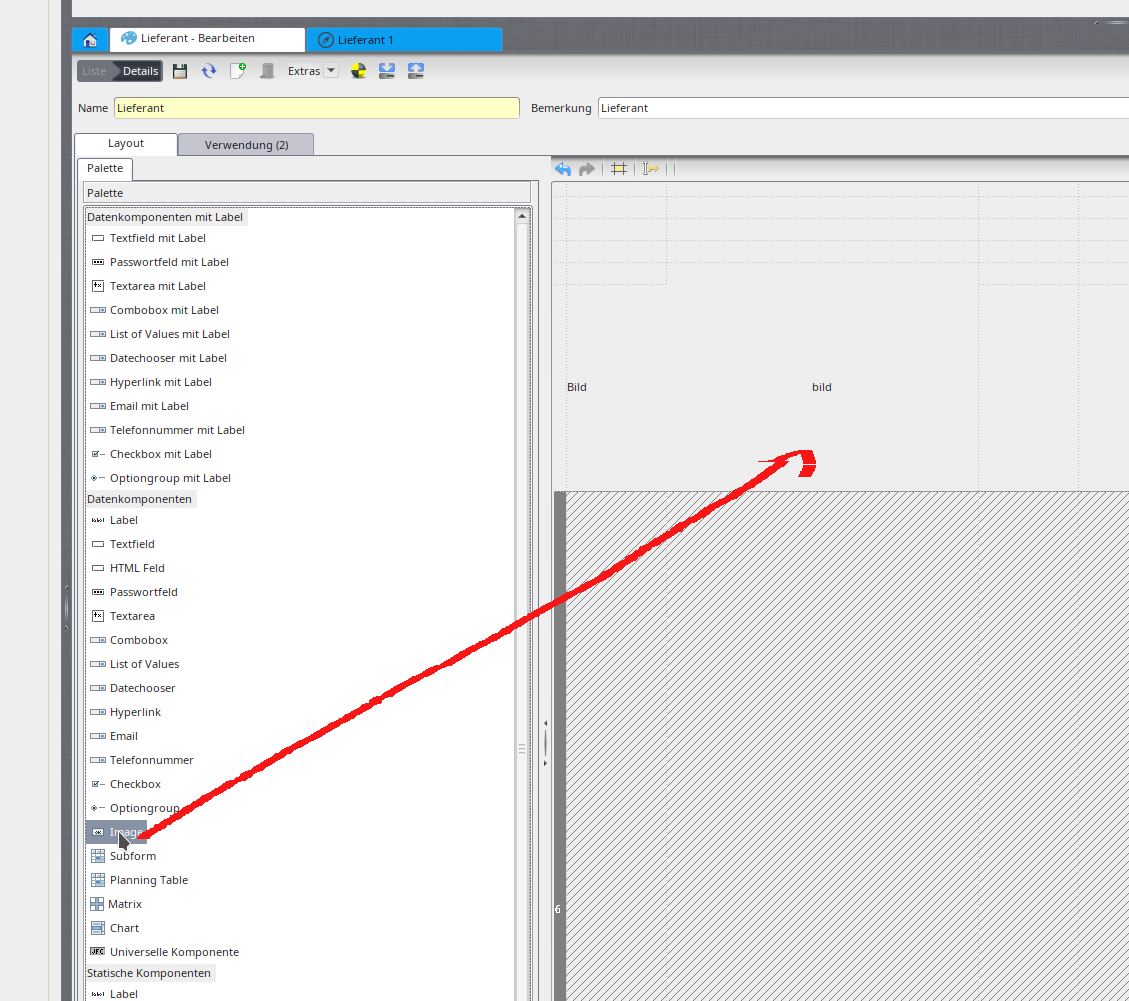
Image component in the layout.
Auto number
Automatically assigns consecutive numbers on creation – e.g. for the positions of an invoice. The auto-number business object defines the counter context: if a BO is selected, the number counts per BO (no uniqueness violations); if left empty, the number is assigned per sub-form relative to the main record.

Auto number settings.
Defining custom data types
Under Configuration → Other → Data type you can additionally define custom data types and then use them in the business object.
Related pages
Überblick
Inhalte