
Language: Deutsch · English
 Search form
In the search form you enter terms with operators and wildcards – all conditions are combined with AND.
REFERENZ USER UPDATED: JUL 2026 APPLIES TO NUCLOS 4.2026.X
On this page
The search form sits in the Search tab of business-object and master-data forms (marked by a magnifier watermark). The search expression is shown in the footer.
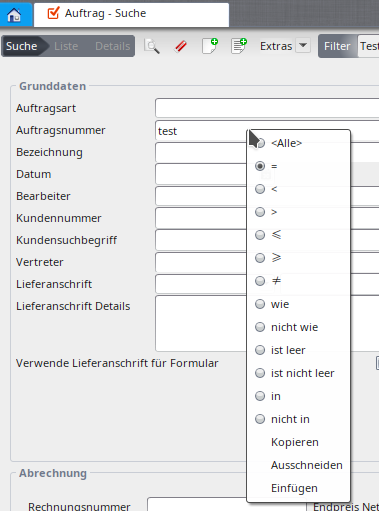
Search form with terms.
Operators
| Expression | Meaning |
|---|---|
| <All> | search across all values |
| = | value matches the term exactly |
| < / > | less / greater than (numbers, dates) |
| ≤ / ≥ | less-or-equal / greater-or-equal |
| ≠ | not equal (all but the term) |
| like / not like | matches (or not) with wildcards |
| is empty / is not empty | field empty resp. not empty |
| field compare | term is the value of another field |
| parameter compare | term is a parameter (e.g. current user) |
Wildcards
| Wildcard | Meaning |
|---|---|
| * | any number of characters (e.g. P* → starts with P) |
| ? | exactly one character (e.g. Pr?duct) |
| TODAY | date fields only: today's date |
| TODAY+/-nD or nM | today +/- n days resp. months |
Example
Example: Surname S* finds all surnames starting with S; Date < 2010-01-01 all before it.
Related pages
Überblick
Inhalte