Nuclos Web Client local file links: Firefox user.js (capability.policy.localfilelinks), default program Windows Explorer. |
Language: Deutsch · English
How to open links to local files from the Web Client (Windows + Firefox).
On this page |
The Web Client can open links via hyperlink fields. For security reasons modern browsers block links to local files (file protocol). Below is the setup for Windows + Firefox.
Example: |
In the profile directory (%appdata%\Mozilla\Firefox\Profiles\{profileId}) create or extend user.js:
user_pref("capability.policy.policynames", "localfilelinks");
// mit Leerzeichen getrennte Liste der Hosts (mit Port)
user_pref("capability.policy.localfilelinks.sites", "http://localhost:8120");
user_pref("capability.policy.localfilelinks.checkloaduri.enabled", "allAccess");
// schaltet den Firefox-eigenen Handler fuer das Protokoll "file" aus
user_pref("network.protocol-handler.expose.file", false); |
On the first click of a file link, Firefox asks for a program – choose Windows Explorer (c:\Windows\explorer.exe) and enable „Remember my choice for file links“.
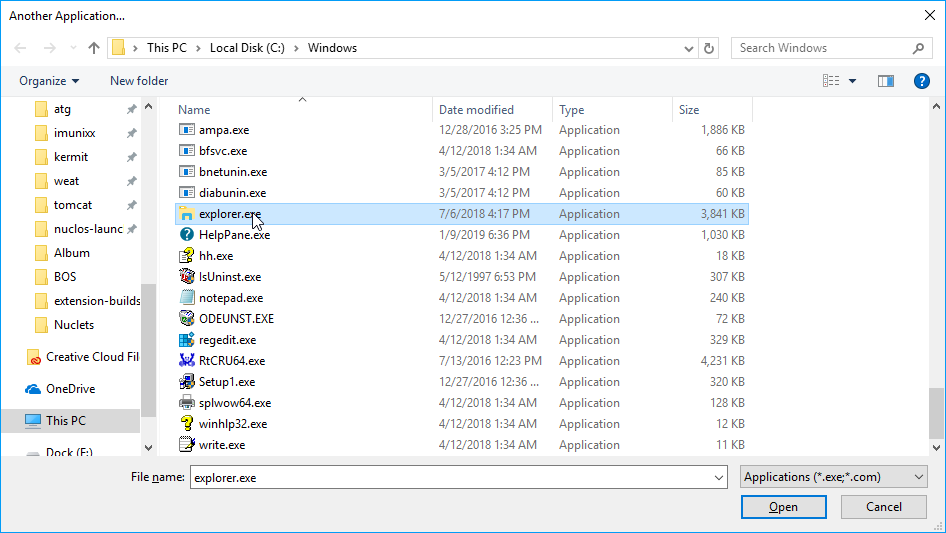
Program selection in Firefox.
Afterwards each click on a local link opens Explorer directly.