Jaspersoft designer data source: Dataset and Query, SQL, parameter $P{Intid}, JOIN, fields, BigDecimal, transfer to Nuclos. |
Language: Deutsch · English
Build an SQL data source directly in the Jaspersoft designer – with a parameter and instantly available fields.
On this page |
After setting up the database connection you can create the data source directly in the designer. Advantage: a query's attributes are then immediately available as fields in the form. This data source must later be transferred to the Nuclos data source editor.
Open the Dataset and Query dialog.
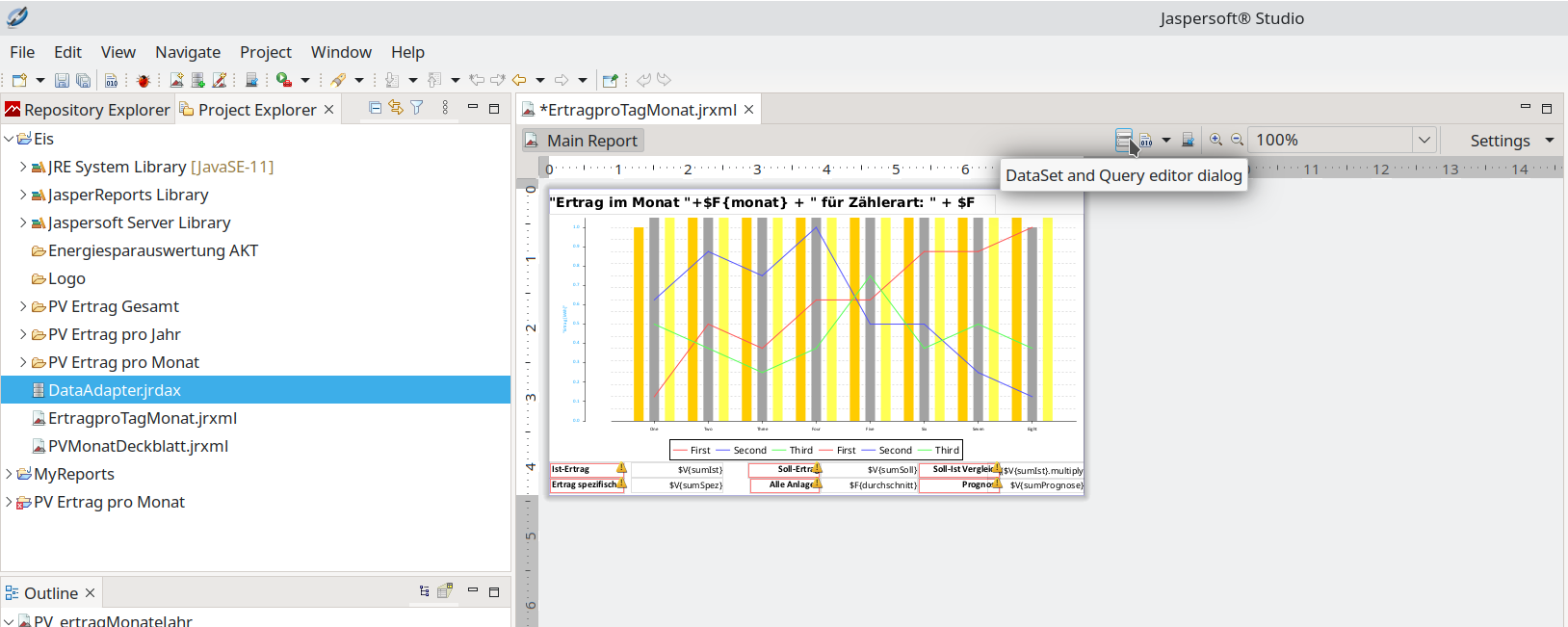
Dataset and Query editor.
Choose the DBMS query language (here SQL). Queries can be loaded/saved (.sql/.txt), developed in the editor and assembled via a query designer. With correct syntax the result set is shown.
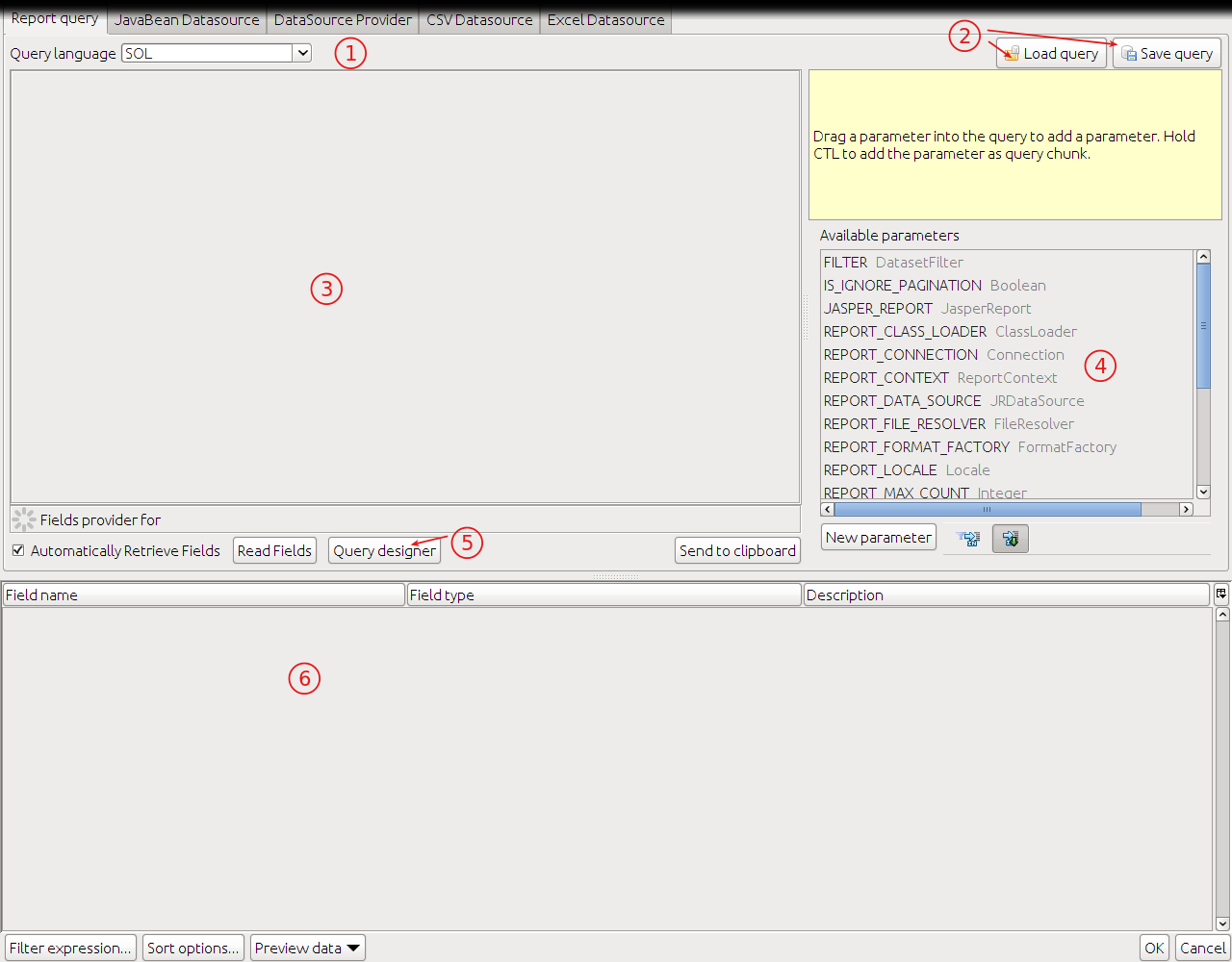
Query editor with result.
To filter, create a parameter (New Parameter), e.g. Intid of type Integer. A default value (a real INTID from the DB) eases testing. Every table has an intid column.
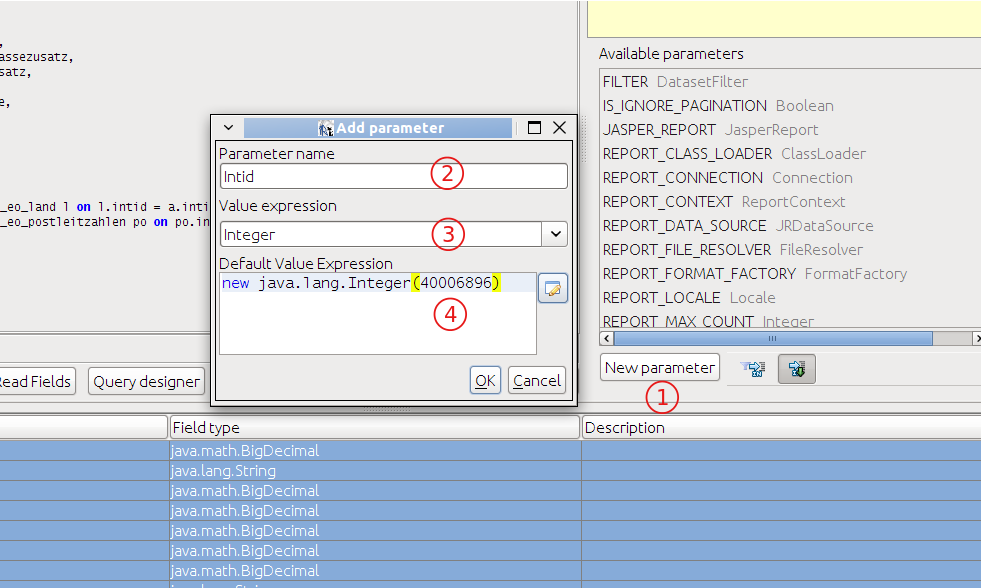
Creating a parameter.
List the desired columns in the SELECT, join referenced tables in the FROM clause and filter via the parameter in WHERE ($P{Intid}).
SELECT

         a."intid" ,
         a."strnummer",
         a."dblvkbrutto",
         a."dblvknetto",
         a."dbleknetto",
         a."dblmwst",
         a."dblrabattnetto",
         a."strrname",
         a."strrpostfach",
         a."strrstrassezusatz",
         a."strrnamezusatz",
         a."strrfirma",
         a."strrstrasse" ,
         l."strname" strland,
         po."strort",
         po."strplz"

FROM
         nuclos.t_eo_auftrag a
    left outer join nuclos.t_eo_land l on l.intid = a.intid_strrland
    left outer join nuclos.t_eo_postleitzahlen po on po.intid = a.intid_strrplzort

WHERE
a.intid = $P{Intid} //z.B. 40006408 |
Attribute prefixes reveal the data type: |