Nuclos calculated attribute data source: INTID, $username, $mandator, dynamic background colour, attributeColorSQLWhitelist, SQL example. |
Language: Deutsch · English
Calculated attribute via a data source – with context variables and dynamic background colour for the web client.
On this page |
A calculated attribute is a single return value of a database query that is linked to a field in the business object and shown at runtime – without any user action.
Menu: Configuration → Data sources → Calculated attribute
Compared to functions in database objects, data-source-based attributes offer extra context variables such as |
The data source needs a parameter for the INTID of the record where the attribute is shown. The return value must match the value to display; the same data type is chosen when linking it in the business object.
Do not use |
Businessobjekt |
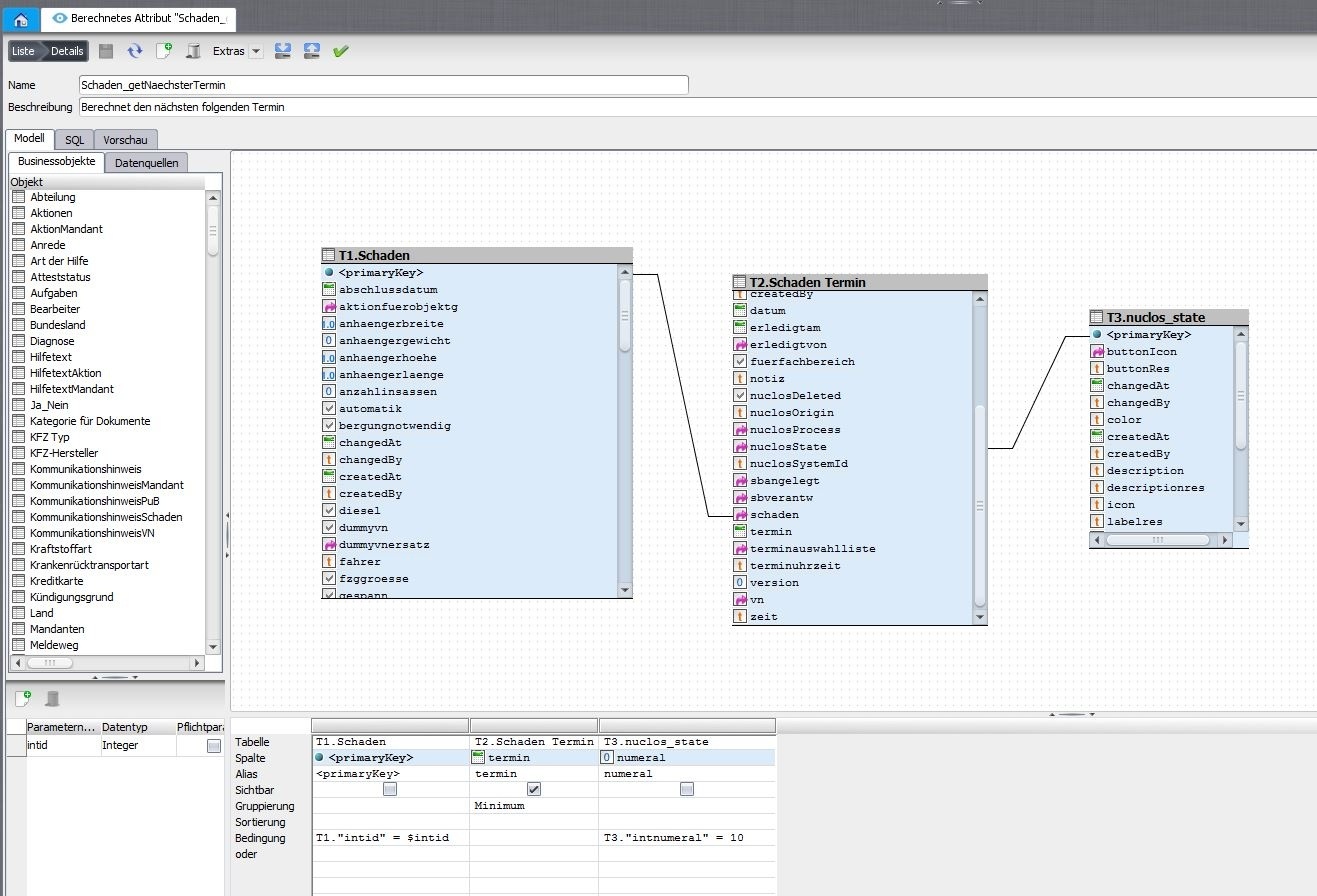
Data source of a calculated attribute.
Since Groovy scripts are not evaluated in the web client, a data source of type calculated attribute can return a component's background colour as a hex-encoded string (e.g. #00ff00). Available parameters include: intid, strfield, struidfield, fieldvalue (SQL snippet, whitelist attributeColorSQLWhitelist), username, mandator.
select
  pm.strvalue
from
  t_md_nucletparameter
  inner join t_md_mandator_param_value pm on t_md_nucletparameter.struid
where
  pm.struid_t_md_nuclet_param where strparameter = 'Nucletparameter x'
and pm.struid_t_md_mandator = ('$mandator') |
Priority rich client: Groovy > data source > |