Electronic invoices Nuclet – nuclet: receiving electronic invoices - xrechnung and zugferd. |
Language: Deutsch · English
Data sheet and documentation entry point for the Electronic invoices Nuclet (receiving and processing electronic invoices (XRechnung and ZUGFeRD)).
On this page |
This page was machine-translated from German as a first draft and is currently under review. The authoritative source remains the German original (see the language switch above). |
| Version | Date | Notes | Compatibility | Note |
|---|---|---|---|---|
| 2.1.2 | 03.12.2024 | First published version | from Nuclos 4.2022.41.2 | |
| 2.1.3 | 09.01.2025 | Minor layout changes and moved to menu Interfaces adaptation to export version | from Nuclos 4.2022.41.2 | |
| 2.1.4 | 07.02.2025 | Standalone import without Import e-invoice enabled | from Nuclos 4.2022.41.2 | |
| 2.1.5 | 29.07.2025 | adaptation to export version | from Nuclos 4.2022.41.2 | |
| 2.1.6 | 10.10.2025 | adaptation to export version | from Nuclos 4.2022.41.2 |
The Nuclet enables the automated receipt of electronic invoices (e-invoices) in XML or PDF format, their official validation and presentation in an HTML file as well as the preparation for conversion into a suitable business object (hereafter: incoming invoice).
The following format is supported: XRechnung in version 3.0.2 (20.06.2024) in the XML syntax Universal Business Language (UBL) of OASIS in version 2.1 and the XML syntax Cross Industry Invoice (CII) of UN/CEFACT in version D16B.
Furthermore, the specification ZUGFeRD is covered with its five profiles in version 2.3.2 (15.11.2024).
The receipt of electronic invoices in outdated versions of the mentioned formats is also possible in many cases, but usually results in additional validation messages.
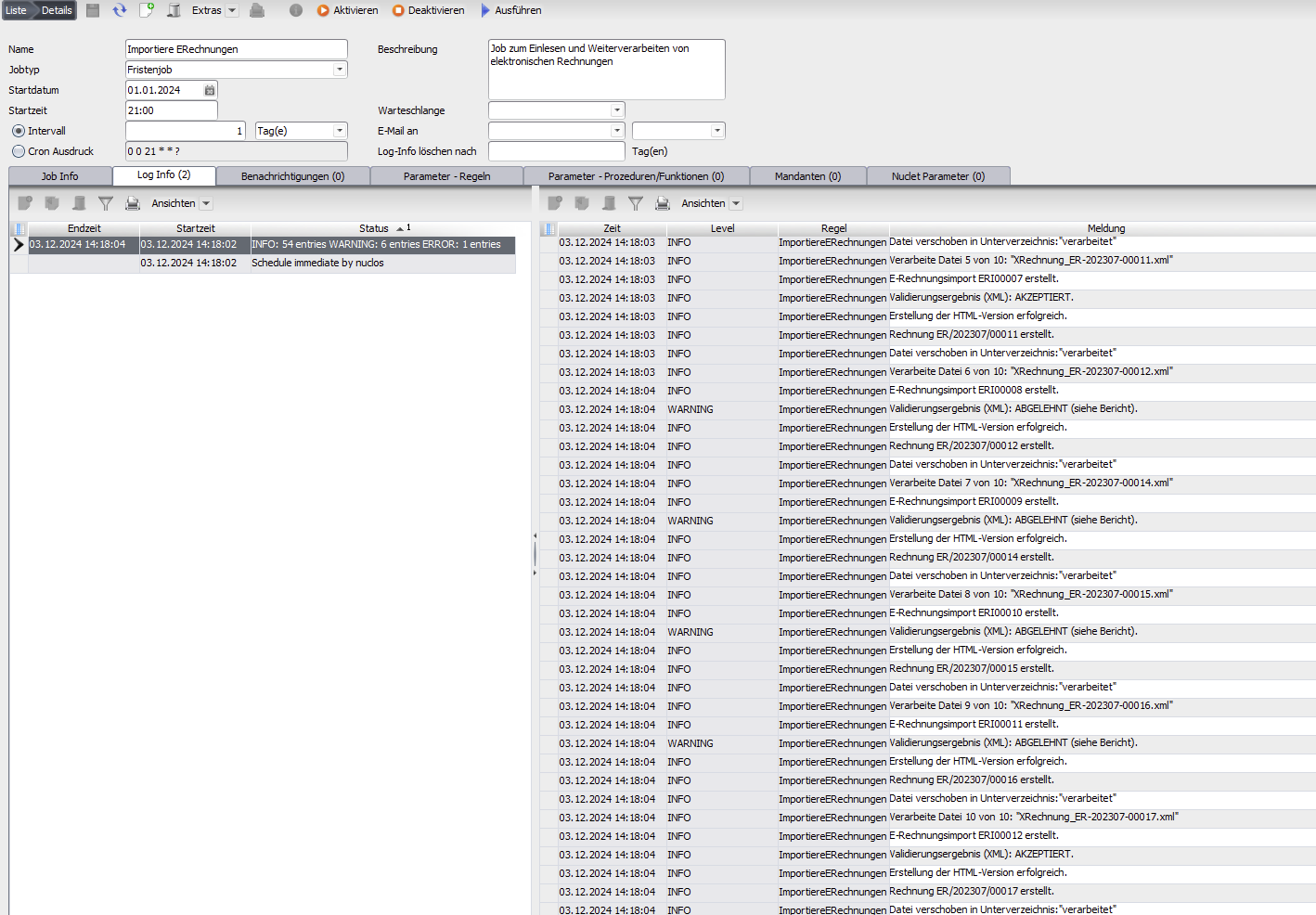
E-invoices can be imported automatically via the job Importiere ERechnungen from a specified directory (Nuclet parameter Ablagepfad).
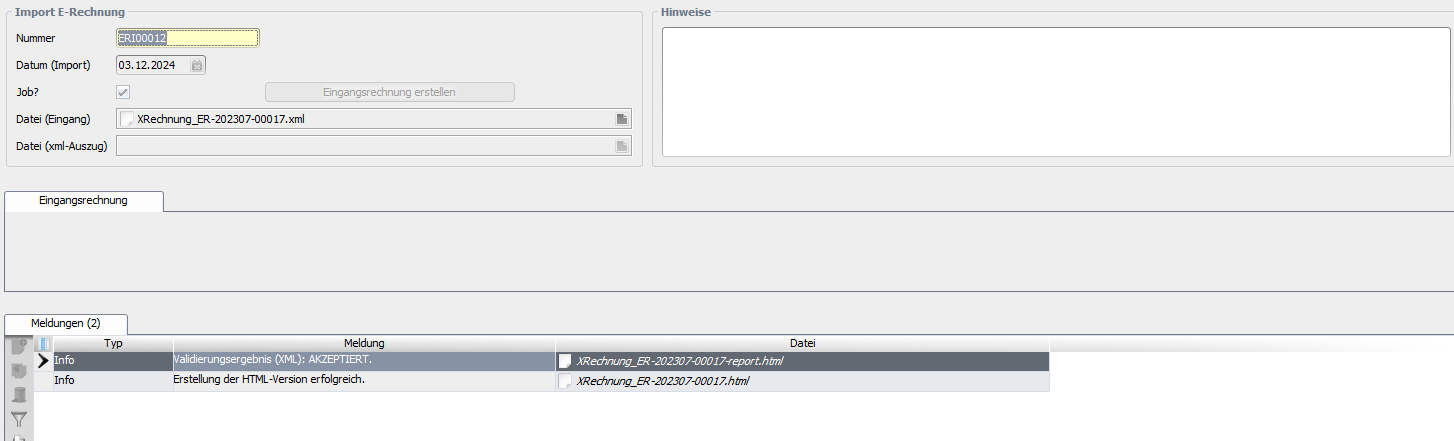
E-invoices can also be imported manually via the form Interfaces -> Import e-invoice and converted into an incoming invoice.
The example Nuclet under Nuclet: Electronic invoices - XRechnung and ZUGFeRD can also be used here.
The Nuclet requires the two Nuclets described under Nuclet: Electronic invoices - XRechnung and ZUGFeRD . |
org.nuclet.xrechnung.imp.ImportiereERechnungen.InvoiceHelper can also be implemented (the assignment takes place via the Nuclet parameter ImplKlasseEingangsrechnung), which provides the methods required in the job for validating uniqueness (getEingangsrechnung), creating a new incoming invoice (newEingangsrechnung) and assigning the fields (setFields). A complete example is given under Integration .org.nuclet.xrechnung.imp.AktualisiereERechnungsimport#getXRechnung the general Java object based on the XRechnung standard is made available. If fields are required that only exist in one of the two above-mentioned XML syntaxes, the respective complete Java transformations can be obtained via org.nuclet.xrechnung.imp.AktualisiereERechnungsimport#getCompleteInvoice .| Step | Description | Screenshot / description | |
|---|---|---|---|
| 1 | If not already done, import the two Nuclets described under Nuclet: Electronic invoices - XRechnung and ZUGFeRD (see Nuclet import). After importing these Nuclets, the server instance must be restarted. | ||
| 2 | Carry out the import of the Nuclet, then the server instance must be restarted again, as the Nuclet contains its own extensions. | ||
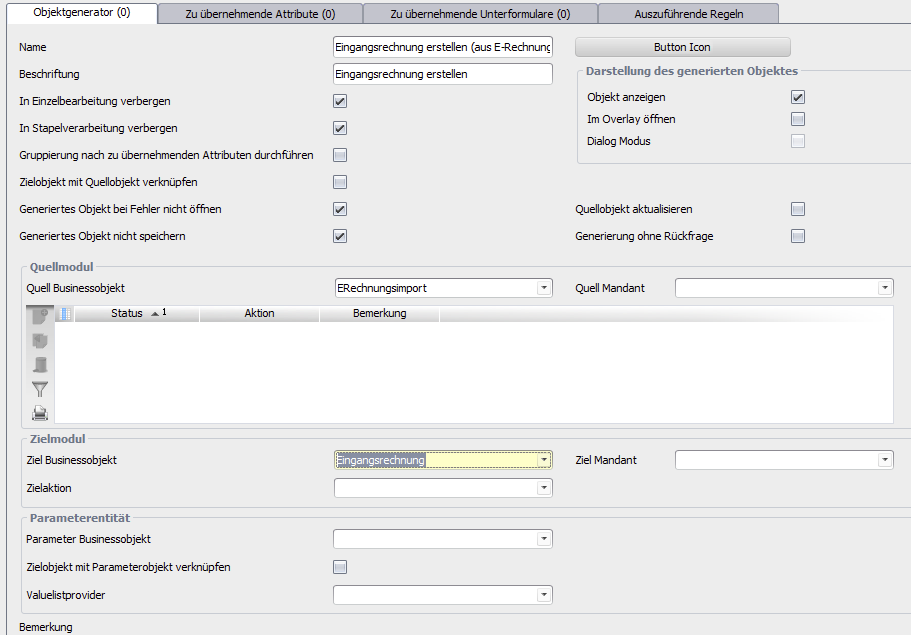
| 3 | Create an object generator for the incoming invoices with a corresponding rule. |
| |
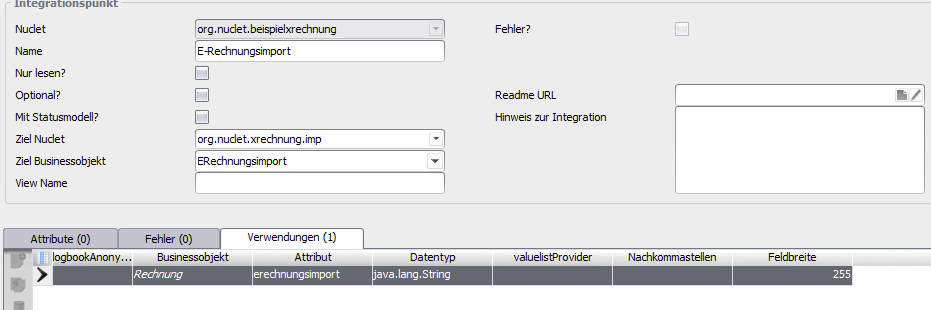
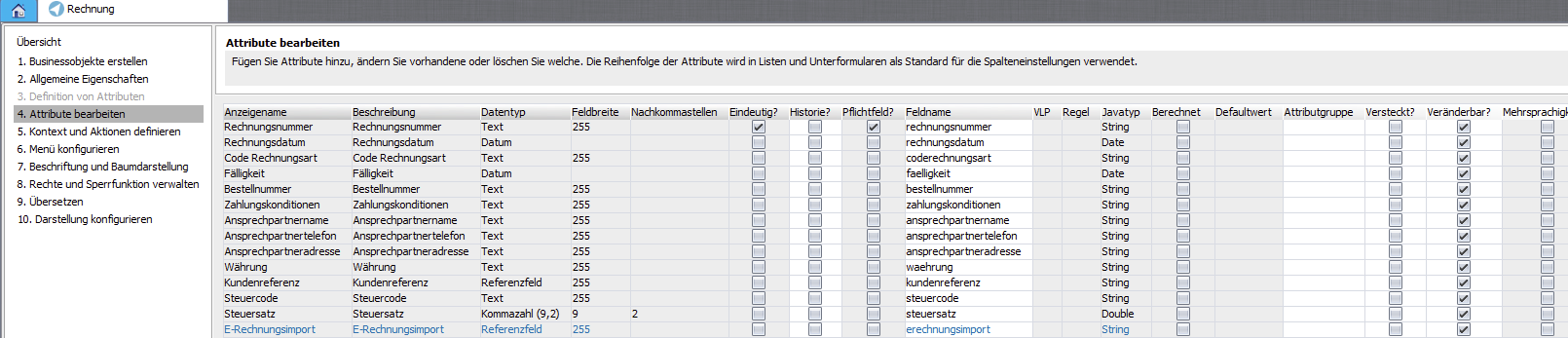
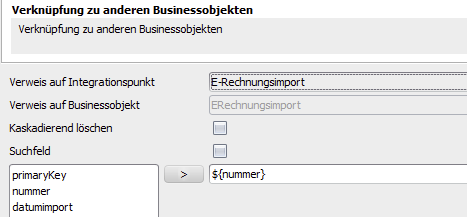
| 4 | If needed, create an integration point in the incoming invoice Nuclet with a reference to the ERechnungsimport and create a reference field via the BO editor. |
| |
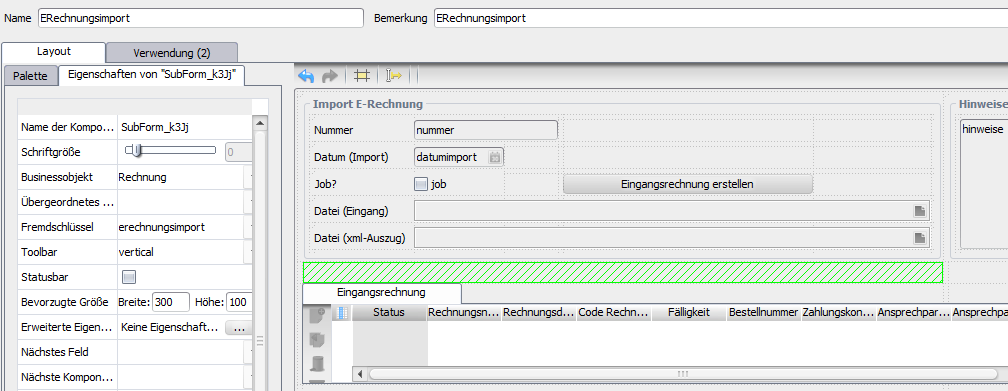
| 5 | If needed, extend the layout ERechnungsimport .
|
| |
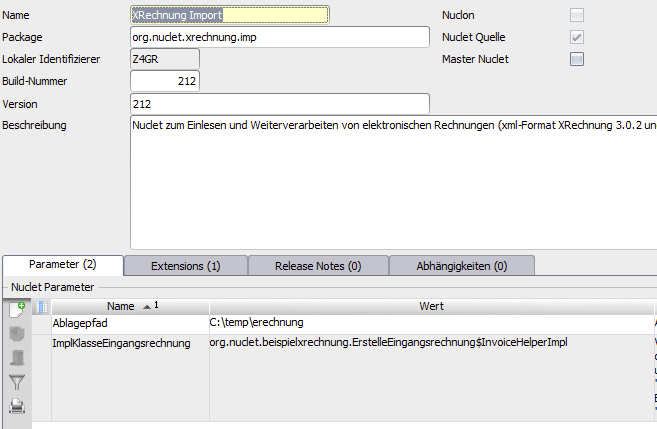
| 6 | Set the Nuclet parameters appropriately. |
| |
| 7 | Check the functionality of the job and the manual import with suitable examples (e.g. xrechnung-testsuite/.../technical-cases or zugferd-2.3.2). |
|