Nuclos Jasper inserting images: image, PNG, SVG, scale image, on error, resource, InputStream, image expression. |
Language: Deutsch · English
Embed images in reports/forms – as a resource or dynamically from the database via InputStream.
Auf dieser Seite |
JasperReports accepts GIF, PNG and JPEG as well as vector graphics as SVG (without embedded raster graphics). Drag the Image tool onto the canvas and pick the file (set the filter to „All files“ if needed).
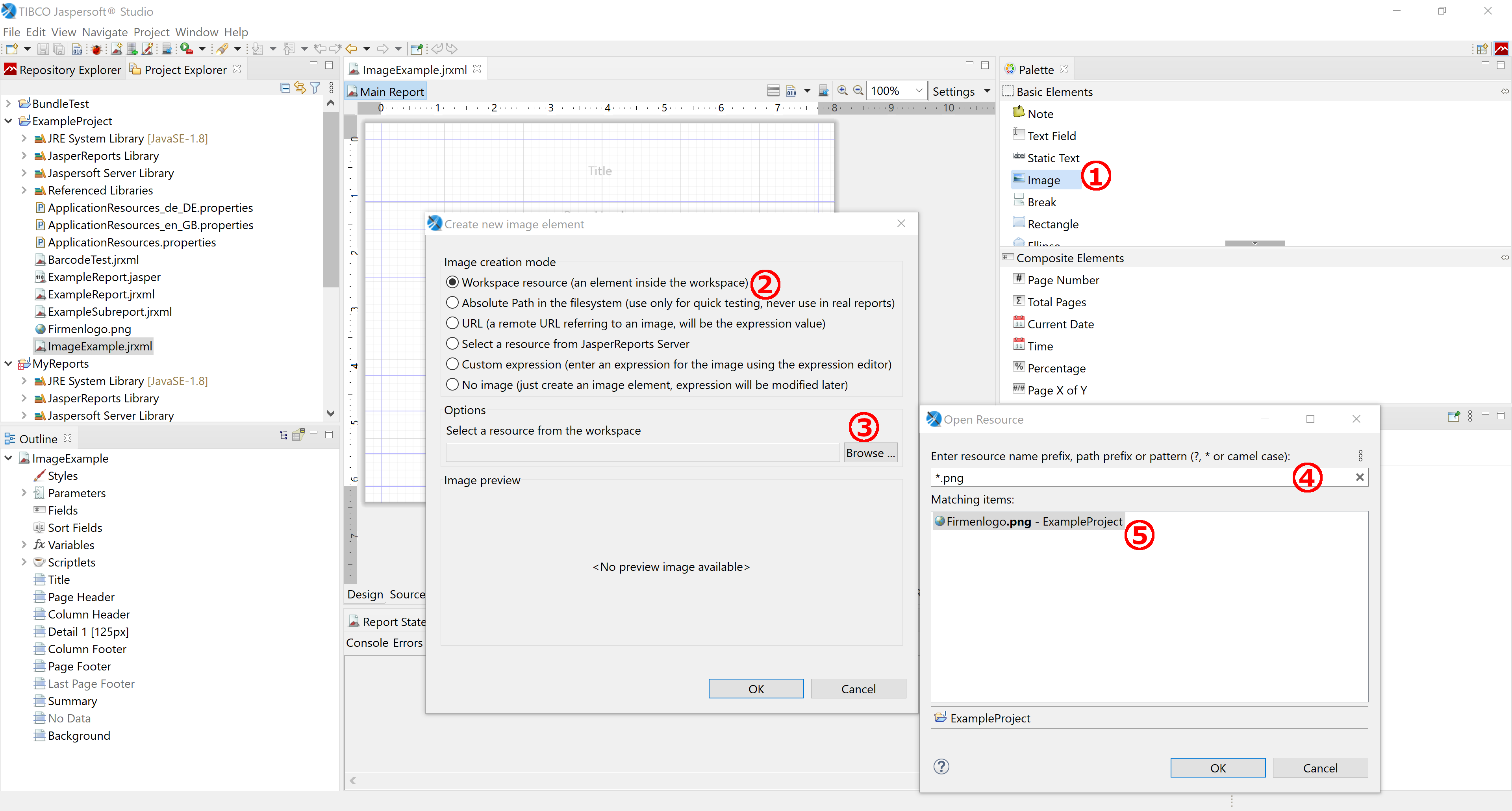
Image element in Jaspersoft Studio.
| Property | Values |
|---|---|
| Scale Image | Retain Shape (aspect ratio, default) · Fill Frame (fills area, may distort). |
| On Error Type | Error (throw, default) · Blank (nothing) · Icon (placeholder). |
| Rotation | None · Left (−90°) · Right (90°) · UpsideDown (180°). |
| Image Alignment | horizontal/vertical alignment. |
Nuclos embeds the image at runtime by file/image name. Upload it under Configuration → Others → Resource.
The new resource must be assigned to the nuclet – otherwise the report reports that the image cannot be found. |
To show images from the database:
User_Photo).java.io.InputStream.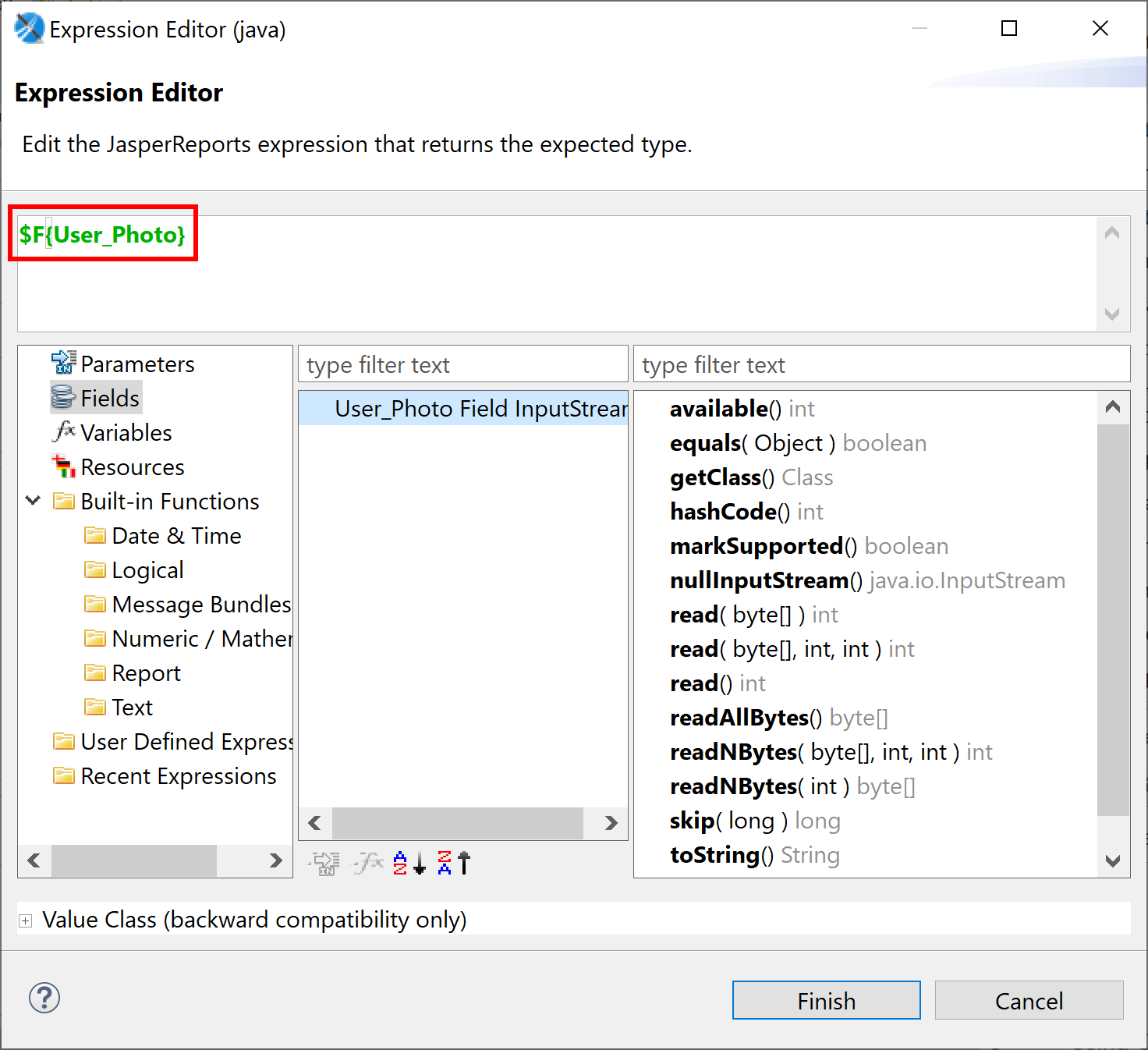
Image expression from a database field.