
Language: Deutsch · English
 Creating a data source in the designer
Build an SQL data source directly in the Jaspersoft designer – with a parameter and instantly available fields.
HOW-TO APPLICATION DEVELOPER UPDATED: JUL 2026 APPLIES TO NUCLOS 4.2026.X
On this page
Why in the designer?
After setting up the database connection you can create the data source directly in the designer. Advantage: a query's attributes are then immediately available as fields in the form. This data source must later be transferred to the Nuclos data source editor.
Step 1 – open the query editor
Open the Dataset and Query dialog.
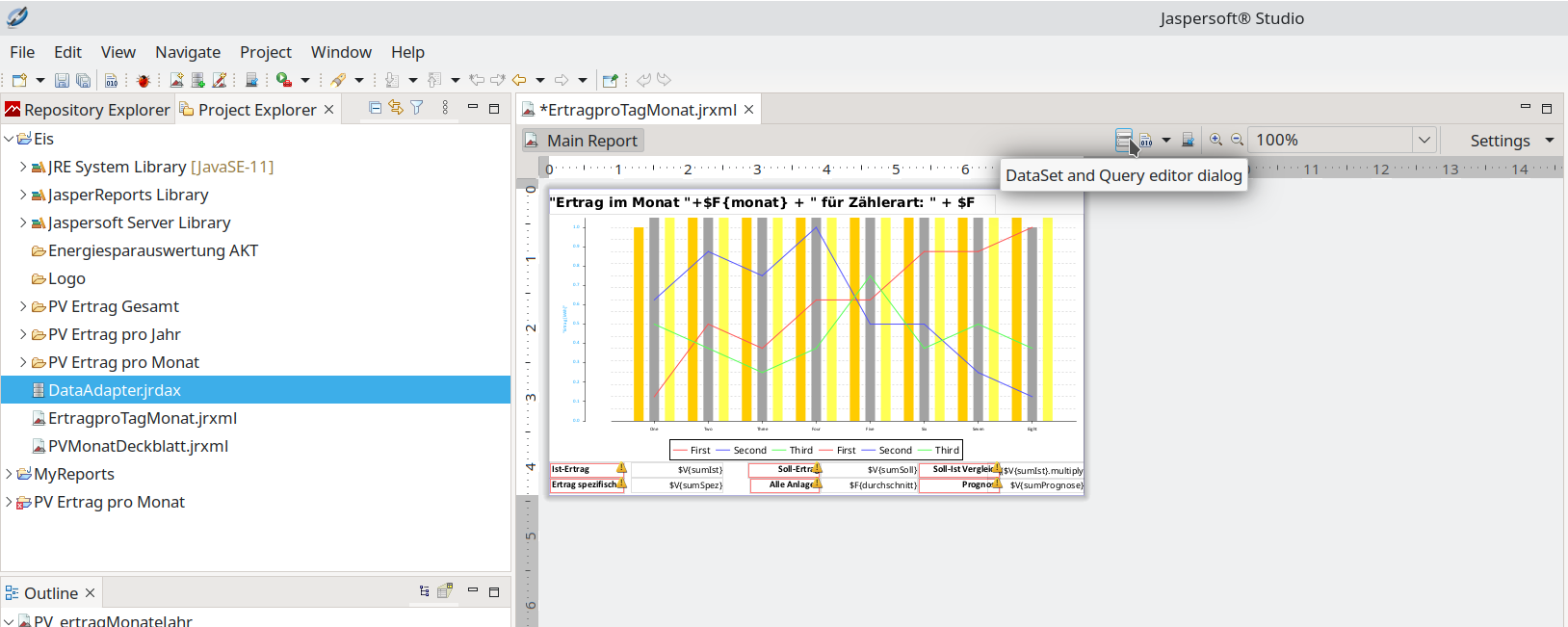
Dataset and Query editor.
Step 2 – query language & editor
Choose the DBMS query language (here SQL). Queries can be loaded/saved (.sql/.txt), developed in the editor and assembled via a query designer. With correct syntax the result set is shown.
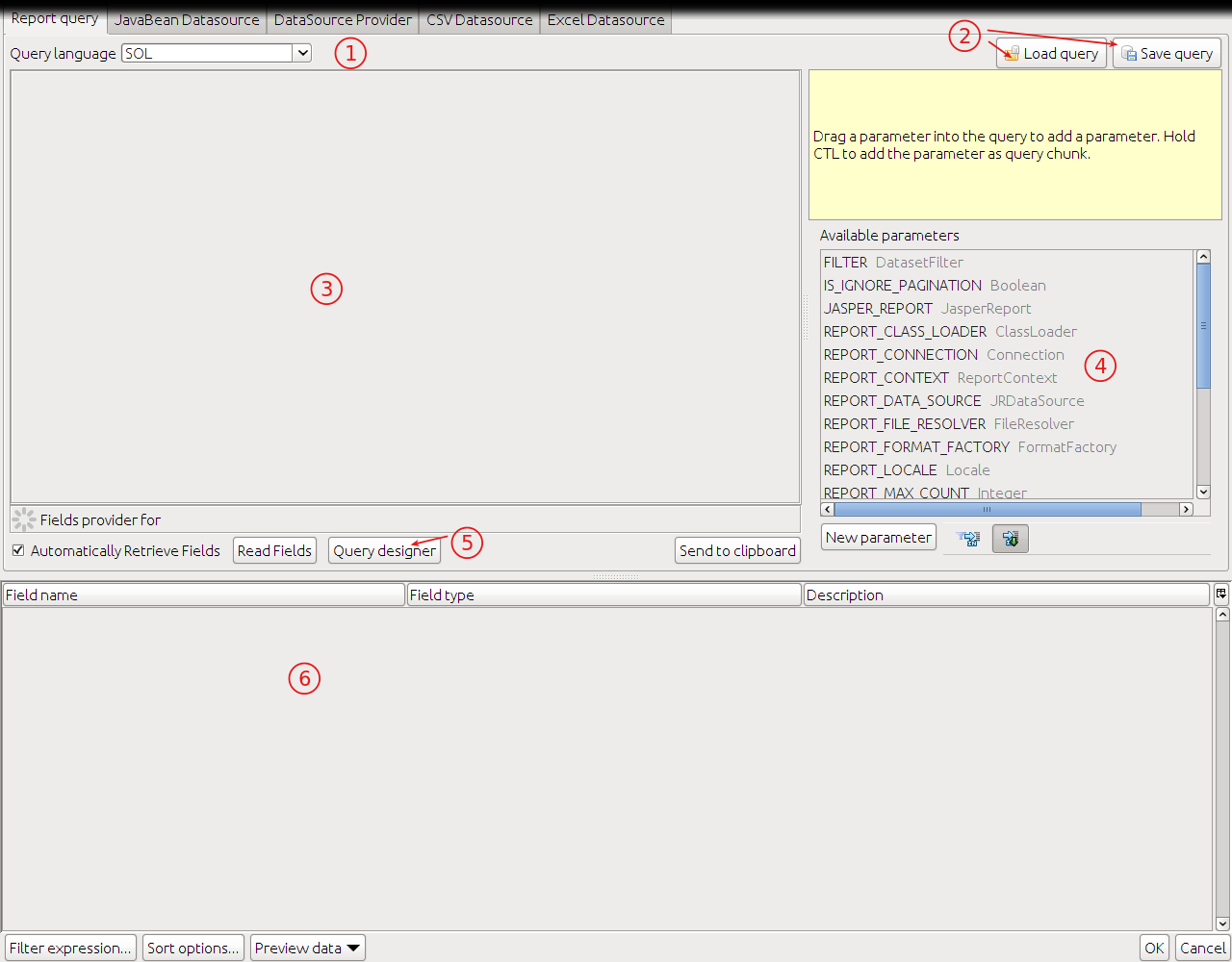
Query editor with result.
Step 3 – create a parameter
To filter, create a parameter (New Parameter), e.g. Intid of type Integer. A default value (a real INTID from the DB) eases testing. Every table has an intid column.
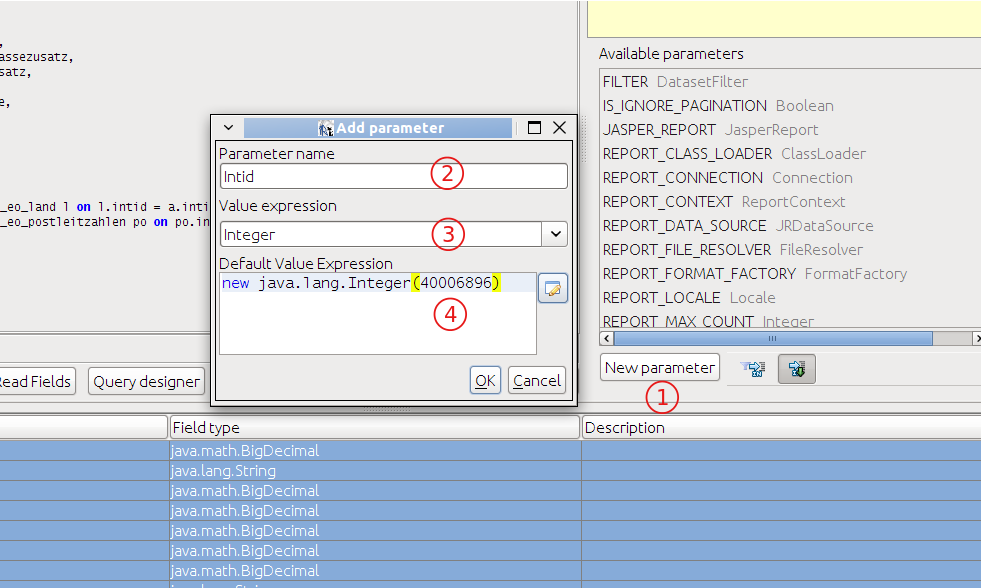
Creating a parameter.
Step 4 – write the query
List the desired columns in the SELECT, join referenced tables in the FROM clause and filter via the parameter in WHERE ($P{Intid}).
SELECT

         a."intid" ,
         a."strnummer",
         a."dblvkbrutto",
         a."dblvknetto",
         a."dbleknetto",
         a."dblmwst",
         a."dblrabattnetto",
         a."strrname",
         a."strrpostfach",
         a."strrstrassezusatz",
         a."strrnamezusatz",
         a."strrfirma",
         a."strrstrasse" ,
         l."strname" strland,
         po."strort",
         po."strplz"

FROM
         nuclos.t_eo_auftrag a
    left outer join nuclos.t_eo_land l on l.intid = a.intid_strrland
    left outer join nuclos.t_eo_postleitzahlen po on po.intid = a.intid_strrplzort

WHERE
    a.intid = $P{Intid} //z.B. 40006408
Naming convention
Attribute prefixes reveal the data type: str = String, dbl = Double, int = Integer, bln = Boolean. Numeric SQL types are converted by the designer to java.lang.BigDecimal – no conversion needed.
Related pages
Überblick
Inhalte