
Language: Deutsch · English
 Nuclet: Intrastat declaration
Data sheet and documentation entry point for the Intrastat Nuclet (creating Intrastat declarations for intra-EU trade in goods).
CONCEPT INTEGRATORS UPDATED: JUL 2026 APPLIES TO NUCLOS 4.2026.X
On this page
Machine-translated – under review
This page was machine-translated from German as a first draft and is currently under review. The authoritative source remains the German original (see the language switch above).
Releases
| Version | Date | Notes | Compatibility | Note |
|---|---|---|---|---|
| 1.0.0 | 01.01.2025 | First published version | from Nuclos 4.2024.26.2 |
Overview
The Nuclet enables the generation of an XML file for the monthly Intrastat declaration to the Federal Statistical Office.
Important notes
A renewed Nuclet import overwrites the changes described below for
- Data sources
- Valuelisprovider
- integration points
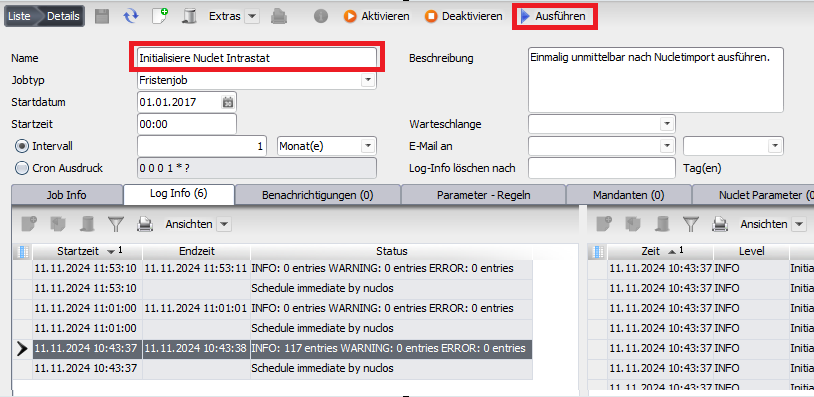
A renewed execution of the job Initialisiere Nuclet Intrastat overwrites your changes to the XML elements
Integration
The integration after a successful Nuclet import (see Nuclet import) is to be carried out as follows.
| Step | Description | Screenshot |
|---|---|---|
| 1 | After importing the Nuclet, run the job Initialisiere Nuclet Intrastat . |
|
| 2 | In the Nuclet Intrastat fill the two Nuclet parameters | |
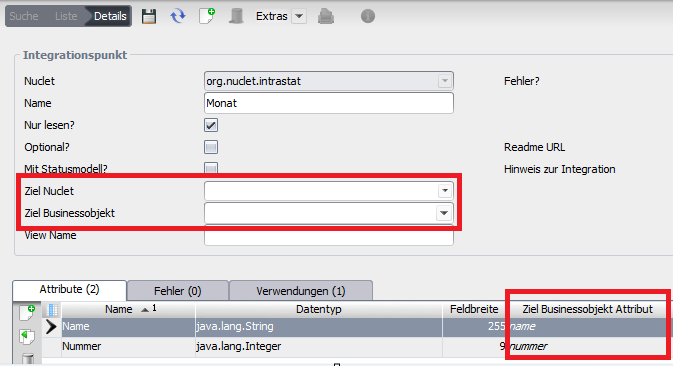
| 3 | Open Sie den Menüpunkt Konfiguration > Integrationspunkte und befüllen Sie den Integrationspunkt Monat. This is not supplied by the Nuclet, as it is often already present in the main Nuclet. If not, create such a BO in your main Nuclet and fill it with the months. | |
| 4 | Under Konfiguration > Datenquellen > Valuelistprovider , adapt the value list provider VLP Monate . | |
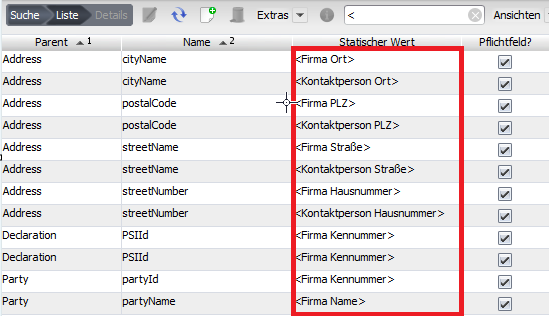
| 5 | Open the menu item Wertelisten > Schnittstellen > XML Element and replace all static values in angle brackets with your own. For the address data, you can fill in further values (such as country, telephone, fax, email, URL), but you do not have to. Mandatory fields are marked accordingly. Mandatory fields outside the address data do not have to be filled with static values; here the values then come from the data sources. | |
| 6 | Adapt the data sources
for your configuration so that they provide meaningful data. |
|
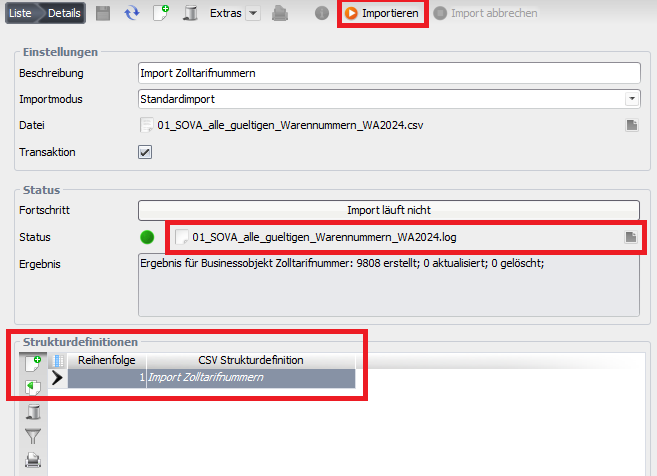
| 7 | Under Konfiguration > Import & Export > Objektimport , create a new object import and import the Datei mit den Zolltarifnummern (more recent files may be available at the Federal Statistical Office). Run the created object import to import the customs tariff numbers. |
|


Using the Nuclet
After the successful integration of the Nuclet, you can
- the menu item Schnittstellen > Meldung Intrastat and open it
- create a new record
- Year and Month enter
- save
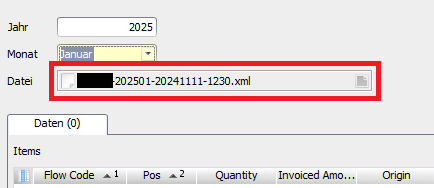
Then Nuclos generates an XML file that you can save and transmit to the Federal Statistical Office.
Related pages
Überblick
Inhalte