
Seitenhistorie
...
| Step | Description | Screenshot |
|---|---|---|
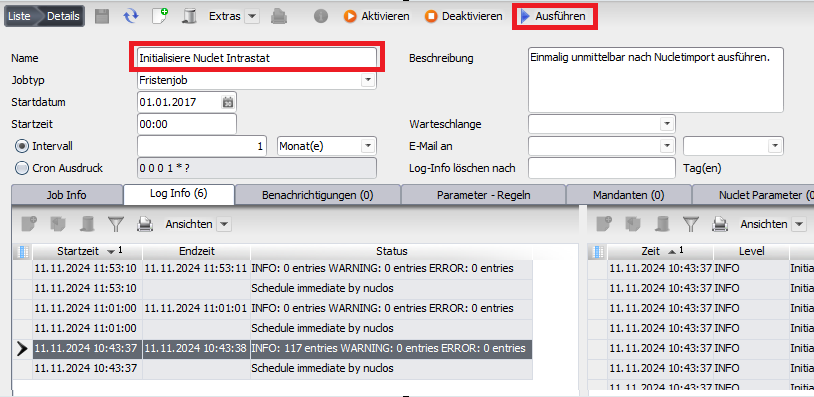
| 1 | After importing the Nuclet, run the job Initialisiere Nuclet Intrastat . |
|
| 2 | In the Nuclet Intrastat fill the two Nuclet parameters | |
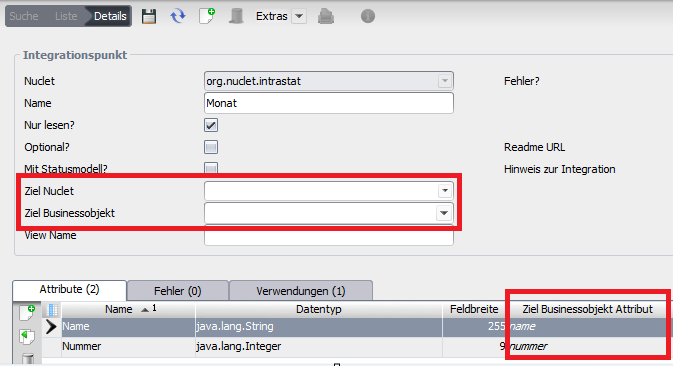
| 3 | Öffnen Open Sie den Menüpunkt Konfiguration > Integrationspunkte und befüllen Sie den Integrationspunkt Monat. This is not supplied by the Nuclet, as it is often already present in the main Nuclet. If not, create such a BO in your main Nuclet and fill it with the months. | |
| 4 | Under Konfiguration > Datenquellen > Valuelistprovider , adapt the value list provider VLP Monate . | |
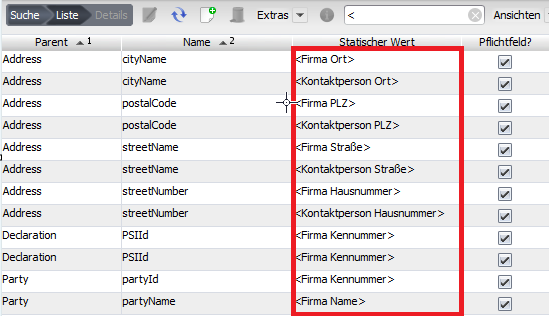
| 5 | Open the menu item Wertelisten > Schnittstellen > XML Element and replace all static values in angle brackets with your own. For the address data, you can fill in further values (such as country, telephone, fax, email, URL), but you do not have to. Mandatory fields are marked accordingly. Mandatory fields outside the address data do not have to be filled with static values; here the values then come from the data sources. | |
| 6 | Adapt the data sources
for your configuration so that they provide meaningful data. |
|
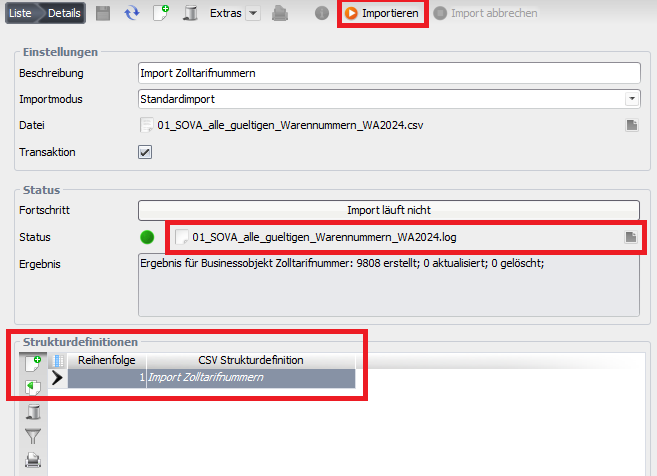
| 7 | Under Konfiguration > Import & Export > Objektimport , create a new object import and import the Datei mit den Zolltarifnummern (more recent files may be available at the Federal Statistical Office). Run the created object import to import the customs tariff numbers. |
|


...
Überblick
Inhalte